What Emoticon Keyboard (with Emoji) actually does (from store listing)
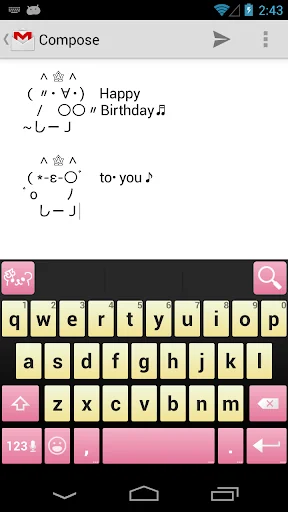
<font color="#ff44aa"><strong>Emoticon Keyboard</strong>♥</font> is a <font color="#ff44aa"><strong>keyboard application</strong></font> that makes you to use <strong>emoticons</strong> and <strong>emoji</strong> with your text.
Using this application to input <font color="#ff44aa"><strong>Kawaii (= cute) emoticons and emoji</strong></font> is the best way!.+。:.゚ヽ(*´ω`)ノ゚.:。+
Try this app, and your text gets Kawaii.( •̀∀•́ )b<font color="“#ff44aa"">♥</font>
<font color="red">Emoticon Keyb…
Emoticon Keyboard♥ is a keyboard application that makes you to use emoticons and emoji with your text.
Using this application to input Kawaii (= cute) emoticons and emoji is the best way!.+。:.゚ヽ(*´ω`)ノ゚.:。+
Try this app, and your text gets Kawaii.( •̀∀•́ )b♥
Emoticon Keyboard is…🐱
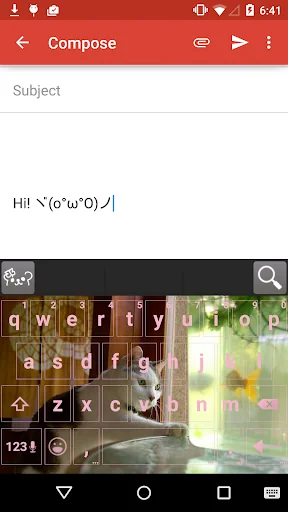
♥Changeable color and background image.
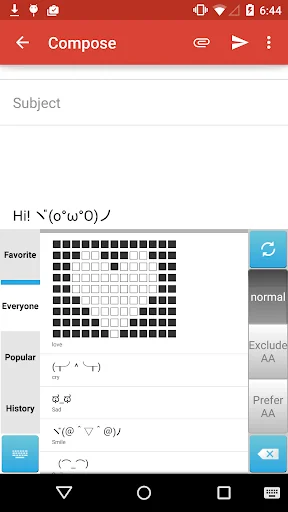
♥1 million emoticons are available.∑(°口°๑)❢❢
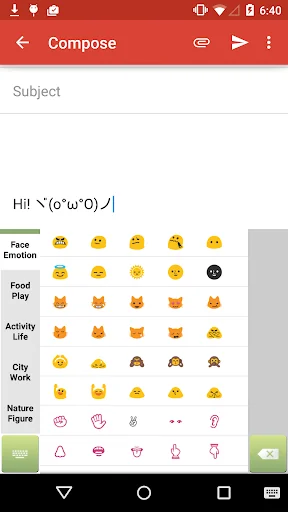
♥All emoji exists on this keyboard♪♬✧
【How to use】
1. Install.
2. Tap this application's icon on your home screen, and change your keyboard configuration into this.
Just 2 Steps makes you possible to use Kawaii emoticons or emoji.+。:.゚( ̄ー+ ̄).:。+゚
【How to search emoticons】
1. Type [s][m][i][l][e].
2. Before fixed it, tap the left top (search-emoticon) icon, you'll find smile emoticons.
【How to import Emoticon Dictionary's favorite】
1. Home > Emoticon Keyboard > Manage your favorite emoticons
2. Tap the right top icon(or menu button on your phone) > Smart Import
3. Select an import type
♦♫♦*:..。♦♫♦*゚¨゚゚・*:..。♦♫♦*゚¨゚゚・*:..。♦♫♦*:..。♦♫♦*゚¨゚゚・*:..。♦♫♦*゚¨゚゚・*:..。
■About permisions
-Read your contacts
it's used to fix candidates based on your contacts.
-Read terms you added to the dictionary
it's used to save words that you frequently use.
-Full network access
it's used to download new emoticon from internet.
-View network control
it's used to read the network state if it's in service.
-Control vibration
it's used to vibrate your phone on a type
-Modify or delete the contents of your USB storage
it's used to back up favorite emoticons
Each forecast combines App Store rating, ratings count, monetisation model, pricing tier, IAP signals and ad-supported flag.
The base estimate is then multiplied by a per-category scaling factor learned from apps with founder-verified MRR.
Every number on this page comes from public APIs and bumetric's own snapshot history.
Full methodology covers input variables, accuracy bands per category and how we treat apps without comparable anchors.
See also the live data on Emoticon Keyboard (with Emoji)'s tracker page for current rating, reviews and snapshot timeline.
Building something similar? Get a free AI audit with $-revenue forecasts for every recommendation.


 RoboRemoSPP - Bluetooth RC
 Compass Level & GPS
 Perfect Compass (with weather)
 Easy Stopwatch Pro
 MC Skin Factory for Minecraft