What Epson DocumentScan actually does (from store listing)
This app is only for Epson scanners. Make sure that your scanner is supported.
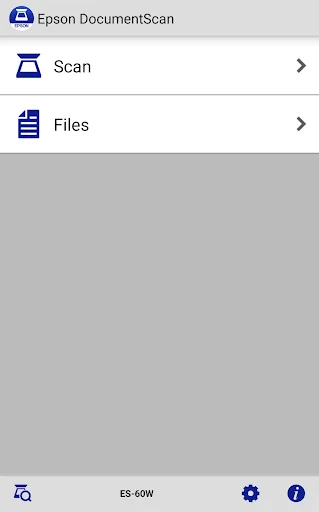
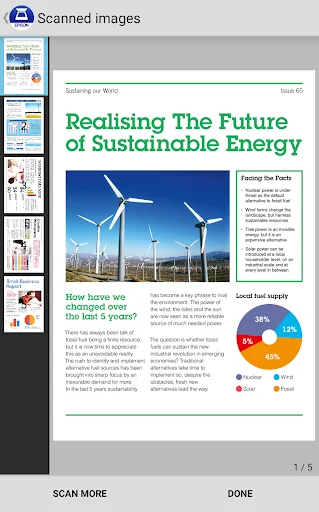
Scan documents directly to your Android™ device. Epson DocumentScan will automatically find your Epson scanner on the same Wi-Fi® network. Even without Wi-Fi network, you can establish one-to-one direct connection between Epson scanner and your Android device. You can preview the scanned data and email it, send it directly to other applications, or to cloud storage services like Box, DropBox™, Evernote®, Google Drive…
This app is only for Epson scanners. Make sure that your scanner is supported.
Scan documents directly to your Android™ device. Epson DocumentScan will automatically find your Epson scanner on the same Wi-Fi® network. Even without Wi-Fi network, you can establish one-to-one direct connection between Epson scanner and your Android device. You can preview the scanned data and email it, send it directly to other applications, or to cloud storage services like Box, DropBox™, Evernote®, Google Drive™ and Microsoft® OneDrive
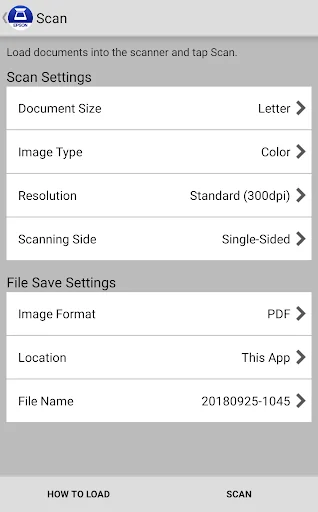
- Directly scan to your Android device with various setting (Document Size, Image type, Resolution, Simplex/Duplex)
- Edit scanned image data, rotation and order change in multiple page data
- Send scanned files via email
- Send saved data to other applications, or to cloud storage services including Box, DropBox, Evernote, Google Drive and Microsoft OneDrive.
*Installing the applications to your Android device is necessary.
- Get help with a built-in FAQ section
Advanced features
- Auto size recognition, Auto image type recognition is available.
- Multiple page rotation and order change at once is available.
How to Connect
Follow the application guideline to establish the connection with your scanner without your PC.
- Wi-Fi Infrastructure connection(Wi-Fi mode)
Connect your scanner and your Android device via Wi-Fi network.
- Direct Wi-Fi connection (AP mode)
Connect your scanner and your Android device directly without external Wi-Fi network.
Android is a trademark of Google Inc.
Dropbox and the Dropbox logo are trademarks of Dropbox, Inc.
Wi-Fi is a registered mark of the Wi-Fi Alliance
EVERNOTE is a trademarks of Evernote Corporation
Google Drive is a trademark of Google Inc.
OneDrive is a registered trademark of Microsoft Inc.
Visit the following website to check the license agreement regarding the use of this application.
https://support.epson.net/terms/scn/swinfo.php?id=7020
We welcome your feedback.
Unfortunately, we cannot reply to your e-mail.
Comparable Android apps
The five apps in Productivity with the closest revenue to Epson DocumentScan. Click any to see its detail page.
Each forecast combines App Store rating, ratings count, monetisation model, pricing tier, IAP signals and ad-supported flag.
The base estimate is then multiplied by a per-category scaling factor learned from apps with founder-verified MRR.
Every number on this page comes from public APIs and bumetric's own snapshot history.
Full methodology covers input variables, accuracy bands per category and how we treat apps without comparable anchors.
See also the live data on Epson DocumentScan's tracker page for current rating, reviews and snapshot timeline.
Building something similar? Get a free AI audit with $-revenue forecasts for every recommendation.


 Verizon Visa Card
 AYOA - Mind Mapping
 WhatsDeleted: Recover Messages
 Holiday Calendar 2026
 Kingston Waste