What Excelity ESS actually does (from store listing)
Simplified HR solution through mobile.
Below are the steps which you can use to make use of Excelity ESS Mobile App :-
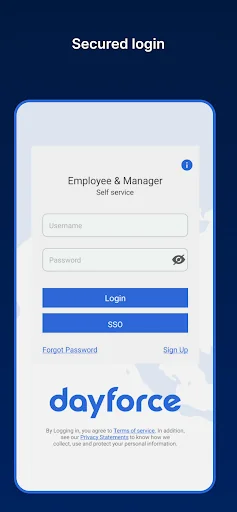
Step1 - Please create User ID and password via Mobile Registration page. “Mobile Registration” link is available on the ESS Portal. Existing ESS portal pin cannot be used as mobile user id, mobile registration is must.
Step2 - Once registration done successfully same ID can be used to login in Mobile App.
Special Notes:-
If “Mobile Registration” menu not enabled …
Below are the steps which you can use to make use of Excelity ESS Mobile App :-
Step1 - Please create User ID and password via Mobile Registration page. “Mobile Registration” link is available on the ESS Portal. Existing ESS portal pin cannot be used as mobile user id, mobile registration is must.
Step2 - Once registration done successfully same ID can be used to login in Mobile App.
Special Notes:-
If “Mobile Registration” menu not enabled on your portal then please check with your HR/Payroll Admin because to release the mobile app to respective client it goes through approval process and there may be chances the moment you are trying to access you might not be having menu enabled by your Admin at particular given time.
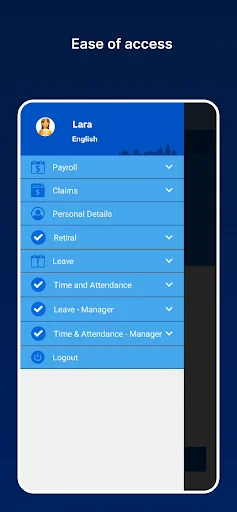
If you are able to Login but not able to see any Menu like Payroll, Personal information, etc., then please check with your HR/Payroll admin to get in touch with Excelity Payroll contact to give access permission for the menu as well which they can access through Mobile app.
Please note that web login and Mobile login are two different set of credential so if you will try to login in Mobile app with your ESS web app credential(Pin and Password) it won’t be working for mobile that means to make use of mobile app you will have to create another UserID(i.e MobileId) using Mobile registration page.
Comparable Android apps
The five apps in Business with the closest revenue to Excelity ESS. Click any to see its detail page.
Each forecast combines App Store rating, ratings count, monetisation model, pricing tier, IAP signals and ad-supported flag.
The base estimate is then multiplied by a per-category scaling factor learned from apps with founder-verified MRR.
Every number on this page comes from public APIs and bumetric's own snapshot history.
Full methodology covers input variables, accuracy bands per category and how we treat apps without comparable anchors.
See also the live data on Excelity ESS's tracker page for current rating, reviews and snapshot timeline.
Building something similar? Get a free AI audit with $-revenue forecasts for every recommendation.

 Mahakim Mobile
 뉴워커 - 긱워커플랫폼
 518熊班(企業版) - 找人才很簡單!
 Swytch - Multiple numbers
 Würth
Würth