What Fake GPS Joystick & Routes Go actually does (from store listing)
To enable expert mode after each update, you need to remove the copy from system before you update! If the play store updated the app automatically you need to remove it first, download and re-add it again. Use the export feature to secure your routes and history. Please read our FAQ!
A recent update to "Google play services" from June 2018 changed a few things-read the FAQ on how to uninstall updates!
We assembled a FAQ list so please read it carefully before emailing us or adding a revie…
To enable expert mode after each update, you need to remove the copy from system before you update! If the play store updated the app automatically you need to remove it first, download and re-add it again. Use the export feature to secure your routes and history. Please read our FAQ!
A recent update to "Google play services" from June 2018 changed a few things-read the FAQ on how to uninstall updates!
We assembled a FAQ list so please read it carefully before emailing us or adding a review. It has all your questions answered. We are not kidding, this is the link to the FAQ, read it before you download the app! If you need help - contact us per email first!
https://incorporateapps.com/fake_gps_route_faq.html
You must share your location with your friends, but the phone is almost dead, can't locate you or the GPS accuracy is bad? Or you need to geotag those old pictures and change your GPS on the fly? No problem, use our app!
Modes of operation
- Expert mode
- No root mode for better spoofing (Android 6.0 and above only for now)
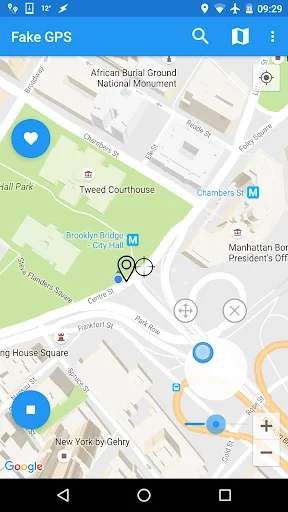
- Fake GPS Joystick
- Automated movement around location in a radius
- Automated altitude
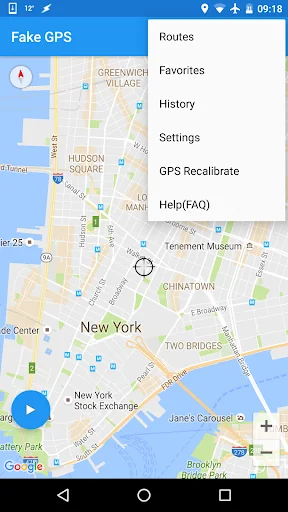
- History
- Favorites
- Settings - change update interval, speed, altitude, accuracy, spoofing and much more
- Better spoofing
- Root support for mock location disabled
- Tasker app integration along with adb shell commands for routes and joystick (more on the FAQ page)
- Fake GPS Go Routes
If you want to change your location on a browser you will need a VPNa services in connection with our app.
How to use:
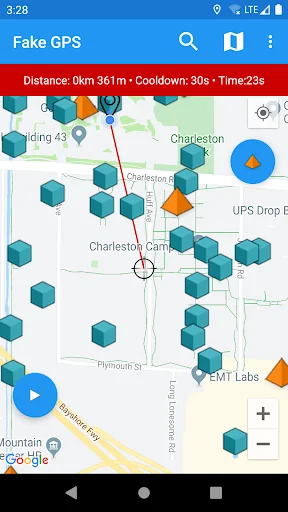
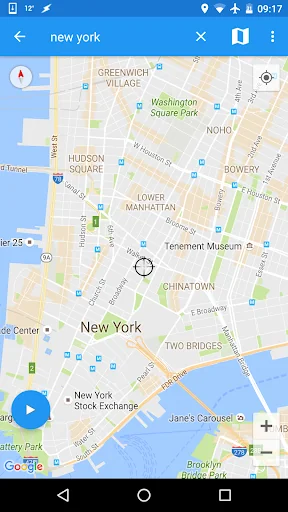
1. Move the map and use the centre/crosshair icon to start a single location
Routes:
2. Long press on the map to add Waypoints for Routing
3. Use the built in Fake GPS Joystick (fly GPS mode)
Please note that we will not be answering questions within the Review section of the app - if you need support, please read the help url and use the support email for further assistance.
Permissions:
- Internet - to display the map view on the Go
- Write/Read from SD Card - for the export/import of favourites and history /coming soon/
- Access Coarse and Fine Location - to fake your current location
- Allow mock locations under Developer settings (Applications).
Translated into english and german.
Comparable Android apps
The five apps in Personalization with the closest revenue to Fake GPS Joystick & Routes Go. Click any to see its detail page.
Each forecast combines App Store rating, ratings count, monetisation model, pricing tier, IAP signals and ad-supported flag.
The base estimate is then multiplied by a per-category scaling factor learned from apps with founder-verified MRR.
Every number on this page comes from public APIs and bumetric's own snapshot history.
Full methodology covers input variables, accuracy bands per category and how we treat apps without comparable anchors.
See also the live data on Fake GPS Joystick & Routes Go's tracker page for current rating, reviews and snapshot timeline.
Building something similar? Get a free AI audit with $-revenue forecasts for every recommendation.


 Pujie Watch Faces - Wear OS 4-
 GyroSpace 3D Live Wallpaper
 LineX Icon Pack
 aniPet Aquarium Live Wallpaper
 Wave Live Wallpaper