What Fast dial widget actually does (from store listing)
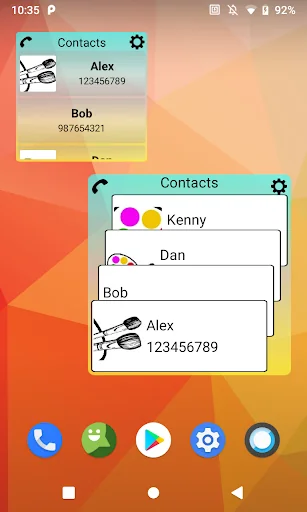
Did you know that you can call from a smartphone even easier than usual? Favorite contacts are always before your eyes, and you can call just by clicking on the contact. You no longer need to run the phone application or contact list, the screen widget is always in front of you, one click on the widget and the call starts. The list of contacts can be edited as you wish. On the screen you can arrange any number of widgets, different colors and sizes. To familiarize yourself with all the functiona…
Did you know that you can call from a smartphone even easier than usual? Favorite contacts are always before your eyes, and you can call just by clicking on the contact. You no longer need to run the phone application or contact list, the screen widget is always in front of you, one click on the widget and the call starts. The list of contacts can be edited as you wish. On the screen you can arrange any number of widgets, different colors and sizes. To familiarize yourself with all the functionality, scroll through a short tutorial. Description starts once, after installing the application. To start, click on the application icon on the home screen or in the list of applications.
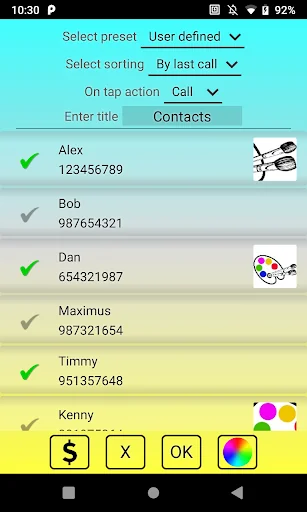
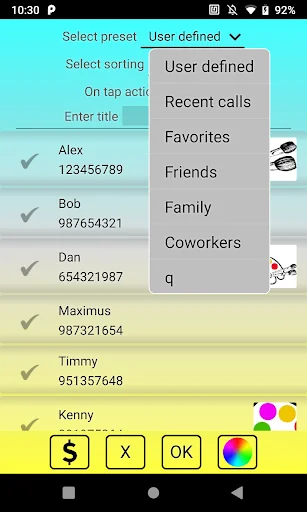
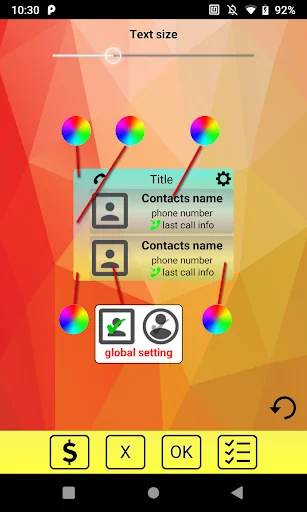
To install the widget, long press on an empty spot on the screen. Select widgets and then find the Contacts application. Here you can choose between linear and cascading views. Position the widget in the right place on the screen and release. You will see a tinctures window. Here you can select the necessary contacts, background colors and font size. After installation, the size and shape of the widget can be changed as you wish.
For normal operation, the application does not need the Internet, that is, it can work offline.
Fill the screen with colorful stickers and you will have an interesting game of colors.
If you are unable to find Contacts in the list of widgets, try the following:
1. make sure that you are installing the application not on the SD card
2. reinstall the application
3. reboot the phone (tablet)
Comparable Android apps
The five apps in Tools with the closest revenue to Fast dial widget. Click any to see its detail page.
Each forecast combines App Store rating, ratings count, monetisation model, pricing tier, IAP signals and ad-supported flag.
The base estimate is then multiplied by a per-category scaling factor learned from apps with founder-verified MRR.
Every number on this page comes from public APIs and Bumetric's own snapshot history.
Full methodology covers input variables, accuracy bands per category and how we treat apps without comparable anchors.
See also the live data on Fast dial widget's tracker page for current rating, reviews and snapshot timeline.
Building something similar? Get a free AI audit with $-revenue forecasts for every recommendation.


 Speedometer mph Odometer
 SMSparking
 Imscope
 Brand Analog Clock-7
 Ringtones of the Rooster