What Favorite Contacts Widget Blur actually does (from store listing)
We've been featured in the Hand-Picked For Wear section of the Play Store!!!
Check out our awesome app on your Wear device today!!!
Miss your old Motorola Blur favorite contact widget? So did we!
That's why StaticBloc set out to recreate it, making improvements where needed. To get started, just go to your homescreen's widget collection, and drag the Favorite Contacts widget wherever you like.
Favorite Contacts Widget Blur gives you a convenient way to access your favorite contacts…
We've been featured in the Hand-Picked For Wear section of the Play Store!!!
Check out our awesome app on your Wear device today!!!
Miss your old Motorola Blur favorite contact widget? So did we!
That's why StaticBloc set out to recreate it, making improvements where needed. To get started, just go to your homescreen's widget collection, and drag the Favorite Contacts widget wherever you like.
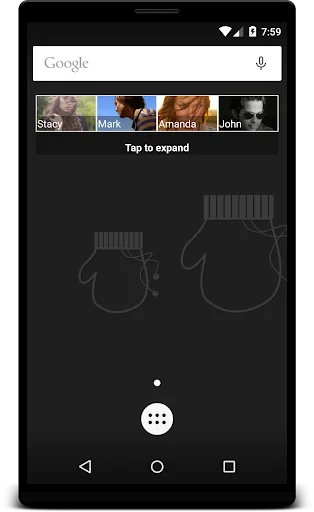
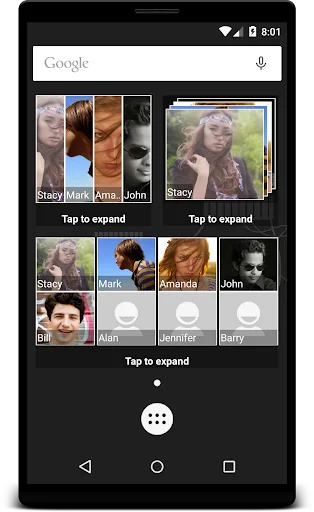
Favorite Contacts Widget Blur gives you a convenient way to access your favorite contacts. You get a beautiful, resizable widget on your homescreen that displays your 4 top favorite contacts. Clicking on the widget will show you the rest of your favorites. Quick and easy access to your favorite contacts in an awesome widget. If you want to see more than your top 4 favorite contacts use our brand new grid widget! It will allow you to scroll through all of your favorite contacts.
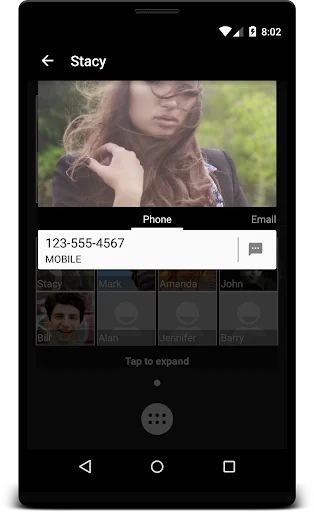
Favorite Contacts Widget Blur also makes it really easy to quickly call, text, or email a favorite contact. All by just tapping on the icon for that favorite contact. Want to see more? Click on the contact's large picture, and you'll get a full view of its information.
Your Favorite Contacts will be sorted alphabetically by default, but you have the freedom to reorder them how you please. Just hold down on a contact tile from the main screen, and drag it to the position you want it to be in!
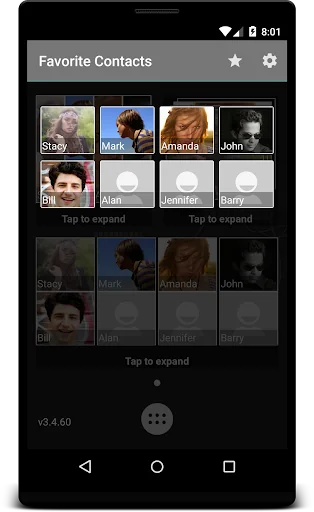
Favorite Contacts Widget Blur also allows you to manage your favorite contacts. Click on the star to add or remove a favorite contact.
We hoped to recreate the amazing experience of using the Motorola Blur Favorite Contacts widget, and we feel confident that we've met that goal, and improved on it. Most of all, we hope you enjoy using Favorite Contacts Widget Blur.
Check out our new community on Google+ - https://plus.google.com/communities/102504664636432261073
The internet permissions are required for analytics. Nothing else in the app uses the internet.
Comparable Android apps
The five apps in Communication with the closest revenue to Favorite Contacts Widget Blur. Click any to see its detail page.
Each forecast combines App Store rating, ratings count, monetisation model, pricing tier, IAP signals and ad-supported flag.
The base estimate is then multiplied by a per-category scaling factor learned from apps with founder-verified MRR.
Every number on this page comes from public APIs and Bumetric's own snapshot history.
Full methodology covers input variables, accuracy bands per category and how we treat apps without comparable anchors.
See also the live data on Favorite Contacts Widget Blur's tracker page for current rating, reviews and snapshot timeline.
Building something similar? Get a free AI audit with $-revenue forecasts for every recommendation.


 FINN MOBILE
 aka
aka
 Frost - Private Browser
 Cam - Random Video Chats
 Talk Now: Speak English AI