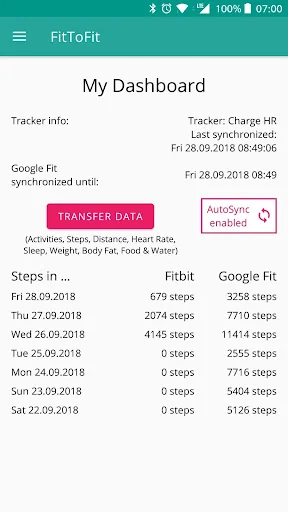
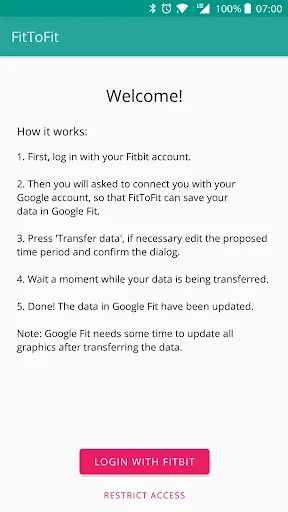
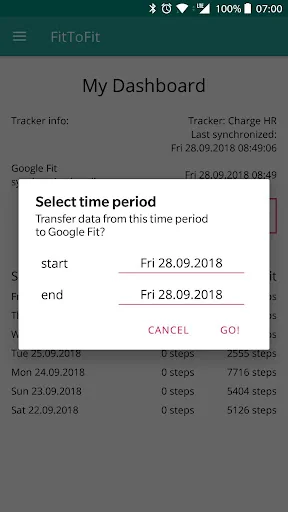
FitToFit allows you to transfer your fitness data from Fitbit to Google Fit. The data is queried directly from your Fitbit account and inserted into Google Fit. To do this, you must first log in with your Fitbit account and give FitToFit access to the data that you want to transfer. You will then be asked to connect to your Google account, into which the data from Fitbit should be inserted. FitToFit uses the access and your data exclusively for the transfer from Fitbit to Google Fit. Your data i…
FitToFit allows you to transfer your fitness data from Fitbit to Google Fit. The data is queried directly from your Fitbit account and inserted into Google Fit. To do this, you must first log in with your Fitbit account and give FitToFit access to the data that you want to transfer. You will then be asked to connect to your Google account, into which the data from Fitbit should be inserted. FitToFit uses the access and your data exclusively for the transfer from Fitbit to Google Fit. Your data is not stored outside of Fitbit and Google Fit.
FitToFit can handle:
- steps
- activities
- distances
- heart rate
- sleep
- oxygen saturation
- weight
- body fat
- food
- water
You can select and change the data types in the app settings.
NOTE: It may happen that the data you transfer is not immediately visible in the Google Fit app, because it will take a while for all the images to be updated.
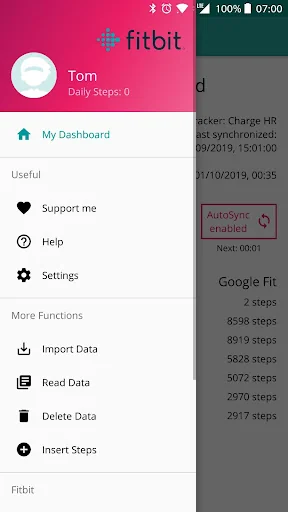
With the AutoSync feature, the steps can be automatically transferred from your Fitbit account to Google Fit. If you prefer manual synchronization, the reminder function helps you to remember this. Both functions can be activated under the menu item "Settings" when required. The AutoSync function allows you to choose between different intervals.
This app is available in English and German.
Thanks to Chris Stasonis for the Fitbit API sample modules! (https://github.com/Stasonis)
Comparable Android apps
The five apps in Health & Fitness with the closest revenue to FitToFit. Click any to see its detail page.
Each forecast combines App Store rating, ratings count, monetisation model, pricing tier, IAP signals and ad-supported flag.
The base estimate is then multiplied by a per-category scaling factor learned from apps with founder-verified MRR.
Every number on this page comes from public APIs and bumetric's own snapshot history.
Full methodology covers input variables, accuracy bands per category and how we treat apps without comparable anchors.
See also the live data on FitToFit's tracker page for current rating, reviews and snapshot timeline.
Building something similar? Get a free AI audit with $-revenue forecasts for every recommendation.


 Pedometer - step counter
 CalTracker - สมุดบันทึกแคลอรี่
 Fitplan®: Gym & Home Workouts
 DoctorMe
 7card
7card