ML revenue forecast.
Calibrated against 2184 apps in this category.
Confidence band
±15%
High — many comparable apps with verified data
At a glance
Earns 22.02× more than the category median (1.0K/mo).
Ranks #66 of 2,184 in Productivity (top 3.0% by revenue).
Launched Jan 25, 2021 · last updated Sep 09, 2026.
24 months of snapshot history tracked.
What the app looks like
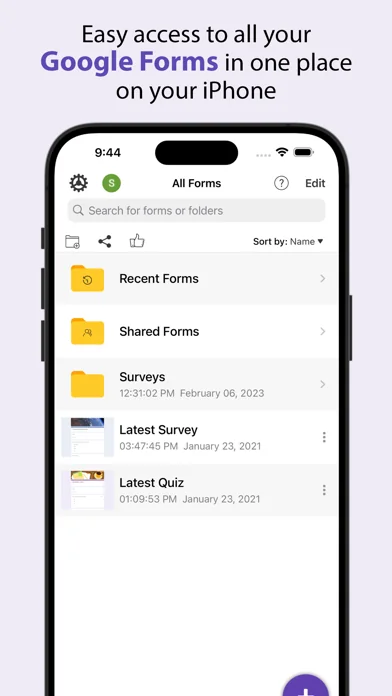
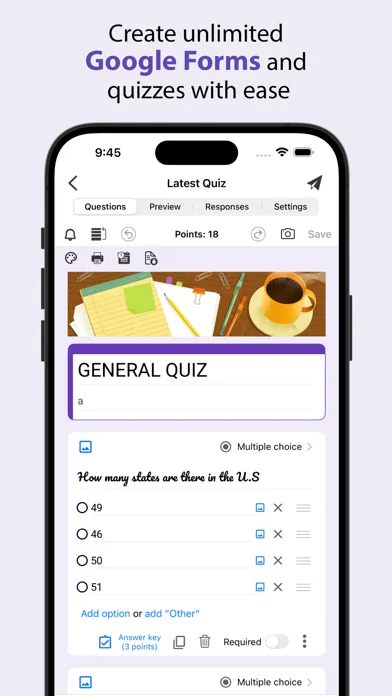
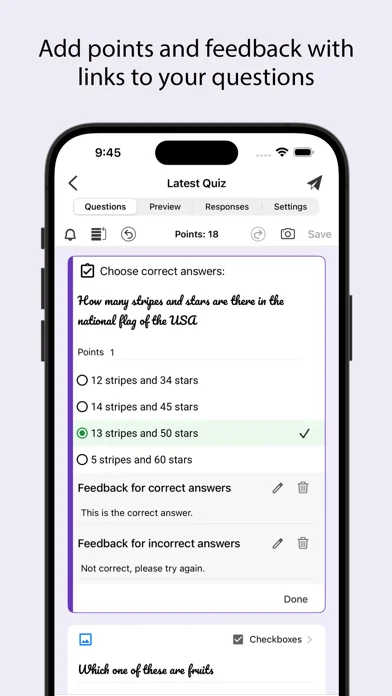
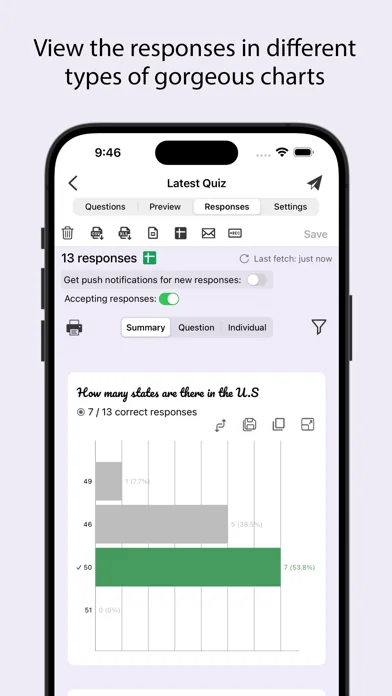
Live screenshots from the App Store, captured by our snapshot worker. Tap any image to enlarge.
Form for Google Forms's revenue trajectory
Forecast revenue from snapshot history. Last 24 months.
Where Form for Google Forms sits in Productivity
Revenue distribution of 2184 comparable apps. Form for Google Forms highlighted.
Form for Google Forms vs comparable apps
Revenue trajectory side-by-side. Bold = Form for Google Forms, ghosted = peers.
App spec
Version
1.9.0
Last update
Sep 09, 2026
Launched
Jan 25, 2021
Min OS
15.6
Rating
4+
Price
Free
Monetization
Paid
Languages
AR, BS, CA, HR +33
What Form for Google Forms actually does (from App Store listing)
Create, edit, and manage all your Google forms on your iOS, iPhone, iPod or iPad with the free FormApp. With this app you can:
Create new forms:
• Create new forms on your iOS device.
• Tons of beautiful templates to choose from.
• Import questions from existing forms.
• Add collaborators / editors to your forms.
Edit existing forms:
• Open any form from your Google Drive on your iOS device.
• Create or edit any question.
• Undo / redo support.
• Re-order questions.
• Preview forms.
• Add and …
Create, edit, and manage all your Google forms on your iOS, iPhone, iPod or iPad with the free FormApp. With this app you can:
Create new forms: • Create new forms on your iOS device. • Tons of beautiful templates to choose from. • Import questions from existing forms. • Add collaborators / editors to your forms.
Edit existing forms: • Open any form from your Google Drive on your iOS device. • Create or edit any question. • Undo / redo support. • Re-order questions. • Preview forms. • Add and remove sections. • Add response validation. • Add images and videos. • Ability to set points. • Ability to set correct answers. • Ability to add feedback with url links.
Response notifications: • Get notified via notifications whenever some submits a new response.
Scan questions: • Scan questions using camera. • Scan questions using images from photos library. • Scan questions using doc, pdf, ppt etc files from the Files app. • Scan questions using clipboard.
View form responses: • View forms in three modes i.e. Summary, Questions and Individual responses mode on your iOS device. • Export responses in CSV or Excel file format. • Record responses in mp4 file format and share them in apps like Tiktok, Snapchat or Instagram etc. • Responses are shown in beautiful graphs in summary mode. • Ability to copy response charts to clipboard or save them to photos library. • View responses based on questions in Questions mode. • View responses from individual users in Individual mode. • Ability to delete a single response or all responses. • Ability to set individual feedback for responses to questions in quizzes. • View and set score for quiz responses. • Ability to filter form responses based on date, email, questions and score.
Disclaimer: This is a third party app not associated with Google. All trademarks are property of their respective owners.
Privacy Policy: https://www.byteflowapps.com/FormsPRO/policies/Privacy/ Terms of Use: https://www.byteflowapps.com/FormsPRO/policies/TermsOfUse/
GOT QUESTIONS? CAN'T FIGURE OUT HOW TO DO SOMETHING? Please email us at support.formspro@byteflowapps.com and we’ll help you figure it out.
🆕 What's new · v1.9.0
• Ul improvements and minor bug fixes.
Comparable iOS apps
The five apps in Productivity with the closest revenue to Form for Google Forms. Click any to see its detail page.
Each forecast combines App Store rating, ratings count, monetisation model, pricing tier, IAP signals and ad-supported flag.
The base estimate is then multiplied by a per-category scaling factor learned from apps with founder-verified MRR.
Every number on this page comes from public APIs and Bumetric's own snapshot history.
Full methodology covers input variables, accuracy bands per category and how we treat apps without comparable anchors.
See also the live data on Form for Google Forms's tracker page for current rating, reviews and snapshot timeline.
Building something similar? Get a free AI audit with $-revenue forecasts for every recommendation.


 Proton Mail - Sichere E-Mails
 magicplan
 BePresent: Screen Time Control
 AppClose
 Driving Test Cancellations NOW