Live screenshots from the Play Store, captured by our snapshot worker. Tap any image to enlarge.
Frequency Generator (Sound)'s revenue trajectory
Forecast revenue from snapshot history. Last 1 months.
App spec
Version
1.0.21
Last update
Aug 08, 2025
Launched
Jul 29, 2026
Price
Free
Monetization
Free
What Frequency Generator (Sound) actually does (from store listing)
Would you like to generate sounds, test your speakers or tune your instruments? If the answers is yes, download Frequency Genrator!
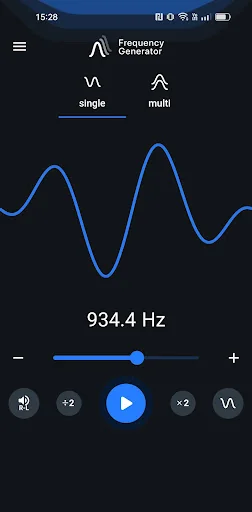
Using this application you can generate sound waves in different frequencies. The player lets you generate a sine, square, sawtooth or triangle sound wave with a frequency between 1Hz and 22000Hz (hertz).
Single Oscillator Mode
Frequency Sound Generator allows you to easily change the soundwaves from the main menu. Simply tap on the sound wave icon and pic…
Would you like to generate sounds, test your speakers or tune your instruments? If the answers is yes, download Frequency Genrator!
Using this application you can generate sound waves in different frequencies. The player lets you generate a sine, square, sawtooth or triangle sound wave with a frequency between 1Hz and 22000Hz (hertz).
Single Oscillator Mode
Frequency Sound Generator allows you to easily change the soundwaves from the main menu. Simply tap on the sound wave icon and pick between sine, square, sawtooth or triangle.
Adjust the sound generating frequency easily by dragging the dot. Make use of the - & + buttons for added adjusting precision.
Change volume and balance. Tap on the R-L icon.
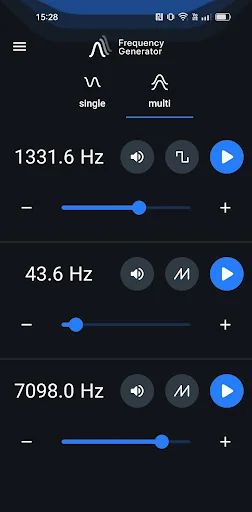
Multi Oscillator Mode
In this mode you can generate in one time three sounds. Set diferent freqencies, waves and volume.
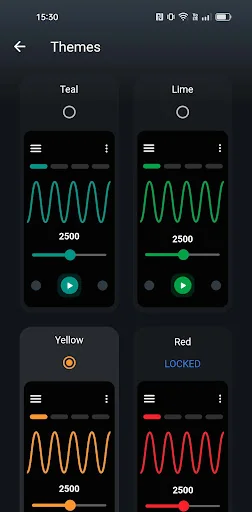
Theme
Change the colour of your application.
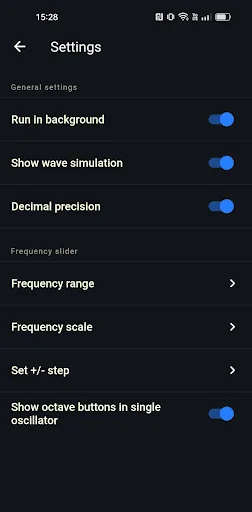
Settings in Frequency Genarator:
- change frequency range slider range to allow you more precision while selecting frequencies,
- enable or disable run in background option,
- choose between two slider scales: linear or logarithmic,
- enable or disable volume booster,
- enable or disable decimal precision up two decimals in case of need for more precise sound generation,
- change +/- button step for even easier adjustments,
- enable or disable show octave buttons in Single Oscillator
- low latency setting enables high-performance low latency audio which makes slider more responsive and eliminates lag. (NOTE: Low latency setting may result in high frequencies on some devices sound inaccurate, especially on higher volume.)
Attention! Please, for the best experience of using the app, use a pair of good quality headphones. Mobile devices are not high-quality audio sources.
Own Frequency Generator (Sound)? Replace our estimate with your real revenue via Stripe Connect or ASC. Get a public Verified badge.
Each forecast combines App Store rating, ratings count, monetisation model, pricing tier, IAP signals and ad-supported flag.
The base estimate is then multiplied by a per-category scaling factor learned from apps with founder-verified MRR.
Every number on this page comes from public APIs and bumetric's own snapshot history.
Full methodology covers input variables, accuracy bands per category and how we treat apps without comparable anchors.
See also the live data on Frequency Generator (Sound)'s tracker page for current rating, reviews and snapshot timeline.
Building something similar? Get a free AI audit with $-revenue forecasts for every recommendation.