What Futsal Tactic Board actually does (from store listing)
Futsal Tactic Board, allows you to create your own tactics for every match situation, for FREE and NO REGISTRATIONS nor payments are needed for more advanced tools ;). Intuitive UI, simple, quick using.
Video Manuals here:
https://drive.google.com/drive/folders/1w66zK4uM23tQ9rrOQpkoOJPHZTydqIeG?usp=sharing
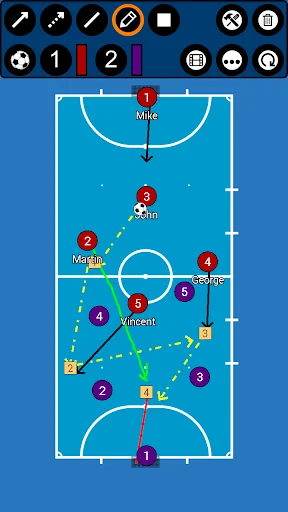
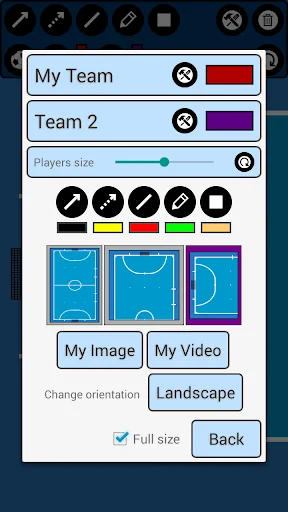
You can change the field, to three different options. Full field view, Half field view and attacking/defending third!
FTB provides you seven tools! Rectangle with number inside! Sipm…
Futsal Tactic Board, allows you to create your own tactics for every match situation, for FREE and NO REGISTRATIONS nor payments are needed for more advanced tools ;). Intuitive UI, simple, quick using.
Video Manuals here:
https://drive.google.com/drive/folders/1w66zK4uM23tQ9rrOQpkoOJPHZTydqIeG?usp=sharing
You can change the field, to three different options. Full field view, Half field view and attacking/defending third!
FTB provides you seven tools! Rectangle with number inside! Sipmle Line, Arrow, Dotted arrow, Pen, Text and Area! Everything you need to create your tactic!
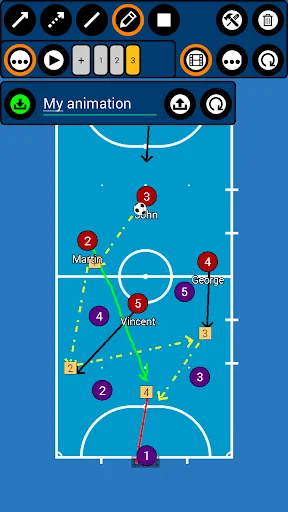
Save your tactics into one frame, or do frame by frame ANIMATION, for more advanced tactics! You can set animation speed to make it simply the BEST.
You can analyse your own photos and your own videos!
Create your teams and players!
***manual on bottom of the page***
FTB allows you several ways to share tactic or animation with others!
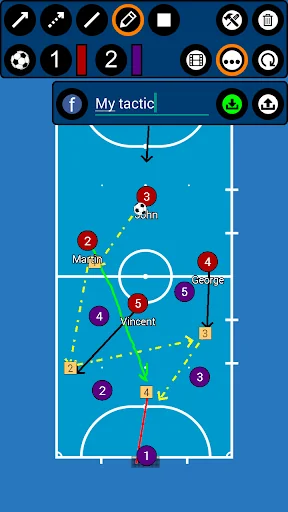
- for tactic - you can do photo of your tactic or you can export it into file
- for animation - you can export it into file
This file can be easily imported into app on any other device ;)
***manual on bottom of the page***
Simply remove objects, if you want to rework your tactic, with remove function! Or you can reset everything with just one click!
Create futsal tactics
/*More field options*/
*Full field
*Half field
*Attacking/defending third
*Change players size
*Save tactics
*Export/Import tactics and animations
*Frame by frame animation
*Portrait/Landscape mode
***HOW TO ADD YOUR TEAM***
Go to edit window (top right tools button), click on team1/team2 edit button on the right of team, add new team and players. Then select this team by clicking on it.
***HOW TO EXPORT TACTIC / ANIMATION***
Go to tactic / animation loading window, on the bottom click on EXPORT, and then click on the tactic / animation which you want to be exported.
Tactics are then exported to your device to folder /FutsalBoard/Tactics
Animations to /FutsalBoard/Animations
Now you can send them to others and they can import them ;)
***HOW TO IMPORT TACTIC / ANIMATION***
Copy tactic / animation file to your device folder
- tactic to /FutsalBoard/Import/Tactics
- animation to /FutsalBoard/Import/Animations
(if this folder doesnt exists - Go to tactic / animation loading window, on the bottom click on IMPORT and folders will be created)
Now you have tactic / animation in right folder, so now it is very simple:
Go to tactic / animation loading window, on the bottom click on IMPORT
In import window, there are shown tactics / animations which are copied in import folder
and now you just click on the tactic / animation which you want to be imported.
Comparable Android apps
The five apps in Sports with the closest revenue to Futsal Tactic Board. Click any to see its detail page.
Each forecast combines App Store rating, ratings count, monetisation model, pricing tier, IAP signals and ad-supported flag.
The base estimate is then multiplied by a per-category scaling factor learned from apps with founder-verified MRR.
Every number on this page comes from public APIs and bumetric's own snapshot history.
Full methodology covers input variables, accuracy bands per category and how we treat apps without comparable anchors.
See also the live data on Futsal Tactic Board's tracker page for current rating, reviews and snapshot timeline.
Building something similar? Get a free AI audit with $-revenue forecasts for every recommendation.

 IPSC Shot Timer
 Ultimate Rugby
 Dirt Bike Racing Games Offline
 Live Soccer Scores Center
 Tifosi Dynamo