What G-sensor Logger actually does (from store listing)
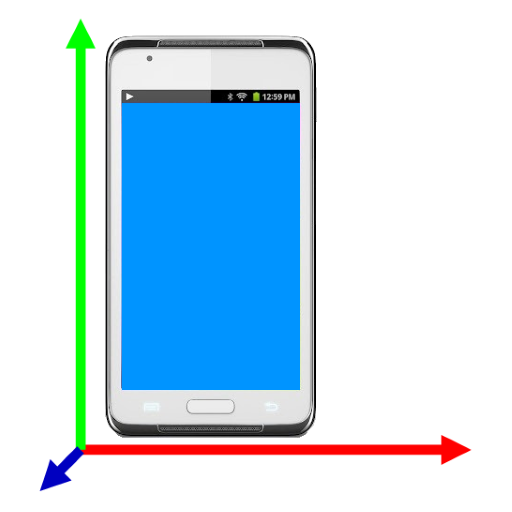
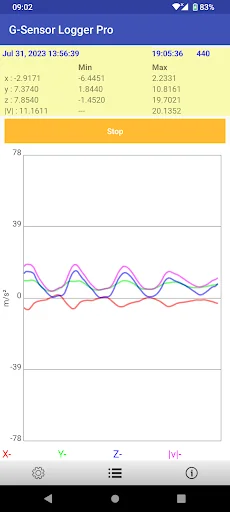
The application capture the accelerometer sensor (or G-sensor) data into a file
<b>Features</b>
1. The magnitude, minimum and maximum are calculated.
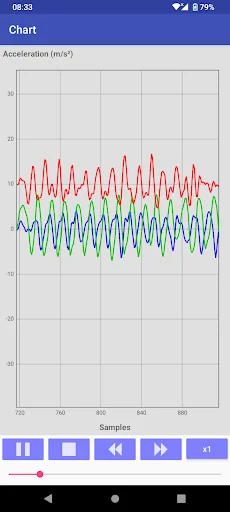
2. Replay
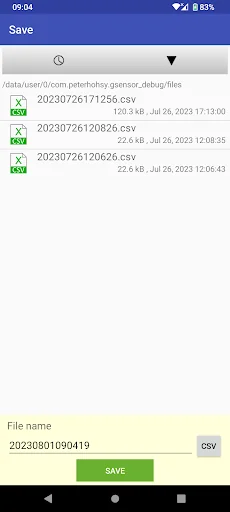
3. The captured data can be save in comma-separated values (CSV) file
4. Limit 10000 data points
5. Support English, German, French, Italian, Spanish, Portuguese, Trad. Chinese, Simplified Chinese, Japanese, Korean, Russian, Thai, Vietnamese, Malay
<b>Features in Pro only</b>
1. No limitation of data points
2. No ads
…
The application capture the accelerometer sensor (or G-sensor) data into a file
Features 1. The magnitude, minimum and maximum are calculated.
2. Replay
3. The captured data can be save in comma-separated values (CSV) file
4. Limit 10000 data points
5. Support English, German, French, Italian, Spanish, Portuguese, Trad. Chinese, Simplified Chinese, Japanese, Korean, Russian, Thai, Vietnamese, Malay
Features in Pro only 1. No limitation of data points
2. No ads
Permission
* Modify/delete SD card contents is used to write CSV file to SD card
* Internet access is used for ad and Dropbox access
* Prevent phone from sleeping is used to keep the screen on for user taking lap
How to use the app ?
Press "Logging" to start logging accelerometer data. To stop logging, press the button again
Press menu->"Save" icon to save the logging data to CSV file
Press menu->"Dropbox" icon to upload a selected file to you Dropbox.
Note :
For those who need support please email to the designated email.
Do NOT use either the feedback area to write questions, it is not appropriate and that is not guaranteed that can read them.
Comparable Android apps
The five apps in Tools with the closest revenue to G-sensor Logger. Click any to see its detail page.
Each forecast combines App Store rating, ratings count, monetisation model, pricing tier, IAP signals and ad-supported flag.
The base estimate is then multiplied by a per-category scaling factor learned from apps with founder-verified MRR.
Every number on this page comes from public APIs and bumetric's own snapshot history.
Full methodology covers input variables, accuracy bands per category and how we treat apps without comparable anchors.
See also the live data on G-sensor Logger's tracker page for current rating, reviews and snapshot timeline.
Building something similar? Get a free AI audit with $-revenue forecasts for every recommendation.

 Import SMS from Windows Phone
 TV Remote-TV assistant
 AppLock Theme MagicForest
 Ping
Ping
 Piping Engineering