What GContact actually does (from App Store listing)
GContact is the most popular contact management software with easy-to-use.
Features
New Features(New!)
Add todo task feature for contacts.
Features
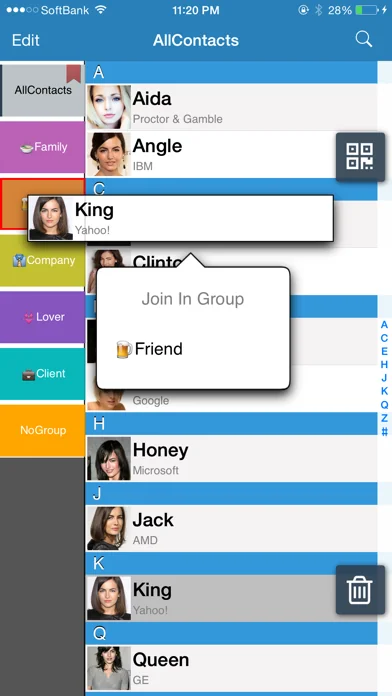
1. Contact could be gathered in the groups automatically by company names.
2. Groups could be created, edited, or deleted freely.
3. You could also create, delete, and edit a single contact.
4. It support to search for contacts
5. And send email to all group members
6. Fantastic respond speed
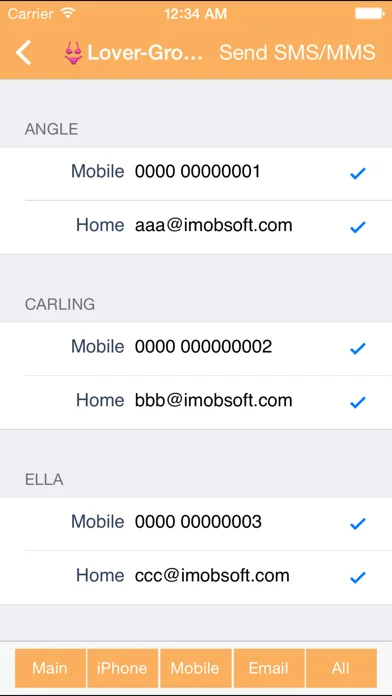
7. Support to send sms/mms to all group members
…
GContact is the most popular contact management software with easy-to-use. Features
New Features(New!) Add todo task feature for contacts.
Features
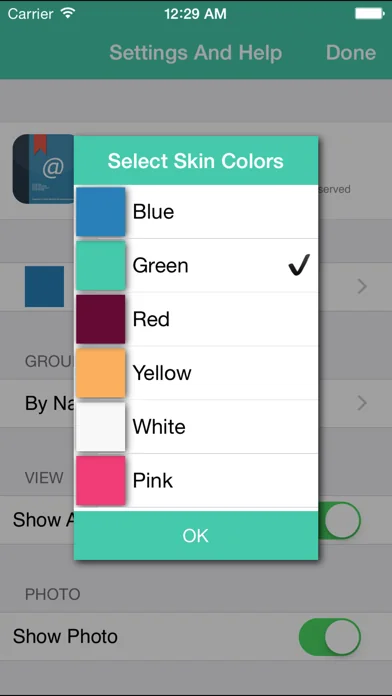
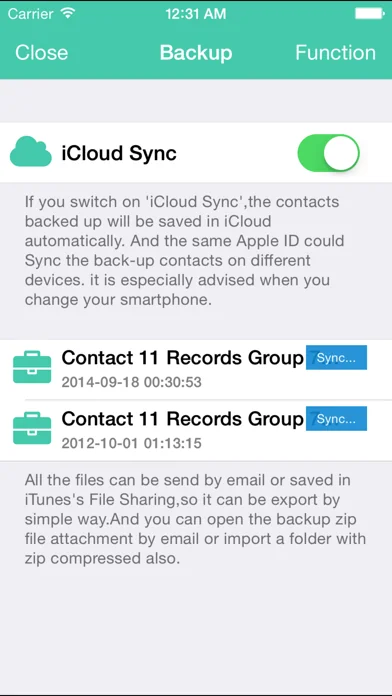
1. Contact could be gathered in the groups automatically by company names. 2. Groups could be created, edited, or deleted freely. 3. You could also create, delete, and edit a single contact. 4. It support to search for contacts 5. And send email to all group members 6. Fantastic respond speed 7. Support to send sms/mms to all group members *The group mms just support the emoji only,picture and camera it can not be support in this version. 8.You could change the group's sort 9.You could change the group's color 10.drag & drop for the group editing 11.Contacts backup and save to iCloud 12.QR code reader 13.Backup your contacts and shared your archive file by iTunes connect or EMail
Mark: English,Japanese,Chinese versions are available.
Tips: Click group bottom twice continuously, you will see the menu including “Edit Group Members” “Change Group Name/Color” “Delete Group” “Send Group Mail” “Send Group SMS/MMS" “Cancel”.
We do apologize for the inconvenience to customers which caused by our incomplete illustration. The following is the summary of questions mentioned by customers. Thanks you so much for your treasure feedbacks.
FAQ: 1. How to add contacts to groups (1) Please have a browse of the tip mentioned above for reference. (2) Firstly, click a contact in “No Group”, which you would like to add to a certain group. And then you will see a menu including “Contact Detail” “Join in group” “Cancel”. Once you choose and click “Join In Group”, the contact could be ready to add to your favor group.
2. How to delete the group which has been already added? (1) Please have a browse of the tips mentioned above for reference. (2) If you have cancelled GContact software, and plan to delete the groups remained in Apple’s Contacts, there are several ways to deal with it. One is deleting the groups by Exchange or Itune, and connecting your iphone or itouch to the computer, then doing synchronization. Another one is installing GContact again, and deleting the groups by it. Because the function of deleting groups is not supported by Contacts, and only supported by SDK software of Apple.
3. How to change the name of groups? Please have a browse of the tips mentioned above for reference.
4.Why some groups are added automatically, although we did not do any edition on it? We are afraid it is not caused by GContact, but may be caused by other familiar software or others’ computers, while doing synchronization on it.
🆕 What's new · v8.1.8
Improved Contacts permission handling when full access is required.
Comparable iOS apps
The five apps in Business with the closest revenue to GContact. Click any to see its detail page.
Each forecast combines App Store rating, ratings count, monetisation model, pricing tier, IAP signals and ad-supported flag.
The base estimate is then multiplied by a per-category scaling factor learned from apps with founder-verified MRR.
Every number on this page comes from public APIs and bumetric's own snapshot history.
Full methodology covers input variables, accuracy bands per category and how we treat apps without comparable anchors.
See also the live data on GContact's tracker page for current rating, reviews and snapshot timeline.
Building something similar? Get a free AI audit with $-revenue forecasts for every recommendation.


 Climate FieldView™
 DB Navigator
 QuickVoice2Text Email (PRO Recorder)
 InfoGraphic and Poster Creator
 Dayforce