What Gear Feed Settings for Wear actually does (from store listing)
This is an app to access Feedly feeds on wearables.
Samsung Tizen OS watches (Gear S2, S3, Watch) were already supported.
Now in addition to Tizen OS based watches, Wear OS (Android) based watches (Samsung Watch 4, Fossil etc.) are also supported.
Former name of the app was "Gear Feed Settings for Gear" and it was only the companion app for Samsung Tizen watches.
Now the app is both companion for Tizen and Wear OS based watches allowing settings for the wearable apps, and also the main app…
This is an app to access Feedly feeds on wearables.
Samsung Tizen OS watches (Gear S2, S3, Watch) were already supported.
Now in addition to Tizen OS based watches, Wear OS (Android) based watches (Samsung Watch 4, Fossil etc.) are also supported.
Former name of the app was "Gear Feed Settings for Gear" and it was only the companion app for Samsung Tizen watches.
Now the app is both companion for Tizen and Wear OS based watches allowing settings for the wearable apps, and also the main app for Wear OS is distributed under this application bundle.
Tizen watch part of the app is distributed in Samsung App Store with the name "Samsung Gear S2/S3 Gear Feed (Feedly for Gear)"
So if you have a former Samsung watch with Tizen OS, you have to download the wearable part of the app from Samsung App Store.
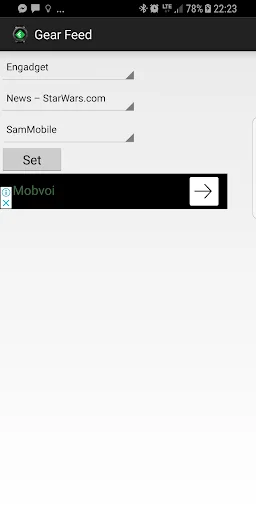
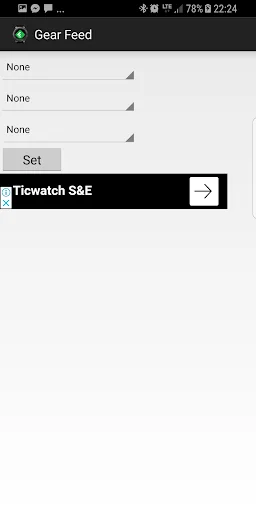
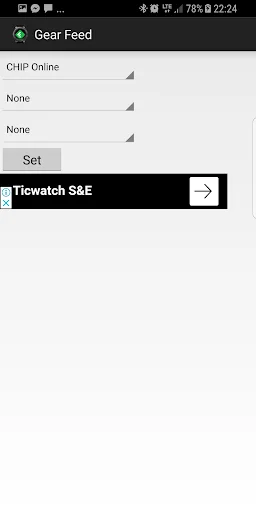
On the Android phone, this app is for settings of the watch app. It allows setting which Feedly streams you will follow on your watch.
You must have a Feedly account and some feed subscriptions to benefit from this app.
To access Feedly, and create your account please go to www.feedly.com
After creating your Feedly account, add your favorite feeds on the site. Then you can login to the account on this app and select the feeds you wish to see on your watch.
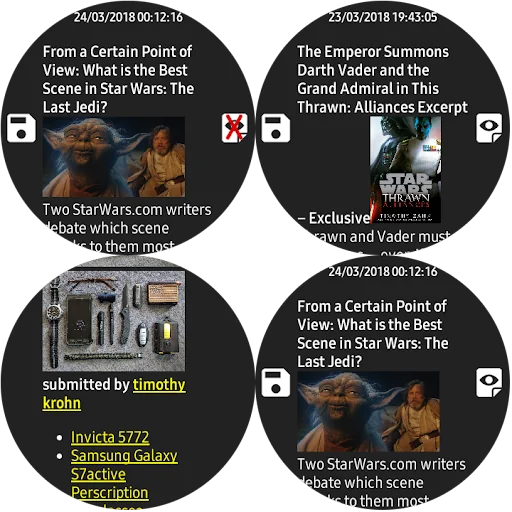
After these steps you will be able to see the feeds on your watch (either Tizen or Wear OS)
.
Comparable Android apps
The five apps in News & Magazines with the closest revenue to Gear Feed Settings for Wear. Click any to see its detail page.
Each forecast combines App Store rating, ratings count, monetisation model, pricing tier, IAP signals and ad-supported flag.
The base estimate is then multiplied by a per-category scaling factor learned from apps with founder-verified MRR.
Every number on this page comes from public APIs and bumetric's own snapshot history.
Full methodology covers input variables, accuracy bands per category and how we treat apps without comparable anchors.
See also the live data on Gear Feed Settings for Wear's tracker page for current rating, reviews and snapshot timeline.
Building something similar? Get a free AI audit with $-revenue forecasts for every recommendation.


 Delmarva Now
 Council Bluffs Daily Nonpareil
 Bushcraft & Survival Skills
 Helagotland
 Crypto News