What Gear Fit Navigation actually does (from store listing)
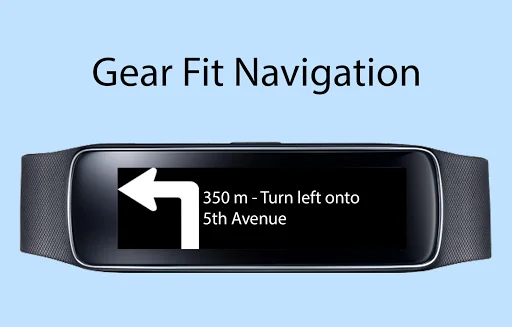
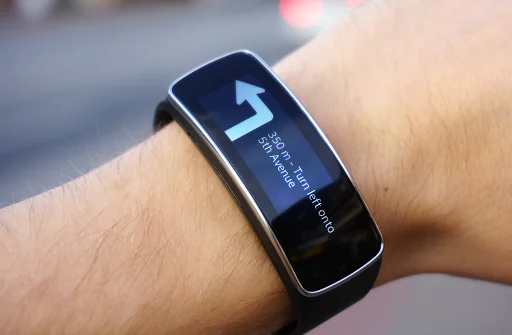
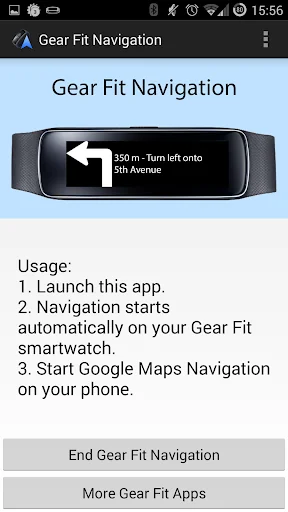
This application displays Google Navigation instructions on your Samsung Gear Fit 1 smartwatch. (Not compatible with Gear Fit2!)
Note:
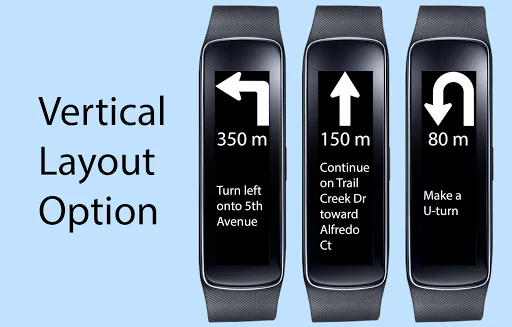
- Supports horizontal and vertical layout
- Additional to the text it shows icons for left, right, continue, highway exit and u-turn.
- Option to vibrate
- This application only works on devices which have Gear Fit Manager.
How to use:
- Install Gear Fit Manager and connect with your Gear Fit device.
- Download and install this Gear Fit Navigation a…
This application displays Google Navigation instructions on your Samsung Gear Fit 1 smartwatch. (Not compatible with Gear Fit2!)
Note:
- Supports horizontal and vertical layout
- Additional to the text it shows icons for left, right, continue, highway exit and u-turn.
- Option to vibrate
- This application only works on devices which have Gear Fit Manager.
How to use:
- Install Gear Fit Manager and connect with your Gear Fit device.
- Download and install this Gear Fit Navigation app.
- Start Gear Fit Navigation app on your phone.
- Allow the app to read notifications. (Go to: Settings > Security > Notification Access and enable Gear Fit Navigation). Then restart the app.
- Start Google Maps Navigation and messages and direction icon will be pushed to your smartwatch.
Troubleshooting
- If the app still only shows the "waiting" message, please ensure that maps notifications are activated and displayed on your phone (Go to: Settings > More > Applications > Maps and enable "Show notifications").
- Restart smartphone AND Gear Fit
- Uninstall and reinstall the app
For non-samsung smartphone users: Gear Fit officially only works with Samsung smartphones. However GearFitManager version 1.108 works as well on phones as with this app, so we recommend to use version 1.108 if you have problems.
For Gear Fit2 please use this app: https://play.google.com/store/apps/details?id=smartwatchstudios.app.gearfit20navigation
SAMSUNG_CUP_ENABLED
Comparable Android apps
The five apps in Maps & Navigation with the closest revenue to Gear Fit Navigation. Click any to see its detail page.
Each forecast combines App Store rating, ratings count, monetisation model, pricing tier, IAP signals and ad-supported flag.
The base estimate is then multiplied by a per-category scaling factor learned from apps with founder-verified MRR.
Every number on this page comes from public APIs and bumetric's own snapshot history.
Full methodology covers input variables, accuracy bands per category and how we treat apps without comparable anchors.
See also the live data on Gear Fit Navigation's tracker page for current rating, reviews and snapshot timeline.
Building something similar? Get a free AI audit with $-revenue forecasts for every recommendation.

 Marine Navigation
 OpenCPN
 Next Bus Dublin & Ireland Pro
 ExplorOz Traveller
 Land Nav Assistant