What Gradescope actually does (from App Store listing)
Students, upload your assignments to Gradescope more easily than ever before! If your instructor uses Gradescope for your assignments, you can now upload your submission with our mobile app.
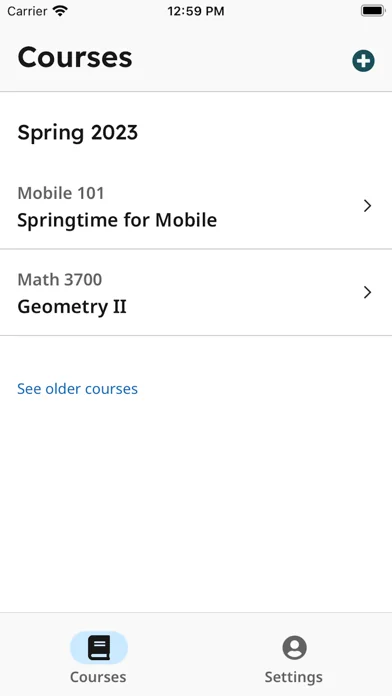
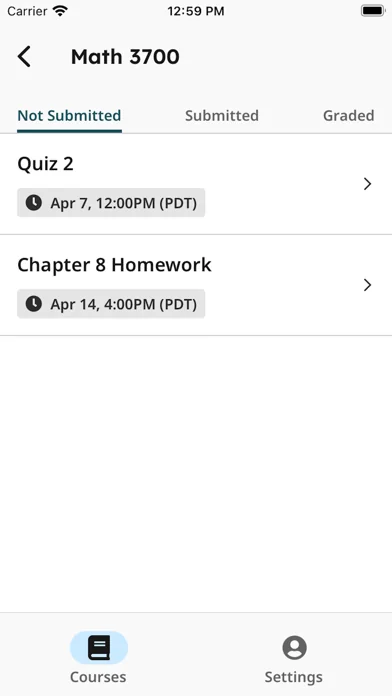
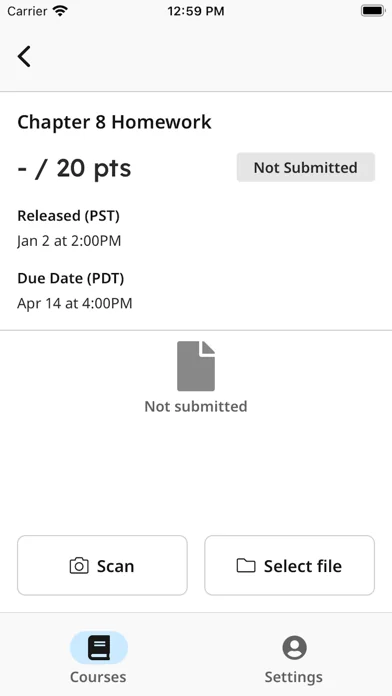
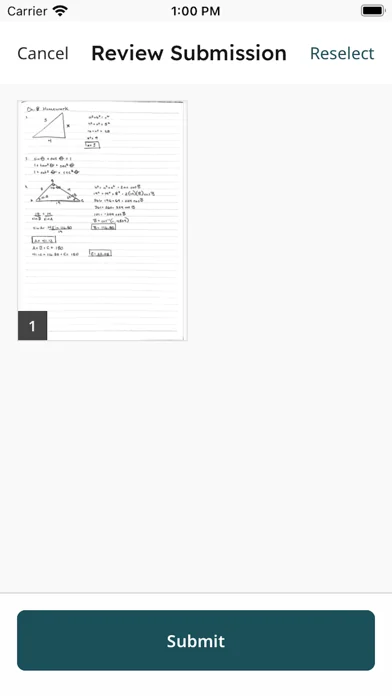
After installing and opening the app, login to see your Gradescope courses and assignments. To upload a submission, click on the assignment in the “Not Submitted” tab and either “Select File” to select an existing file from your device or “Scan” all pages of your completed work using your iPhone’s camera. O…
Students, upload your assignments to Gradescope more easily than ever before! If your instructor uses Gradescope for your assignments, you can now upload your submission with our mobile app.
After installing and opening the app, login to see your Gradescope courses and assignments. To upload a submission, click on the assignment in the “Not Submitted” tab and either “Select File” to select an existing file from your device or “Scan” all pages of your completed work using your iPhone’s camera. Once you submit your file(s), for templated assignments, you’re all set. For variable-length assignments, “Assign pages” to indicate where your answer for each question appears within your submission. It’s that easy! After confirming, your assignment then moves to the “Submitted” tab. If needed, you can resubmit your assignment until the due date your instructor set has passed. Once it is graded and grades are published for the assignment, it then moves to the “Graded” tab.
Note: For V1 of the app, you will be directed to our mobile website for any advanced functionality, including viewing feedback and submitting timed, programming, or online assignments. Stay tuned for future updates that will allow you to do even more with our mobile app!
Comparable iOS apps
The five apps in News with the closest revenue to Gradescope. Click any to see its detail page.
Each forecast combines App Store rating, ratings count, monetisation model, pricing tier, IAP signals and ad-supported flag.
The base estimate is then multiplied by a per-category scaling factor learned from apps with founder-verified MRR.
Every number on this page comes from public APIs and bumetric's own snapshot history.
Full methodology covers input variables, accuracy bands per category and how we treat apps without comparable anchors.
See also the live data on Gradescope's tracker page for current rating, reviews and snapshot timeline.
Building something similar? Get a free AI audit with $-revenue forecasts for every recommendation.


 Digital Cookie Mobile App
 ВИВЧАЮ – НЕ ЧЕКАЮ
 AyahPath Daily: Learn Quran
 Online-Campus mobil
 Plezy for Plex & Jellyfin