Live screenshots from the Play Store, captured by our snapshot worker. Tap any image to enlarge.
Edit and correct your grammar, spelling, punctuation, and more with your personal writing assistant, grammar checker, and editor.
The Grammarly writing app and proofreader allows you to write clearly, confidently, and mistake-free in all your apps. Advanced features such as the AI-powered rewrite tool help you enhance your vocabulary, spell check words, and improve your writing - from emails to social media posts.
<b>Grammarly grammar checker and editor - how does it work?</b>
Simply do…
Read full description →
Edit and correct your grammar, spelling, punctuation, and more with your personal writing assistant, grammar checker, and editor.
The Grammarly writing app and proofreader allows you to write clearly, confidently, and mistake-free in all your apps. Advanced features such as the AI-powered rewrite tool help you enhance your vocabulary, spell check words, and improve your writing - from emails to social media posts.
Grammarly grammar checker and editor - how does it work?
Simply download Grammarly and start typing in any app. Grammarly will check each word, your grammar, spelling, punctuation, and tone, and help you improve your communication skills.
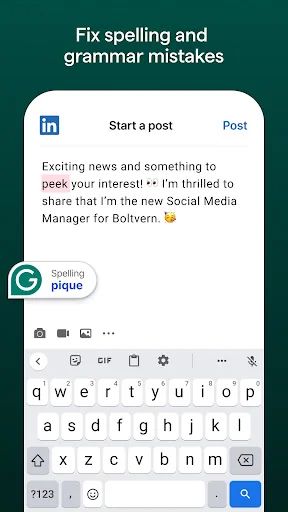
Whether you’re typing emails on the go, editing an important LinkedIn post, sending a text message, or composing an essential tweet, the Grammarly writing assistant and grammar checker lets you spell check, correct, edit and perfect your message from your mobile device with confidence.
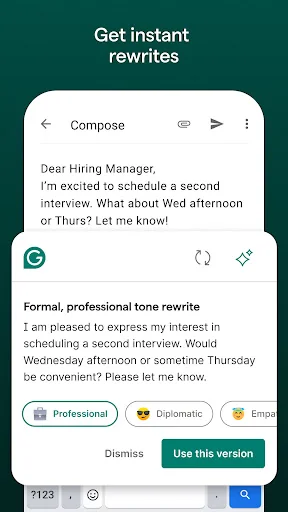
Leveraging the power of generative AI, Grammarly allows you to easily rewrite your messages by composing new versions for you to choose from. Simply select the rewrite option that makes your writing more descriptive, confident, formal - and much more!
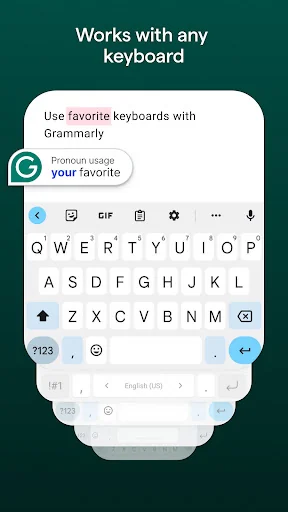
Grammarly works with any Android keyboard, such as Gboard or SwiftKey, so you’ll never have to switch keyboards when you need help writing that important email, text, or social post.
Edit, spell check, and correct your writing in real time
– Grammar checker: Know your grammar is always mistake-free.
– Spelling checker and proofreader: Easily avoid common typos.
– Advanced punctuation correction: Take the guesswork out of punctuation.
Writing assistant and proofreader: Improve your communication skills
– Receive short, clear explanations for every correction.
– Understand your mistakes and avoid them in the future.
Improve your writing through GenAI
- Select your text and click “improve it” to see GenAI-created new versions
- Choose versions to shorten, add more description, sound more confident, and more!
*** Uplevel Your Communication Skills With Premium ***
Take your writing and communication skills from good to great with our advanced features and suggestions.
Grammarly Premium helps you strike the right tone, gives you real-time feedback, and helps you broaden your vocabulary by suggesting impactful, vivid words to help your message, social media post, or email come to life.
Premium features include:
✓ Vocabulary enhancement
✓ Clarity improvements
✓ Tone adjustments
✓ Word choice
✓ Formality level
✓ Fluency
****************
We designed the Grammarly mobile app to be a writing assistant that works anywhere you write—no copying or pasting required, no proofreader needed.
For any inquiries regarding the deactivation of the Grammarly Keyboard for Android, please refer to this article: https://support.grammarly.com/hc/en-us/articles/25038364027661--The-Grammarly-Keyboard-for-Android-will-be-discontinued
Grammarly always keeps your writing safe and private. See our User Trust Guidelines for details: https://www.grammarly.com/trust
By installing Grammarly’s mobile app, you agree to Grammarly’s Terms and Conditions (www.grammarly.com/terms) and acknowledge that you have read Grammarly’s Privacy Policy (https://www.grammarly.com/privacy-policy). California residents, please see the California Privacy Notice (https://www.grammarly.com/privacy-policy#for-california-users).
With your consent, Grammarly may collect data about app usage and device type. Accessibility permission is used to process text written in apps and provide you with tailored writing assistance. We also use this permission to turn Grammarly on when you’re typing in apps.
The five apps in Productivity with the closest revenue to Grammarly-AI Writing Assistant. Click any to see its detail page.
Each forecast combines App Store rating, ratings count, monetisation model, pricing tier, IAP signals and ad-supported flag.
The base estimate is then multiplied by a per-category scaling factor learned from apps with founder-verified MRR.
Every number on this page comes from public APIs and bumetric's own snapshot history.


 Flat Pattern
 Dashlane Password Manager
 Password Vault
 lifebox
 TimeTree - Shared Calendar