What Gravity Screen - On/Off actually does (from store listing)
It turns automatically the <b>screen off</b> when you put your phone into your pocket or onto a table. And turns the <b>screen on</b> when you take it out or up. No need to touch any button and you are ready to go. It's especially helpful if your lock key is hard to reach or the power button is broken.
<b>The most popular screen on/off app.</b> Reviewed by <b>LifeHacker</b>, <b>MakeUseOf</b>, <b>TheNextWeb</b>, <b>Gizmodo</b> and many others ...
WARNING:If the app is killed by the OS…
It turns automatically the screen off when you put your phone into your pocket or onto a table. And turns the screen on when you take it out or up. No need to touch any button and you are ready to go. It's especially helpful if your lock key is hard to reach or the power button is broken.
The most popular screen on/off app. Reviewed by LifeHacker, MakeUseOf, TheNextWeb, Gizmodo and many others ...
WARNING:If the app is killed by the OS after some time visit: https://dontkillmyapp.com/
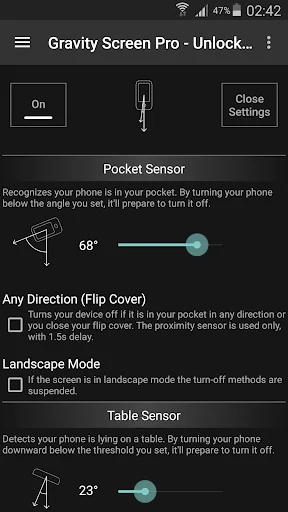
KEY FEATURES • Pocket Sensor: Turns the screen off if your phone is in your pocket.
• Table Sensor: Detects your phone is lying on a table and turn it off if not in use.
• Turn Screen On by Motion: If the screen is off and it's facing up the device can be woken up by moving it.
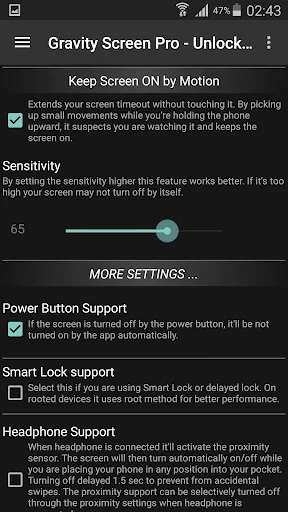
• Keep Screen On by Motion - Rise to Wake: It keeps the screen on while you are watching the screen. It relies on the small movements of your hand while holding the device.
• Smart Lock support: It's a workaround to make the Smart lock feature work fine on devices with Lollipop.
• Locale plug-in for: Tasker, Llama and others
UNLOCKED by IN-APP PURCHASE • Better performance
• Widgets, Shortcuts
• Wider range for Rise to Wake Timeout
• Wider range for Table Sensor
• Suspend in Landscape mode
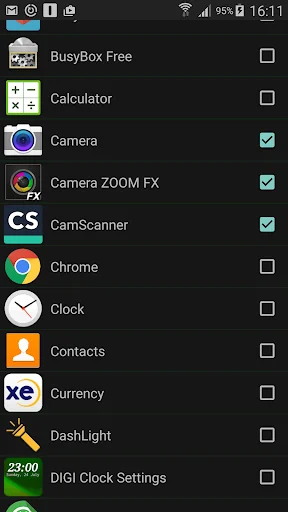
• Exclude Apps option
BATTERY USAGE
It should be not significant. I experienced about 6 per cent extra consumption on the test device. However it can be much higher by often using the Rise to Wake feature. Thus, keep your phone face down if you want to save energy.
UNINSTALL
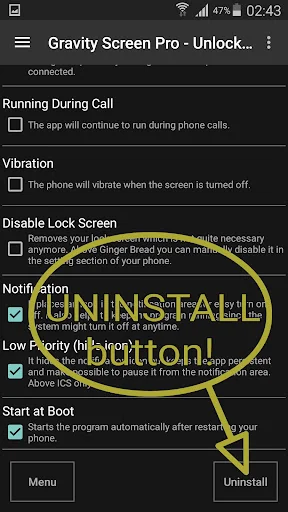
Please, use the Uninstall button in the app. Due to Android restriction the app cannot be uninstalled on a normal way.
FAQ: http://goo.gl/D4BgQ5
This app uses the Device Administrator permission.
This app uses Accessibility services.
Comparable Android apps
The five apps in Tools with the closest revenue to Gravity Screen - On/Off. Click any to see its detail page.
Each forecast combines App Store rating, ratings count, monetisation model, pricing tier, IAP signals and ad-supported flag.
The base estimate is then multiplied by a per-category scaling factor learned from apps with founder-verified MRR.
Every number on this page comes from public APIs and bumetric's own snapshot history.
Full methodology covers input variables, accuracy bands per category and how we treat apps without comparable anchors.
See also the live data on Gravity Screen - On/Off's tracker page for current rating, reviews and snapshot timeline.
Building something similar? Get a free AI audit with $-revenue forecasts for every recommendation.


 CCSWE App Manager (Root)
 Signal Strength
 Screen Lock
 Text Reader: Text to Speech
 Gallery Widget Unlocker