What Grid Painter actually does (from App Store listing)
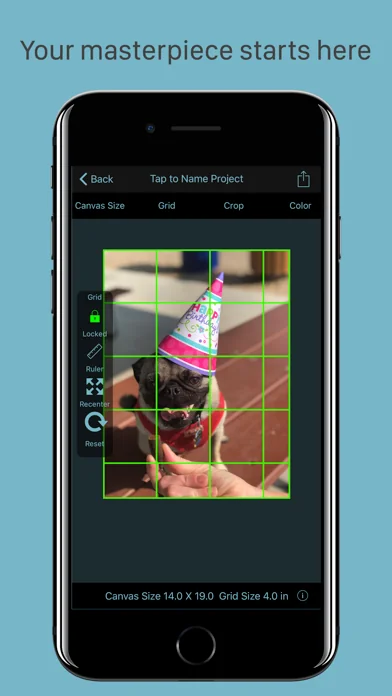
GridPainter is the premium application to use compose your next masterpiece. It lets you quickly and easily place a grid onto an image for the purpose of using the grid technique of drawing and painting, the same method even Leonardo da Vinci used in his work.
With the portability of our devices and access to thousands of images at our fingertips, more artists than ever are using them as a reference for drawings.
With GridPainter, the process of drawing accurately from your device is easier t…
GridPainter is the premium application to use compose your next masterpiece. It lets you quickly and easily place a grid onto an image for the purpose of using the grid technique of drawing and painting, the same method even Leonardo da Vinci used in his work.
With the portability of our devices and access to thousands of images at our fingertips, more artists than ever are using them as a reference for drawings.
With GridPainter, the process of drawing accurately from your device is easier than ever. Simply select the photo you wish from your photo library or using the "Open In" functionality in Messages or email, and the app will scale your image and place the "fourths" style grid over the top.
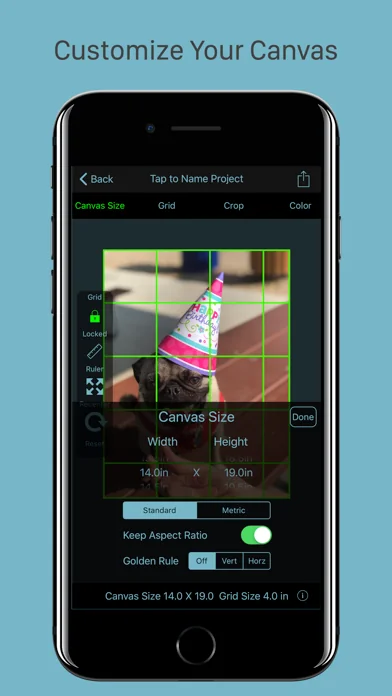
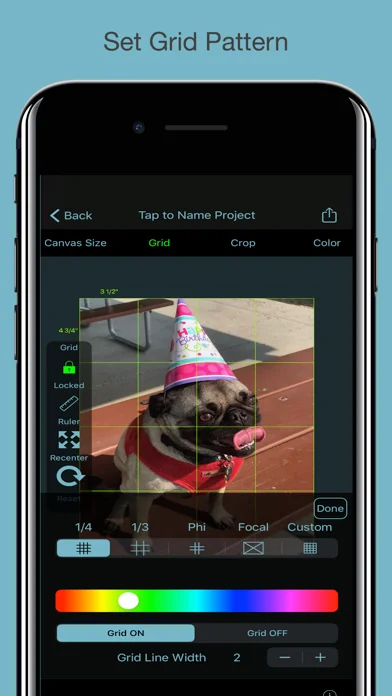
From the toolbar on top you will find easy to use controls.
-Select a standard canvas or customize your canvas size.
-Customize your grid pattern from several different styles.
-Crop
We have also integrated some basic functions from our sister application NotanIzer so now you can
-Look at you image in color, gray scale, Notan, 3 Level, 4 level, or Levels
Everything is saved and you can work with your image in the app, or using the share menu, print, email, or export it to your photo library.
To create a drawing from the photo, simply draw a grid of the same proportions on your drawing material as your selected final project size and grid size.
From there you can easily transfer the image by drawing whats in each square, letting the grid take care of the proper scaling and framing within your picture.
Great for when you need to draw a large drawing from a small reference photo, or for drawing complicated imagery.
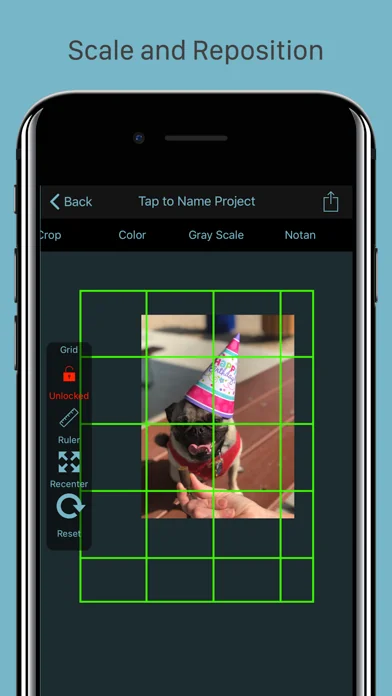
Features: -Select an image from your camera roll , import, or take a photo directly from the app -Choose final image size -Place a grid over the image using different grid types -Change the grid size -Change the grid color for best visibility over the image -Select any canvas size or automatically choose the aspect ratio or use the Golden Ratio -Scale and move your image to fit exactly where you want -Save the project for later revisions -Print or share your project with others
🆕 What's new · v2.79
Picture no longer resets when changing between color, gray scale, or the Not an functions.
Some UI enhancements
Comparable iOS apps
The five apps in Photo & Video with the closest revenue to Grid Painter. Click any to see its detail page.
Each forecast combines App Store rating, ratings count, monetisation model, pricing tier, IAP signals and ad-supported flag.
The base estimate is then multiplied by a per-category scaling factor learned from apps with founder-verified MRR.
Every number on this page comes from public APIs and bumetric's own snapshot history.
Full methodology covers input variables, accuracy bands per category and how we treat apps without comparable anchors.
See also the live data on Grid Painter's tracker page for current rating, reviews and snapshot timeline.
Building something similar? Get a free AI audit with $-revenue forecasts for every recommendation.


 Videwatch
 Videocraft - Video Editor Pro
 Apollo: Immersive Beleuchtung
 CollageKing pro - Photo, Video
 Video Zoom! - Apply Zoom, Crop