What HandWrite Pro Vector Notes actually does (from store listing)
HandWrite Pro turns your tablet or phone into a precise vector notebook. Take handwritten notes, annotate PDFs, and sketch with stylus or finger – no tracking, no account required.
Built in Hamburg, Germany, by an independent developer. Trusted by over 1 million users.
WHY HANDWRITE PRO IS DIFFERENT
Most note-taking apps store your strokes as pixels. HandWrite Pro uses a true vector engine, so you can zoom infinitely without blur, edit individual points, and export to SVG for Inkscape o…
HandWrite Pro turns your tablet or phone into a precise vector notebook. Take handwritten notes, annotate PDFs, and sketch with stylus or finger – no tracking, no account required.
Built in Hamburg, Germany, by an independent developer. Trusted by over 1 million users.
WHY HANDWRITE PRO IS DIFFERENT
Most note-taking apps store your strokes as pixels. HandWrite Pro uses a true vector engine, so you can zoom infinitely without blur, edit individual points, and export to SVG for Inkscape or Adobe Illustrator. That makes it the only Android note app that fits both lecture halls and design workflows.
KEY FEATURES
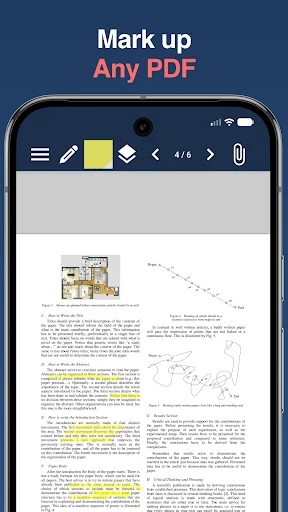
- PDF markup – import, annotate, and export PDFs
- Vector engine – lossless zoom, infinite canvas, point-level editing
- Stylus support – pressure-sensitive drawing with Samsung S-Pen and other active pens
- Speed Pen – simulated line variation for finger or passive stylus
- Layers – work like in professional design software
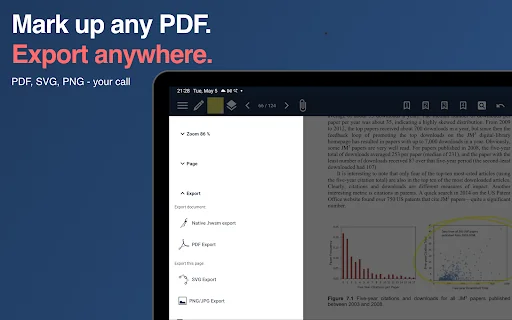
- Export – PDF, JPG, PNG, and SVG
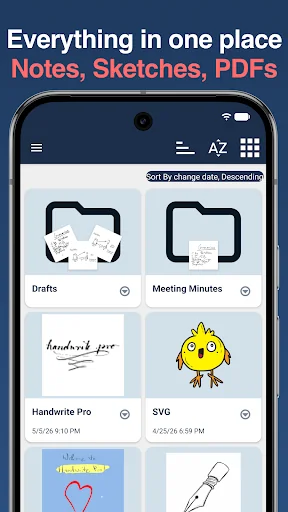
- Organization – folders, tags, and custom labels
- Paper styles – endless canvas, lined, dotted, grid, and custom sizes
FAIR PRICING – YOU CHOOSE
Most features are free forever. To unlock the premium add-on, pick what works for you:
- Low-cost trial subscription – try all premium features for a small monthly fee, cancel anytime
- Lifetime license (recommended) – one payment, yours forever, no recurring fees
No hidden costs. No forced subscriptions. Decide after you've tried it.
PREMIUM FEATURES INCLUDE
- Handwriting-to-text recognition (on-device AI)
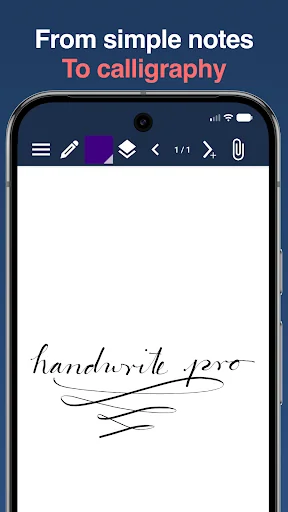
- Calligraphic and fill pens
- PDF annotation export
- SVG export
- Google Drive sync across devices
PRIVACY FIRST
- No tracking
- No data collection
- No account required
- GDPR-compliant
BEST ON
Samsung Galaxy Tab with S-Pen, and any Android tablet or phone with an active stylus.
USE CASES
- Students taking lecture notes and solving math problems
- Teachers creating diagrams and explanations
- Designers sketching ideas and exporting to vector tools
- Professionals annotating contracts and PDFs
- Anyone who prefers writing over typing
SUPPORT
Questions or feedback? Email info@hand-write.com or visit www.hand-write.com – we read every message.
Comparable Android apps
The five apps in Productivity with the closest revenue to HandWrite Pro Vector Notes. Click any to see its detail page.
Each forecast combines App Store rating, ratings count, monetisation model, pricing tier, IAP signals and ad-supported flag.
The base estimate is then multiplied by a per-category scaling factor learned from apps with founder-verified MRR.
Every number on this page comes from public APIs and Bumetric's own snapshot history.
Full methodology covers input variables, accuracy bands per category and how we treat apps without comparable anchors.
See also the live data on HandWrite Pro Vector Notes's tracker page for current rating, reviews and snapshot timeline.
Building something similar? Get a free AI audit with $-revenue forecasts for every recommendation.


 Write Cool Text Fonts Styles
 Today's Shift
 BijliMitra
 QR Code Scanner and Generator
 توربو ریکاوری فیلم ها و عکس ها