What Handy Recorder actually does (from store listing)
The Handy Recorder app allows you to record high-quality audio with your Android device. Use it with a ZOOM Am series mic, which are designed to capture audio of the best quality with Android devices, and record using the high-fidelity linear PCM and space-saving AAC formats. This app includes normalize and divide functions that can be used on recorded files. In addition, it has compressor, EQ and reverb effects. Moreover, you can directly upload your recordings from Handy Recorder to the Cloud …
The Handy Recorder app allows you to record high-quality audio with your Android device. Use it with a ZOOM Am series mic, which are designed to capture audio of the best quality with Android devices, and record using the high-fidelity linear PCM and space-saving AAC formats. This app includes normalize and divide functions that can be used on recorded files. In addition, it has compressor, EQ and reverb effects. Moreover, you can directly upload your recordings from Handy Recorder to the Cloud file-sharing site, allowing you to bring your creations to the world over the Internet.
Features
■ Stereo linear PCM and AAC recording
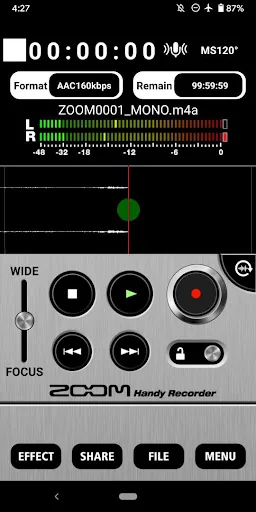
-You can record files using either high-quality linear PCM format or AAC format at a bit rate of 64, 128 or 160 kbps.
-The AUTO REC function can be used to start and stop recording automatically in response to the input signal level.
■ Works like a hardware recorder
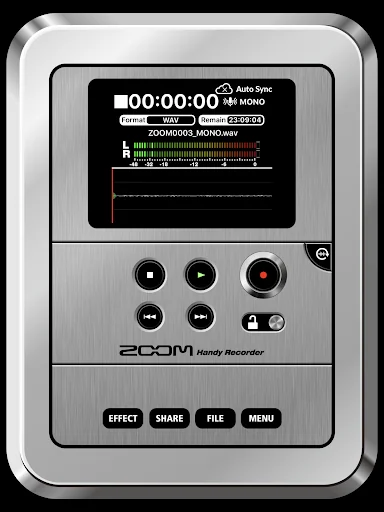
-The operation screen was designed to simulate a ZOOM hardware Handy Recorder, so this app is as easy to operate as these products.
■ Effects
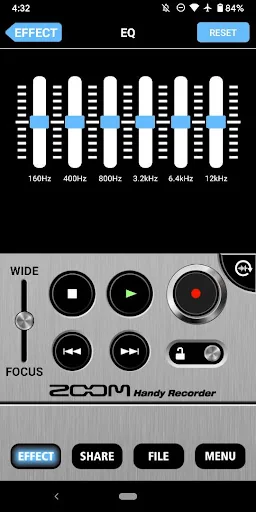
-Recorded files can be processed using the included effects.
•6 BAND EQ
•REVERB (ROOM, JAZZ CLUB, CONCERT HALL, ARENA, STADIUM)
•MASTERING (MAXIMIZE, ULTRA MAXIMIZE, CLEAR & POWER, WIDE, MONO)
-Processed recordings can also be saved as separate files.
-Use the NORMALIZE function to optimize the volume.
■File editing
-In addition to deleting files, you can use the divide function to split files at the point that you want.
■Uploading to Cloud Services
-The app includes a function that allows you to upload your recordings directly to the Cloud site. You can name your recordings and make sharing settings in the Handy Recorder app.
■Optimized for the Am series
-By using the Am7 in MS recording mode, you can adjust the stereo width.
-Use the DIRECT MONITOR function to monitor the input signal through the headphones jack on the Am series without latency
-The left and right channels of the Am series input signal can be reversed.
For more information, please visit our website.
https://zoomcorp.com/
Comparable Android apps
The five apps in Music & Audio with the closest revenue to Handy Recorder. Click any to see its detail page.
Each forecast combines App Store rating, ratings count, monetisation model, pricing tier, IAP signals and ad-supported flag.
The base estimate is then multiplied by a per-category scaling factor learned from apps with founder-verified MRR.
Every number on this page comes from public APIs and bumetric's own snapshot history.
Full methodology covers input variables, accuracy bands per category and how we treat apps without comparable anchors.
See also the live data on Handy Recorder's tracker page for current rating, reviews and snapshot timeline.
Building something similar? Get a free AI audit with $-revenue forecasts for every recommendation.


 Airport sounds
 Tonos de acordeón, melodías.
 RingMe: The RingTone Maker
 Radio Switzerland, Radio Swiss
 Kenangan Iwan Fals & Ebiet GA