What HCL Digital Assessment actually does (from store listing)
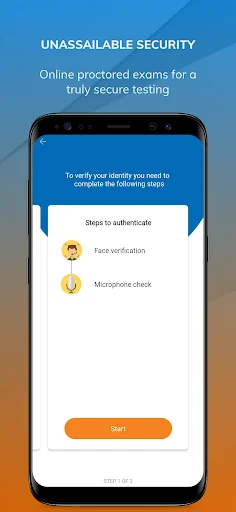
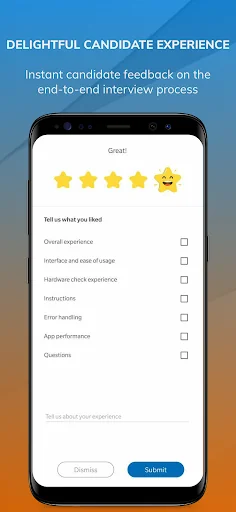
HCL Digital Assessment is a convenient way for candidates to take interviews or assessments at the convenience of their time and place. Engage is a free app for candidates who are attending an online video assessment with any employer who is using the Talview Platform. If the prospective employer has invited you to participate in the evaluation or you have a QR code of a job from an advertisement by the employer you can download the app and enter/scan the code to complete your assessment.
Als…
HCL Digital Assessment is a convenient way for candidates to take interviews or assessments at the convenience of their time and place. Engage is a free app for candidates who are attending an online video assessment with any employer who is using the Talview Platform. If the prospective employer has invited you to participate in the evaluation or you have a QR code of a job from an advertisement by the employer you can download the app and enter/scan the code to complete your assessment.
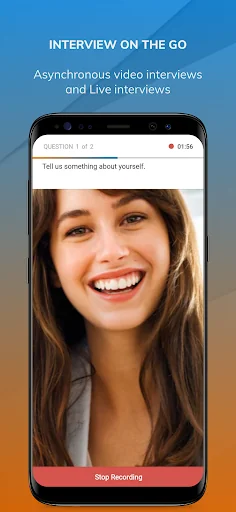
Also if you are a job seeker looking to enhance your interview skills and looking for interview practice that will help in getting your dream job, then download HCL Digital Assessment App to gain first-hand experience with practice interviews before you head to give actual video interviews!. You can use the practice interview functionality to prepare yourself and to make sure you are in the current trend of Job Hunting.
Important: This app supports two types of assessment-
1. Asynchronous or Automated Video Interviews
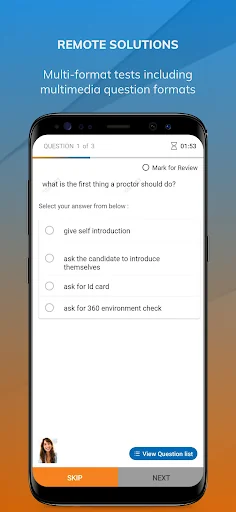
2. Video Proctored Objective Test (Multiple Choice Questions)
If you are looking to do a Live Interview please download HCL Digital Interview. If you have been instructed by the prospective employer to write an essay or a code test, you need to use a laptop or desktop for the same.
Below are some of the tips that will help you to have a successful video interview
1. Prepare for the interview as you would for a traditional face to face one.
2. Make sure the your phone is fully charged and and you have taken a practice interview prior to attending the actual interview.
3. The position of the front camera is very important, make sure you are holding it parallel to your posture.
4. Good to have a neat background with no noise.
5. Do not keep any other application running on your phone that might interfere with the ongoing assessment.
6. Dress appropriately to look good on camera and have a good impression on the employer.
7. Be wary of your expressions while answering, since video interaction enables more focus on your body language.
8. Ensure that you have good signal and internet speed is optimum.
9. If you have slow connection it might take little longer for transition between answers and for final submission. Do not panic and close the app.
10. If the assessment gets disrupted and the app gets closed, you can resume the assessment by entering/scanning the code again.
Comparable Android apps
The five apps in Productivity with the closest revenue to HCL Digital Assessment. Click any to see its detail page.
Each forecast combines App Store rating, ratings count, monetisation model, pricing tier, IAP signals and ad-supported flag.
The base estimate is then multiplied by a per-category scaling factor learned from apps with founder-verified MRR.
Every number on this page comes from public APIs and bumetric's own snapshot history.
Full methodology covers input variables, accuracy bands per category and how we treat apps without comparable anchors.
See also the live data on HCL Digital Assessment's tracker page for current rating, reviews and snapshot timeline.
Building something similar? Get a free AI audit with $-revenue forecasts for every recommendation.


 PosAja!
 Direct Print Service
 Email Password Recovery Help
 Amharic Keyboard Ethiopia
 Volkswagenim