What Heart Container Battery Meter actually does (from store listing)
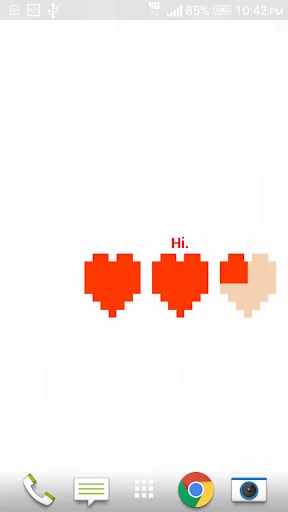
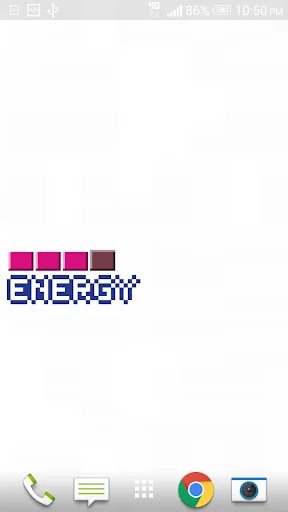
Heart Container Battery Widget is like having an 8-bit or 16-bit health bar for your phone with many styles to choose from!
Fans of old school gaming will recognize this app as a life meter similar to many of your favorite games.
This health bar, however, is used to indicate remaining battery life. As the phone's battery takes damage(discharges), the hearts are depleted piece by piece just like a video game.
While charging your phone, the life meter will animate as it refills!
This ba…
Heart Container Battery Widget is like having an 8-bit or 16-bit health bar for your phone with many styles to choose from!
Fans of old school gaming will recognize this app as a life meter similar to many of your favorite games.
This health bar, however, is used to indicate remaining battery life. As the phone's battery takes damage(discharges), the hearts are depleted piece by piece just like a video game.
While charging your phone, the life meter will animate as it refills!
This battery widget is light on resources and uses no battery. The app only updates when the system updates the battery percentage.
Heart Container is a widget. Meaning it will not show up like a normal app.
To add Heart Container to your phone's home screen(these directions will vary depending on device):
1. Find an empty spot on your home screen.
2. Press and hold your finger on an empty spot until a menu appears.
3. Select "Add Widget" or "Widget".
4. Scroll down until you see Heart Container on the list and select it.
5. Enjoy Heart Container!
Email me if you have problems. Please don't leave problems as a comment. I will help you! Leaving bad feedback before asking for help is just bad etiquette.
A big THANK YOU for downloading this app and all the support. I am humbled by all the positive reviews.
Explanation of the Wi-Fi permissions:
Some apps require a ton of permissions and some of those permissions sound pretty scary. As an Android user myself, I want to know why an app I am using needs each app permission before installing so I am going to explain Heart Container's permissions for everyone's benefit. Heart Container Battery Meter only has permission to see if the Wi-Fi is on/off and to enable/disable Wi-Fi, but only if the user physically does so. Heart Container does not have access to any network. Google has labeled Android's app permissions in such a way that the permissions look like they allow more access than they really do(for some of them). This app's permissions are "Network Communication: Access Wi-Fi State" and "Network Communication: Change Wi-Fi State". Not to be confused with other permissions such as "Network Communication: Full Internet Access". Heart Container does not have nor does it require this permission.
And again, thanks for all the support and positive feedback. Keep the great reviews coming. I read all the comments and reply to each and every email I receive from my customers.
Comparable Android apps
The five apps in Personalization with the closest revenue to Heart Container Battery Meter. Click any to see its detail page.
Each forecast combines App Store rating, ratings count, monetisation model, pricing tier, IAP signals and ad-supported flag.
The base estimate is then multiplied by a per-category scaling factor learned from apps with founder-verified MRR.
Every number on this page comes from public APIs and bumetric's own snapshot history.
Full methodology covers input variables, accuracy bands per category and how we treat apps without comparable anchors.
See also the live data on Heart Container Battery Meter's tracker page for current rating, reviews and snapshot timeline.
Building something similar? Get a free AI audit with $-revenue forecasts for every recommendation.




 Dove Icon Pack
 Pixel 4D™ Live Wallpapers
 Material Pixel Launcher Pro
 PieCons Icon Pack
 Chromatin UI - Icon Pack