What Hide Navigation Bar actually does (from store listing)
<b>Unsupported as of Android 11<b>
This is app does not work on Android 11 and above because Google removed the ability
for apps to do so. Further information is provided here: https://bit.ly/3z62OBn
<b>Warning<b>
This app is meant for advanced users only. You have to use a PC to grant the WRITE_SECURE_SETTINGS permission with ADB.
Note that ADB simply is a developers tool and it will not void the warranty unlike root.
If you're device is rooted you can grant the permission with just one…
Unsupported as of Android 11 This is app does not work on Android 11 and above because Google removed the ability
for apps to do so. Further information is provided here: https://bit.ly/3z62OBn
Warning This app is meant for advanced users only. You have to use a PC to grant the WRITE_SECURE_SETTINGS permission with ADB.
Note that ADB simply is a developers tool and it will not void the warranty unlike root.
If you're device is rooted you can grant the permission with just one click.
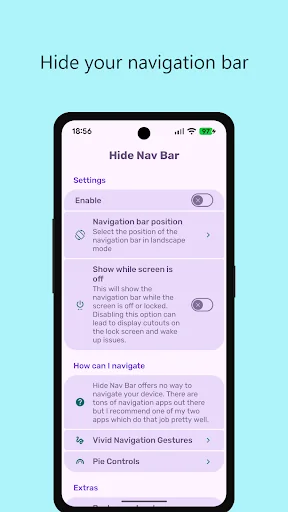
Finally get rid of the "Navigation Bar"
You want to use one of those cool new gesture navigation apps to use your device in a futuristic way?
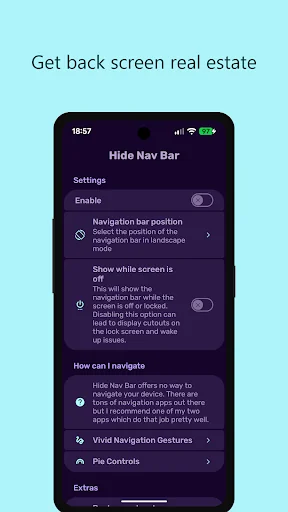
Or you want to gain a little more screen space?
But you cannot get rid of the "Navigation Bar"?
With "Hide Navigation Bar" it's possible to hide your "Navigation Bar"
Automation Apps Support You can send broadcasts to "Hide Navigation Bar" with your favorite automation apps like "Tasker"
to hide the "Navigation Bar" only when you want it.
Android ADB PC instructions
1 - Enable Developer Mode in the Android settings.
2 - Enable USB Debugging
3 - Setup ADB on your PC
4 - Run the following adb command to grant the permission:
adb shell pm grant com.ivianuu.hidenavbar android.permission.WRITE_SECURE_SETTINGS
To restore the navigation keys disable the app or run this command:
adb shell wm overscan 0,0,0,0
How to install ADB
Gadget Hacks - https://bit.ly/3uT9iAo
Lifehacker - https://bit.ly/3x8LQAN
Xda developers - https://bit.ly/3x40usM
Links
Reddit:
https://bit.ly/3comOFJ
Comparable Android apps
The five apps in Tools with the closest revenue to Hide Navigation Bar. Click any to see its detail page.
Each forecast combines App Store rating, ratings count, monetisation model, pricing tier, IAP signals and ad-supported flag.
The base estimate is then multiplied by a per-category scaling factor learned from apps with founder-verified MRR.
Every number on this page comes from public APIs and bumetric's own snapshot history.
Full methodology covers input variables, accuracy bands per category and how we treat apps without comparable anchors.
See also the live data on Hide Navigation Bar's tracker page for current rating, reviews and snapshot timeline.
Building something similar? Get a free AI audit with $-revenue forecasts for every recommendation.


 bootmod3
 Passport Photo Code UK
 SmartStoves Palazzetti
 UbikiTouch
 English To Hindi Dictionary