I bet you've seen HUD displays in modern jet fighters. All important data is shown on the windshield so the pilot reaction could be much faster. Now, that technology is also available... for your car!
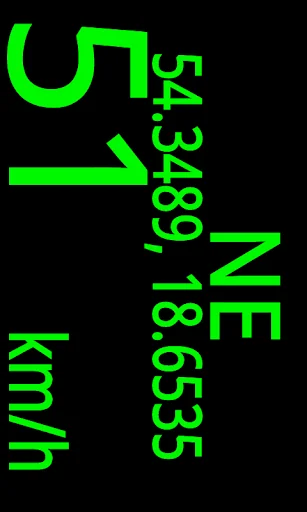
Thanks to the GPS and magnetic field sensor, Holo HUD application displays current speed, GPS position and direction you are driving just on the windshield of your car. You don't have to lose the sight of the road just to check your speed while you're driving at night and, if you need them, you …
I bet you've seen HUD displays in modern jet fighters. All important data is shown on the windshield so the pilot reaction could be much faster. Now, that technology is also available... for your car!
Thanks to the GPS and magnetic field sensor, Holo HUD application displays current speed, GPS position and direction you are driving just on the windshield of your car. You don't have to lose the sight of the road just to check your speed while you're driving at night and, if you need them, you could turn on actual position and heading.
Features:
- NO ADS!
- No internet connection required!
- HUD (mirror) or standard display mode
- choose the font color that best suits you
- customize the app and display just the info you need
- choose between alternative ways of acquiring speed and heading
- maximum brightness mode available from in-app configuration
- supporting most of Android versions with different screen sizes and resolutions
How to use it?
- prepare your car, choose the spot under your windshield where you can place your phone safely without the risk of falling during turns, braking and accelerating (you can use the rubber sticker to keep your device on place even during the hard manouvers
- turn the GPS on and run the app
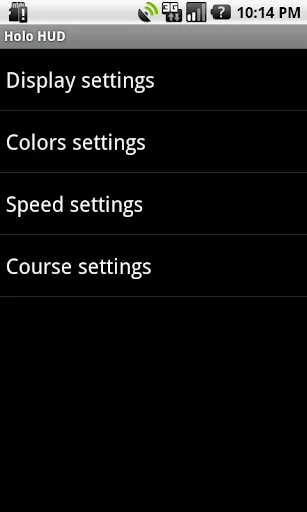
- customize the app by pressing the menu button on your device
- turn on the HUD mode and lay your phone on prepared spot so you can see the reflection on your windshield
- make sure it won't interrupt with your visibility of the road
- hit the road; as soon as the GPS position will be acquired, the data will show up
ATTENTION!
- ALWAYS pay attention to the road. Don't change the app settings while driving - ask your passanger to do it or stop safely and then make the changes. Obey the traffic laws and remember, SAFETY ON THE FIRST PLACE!
- NEVER treat the displayed data as precise or correct. These are for informational purposes only and do not replace the speedometer in your vehicle!
- The quality of readings depends on the GPS receiver in your device. If the signal reception would be affected by the obstacles (such as buildings, trees, bridges, tunnels, power lines), value displayed on the screen could stay the same till the next position is acquired.
- If the speed or direction seem unreliable, try changing the acquire mode of them in settings.
Comparable Android apps
The five apps in Travel & Local with the closest revenue to Holo HUD. Click any to see its detail page.
Each forecast combines App Store rating, ratings count, monetisation model, pricing tier, IAP signals and ad-supported flag.
The base estimate is then multiplied by a per-category scaling factor learned from apps with founder-verified MRR.
Every number on this page comes from public APIs and bumetric's own snapshot history.
Full methodology covers input variables, accuracy bands per category and how we treat apps without comparable anchors.
See also the live data on Holo HUD's tracker page for current rating, reviews and snapshot timeline.
Building something similar? Get a free AI audit with $-revenue forecasts for every recommendation.


 Pakistan Prayer Timings
 Satellite Taxis Cork
 Allo Taxi
 Openferry: Ferry Tickets
 Camino de Santiago 360º