What HomeBudget with Sync actually does (from App Store listing)
Now available in mobile [iPhone/iPad] and desktop versions [Mac OS, Windows], including instant data sync between mobile/desktop versions. (Separate purchase required for each OS platform).
A lite version of HomeBudget is available under the free applications category. Give it a try.
Contact support@anishu.com, if you need help. We have no way of contacting you if you post an issue as a review.
--
HomeBudget is an integrated expense tracker designed to help you track your expenses, income, b…
Now available in mobile [iPhone/iPad] and desktop versions [Mac OS, Windows], including instant data sync between mobile/desktop versions. (Separate purchase required for each OS platform).
A lite version of HomeBudget is available under the free applications category. Give it a try.
Contact support@anishu.com, if you need help. We have no way of contacting you if you post an issue as a review. --
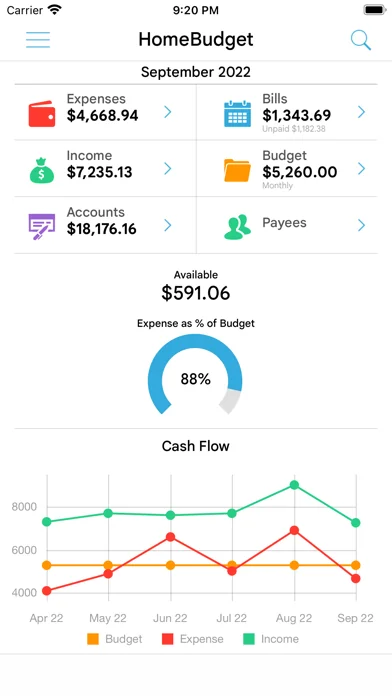
HomeBudget is an integrated expense tracker designed to help you track your expenses, income, bills-due and account balances. It offers support for budgeting, and allows analysis of your expenses and income, including charts and graphs. Two key differentiating features of HomeBudget are:
1. Integrated set of features. The features within HomeBudget are well integrated such that a bill can become an expense (when you pay for it) and also adjust the account balance at the same time.
2. Family sync. HomeBudget includes Family Sync, an advanced feature that allows a group of devices within the household to exchange expense and income information, and work together within a single budget. Once setup, the devices sync with each other automatically over the air. Family Sync works across all features including Bills and Accounts. Please refer to the Family Sync Quick Start guide at http://www.anishu.com for information on configuring Family Sync.
KEY FEATURES:
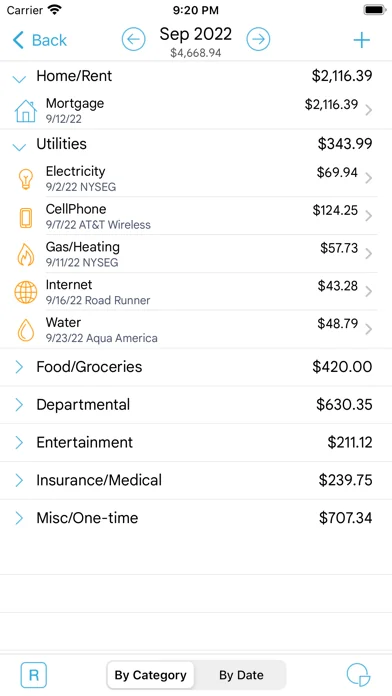
Expenses: - Create/Edit/Delete expenses and recurring expenses - Browse expense entries by month, by category/date with the ability to drill-down - Optionally associate an account and payee with an expense - Attach photo images of receipts; drag and resize images on screen - Support for multiple currencies and automatic exchange rate conversion - Search expense entries
Income: - Create/Edit/Delete income and recurring income - Optionally associate an account with the income
Bills - Create/Edit/Delete bills and recurring bills - Support for Payees, and track payments by Payee. - Make payment on bills either an as expense or as a transfer (to avoid double accounting your expenses) - Calendar and list view of Bills - Bill reminders
Categories and Budget - Create/Edit/Delete expense categories and sub-categories - Set a budget, and track expenses at the category/sub-category level. - Associate icons with the categories and reorder category display order - Budget rollover - Classify expenses into fixed, variable and discretionary and compute your disposable income
Accounts - Support for Accounts such as Checking, Savings, Credit, Debit, Cash, etc. - Associate your expense and income entries with your accounts and accurately track account balances. - View transactions, and do transfer between accounts. - Ability to choose a different base currency for each account
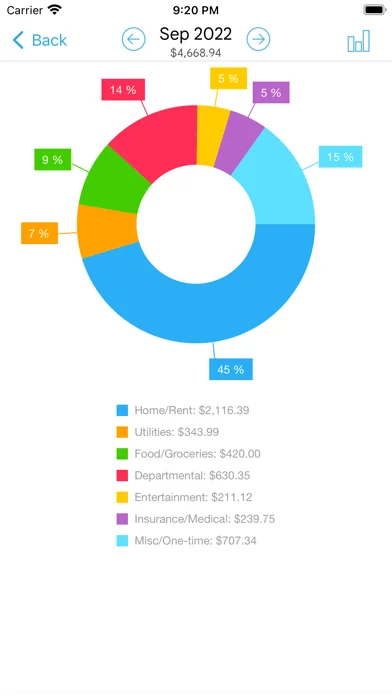
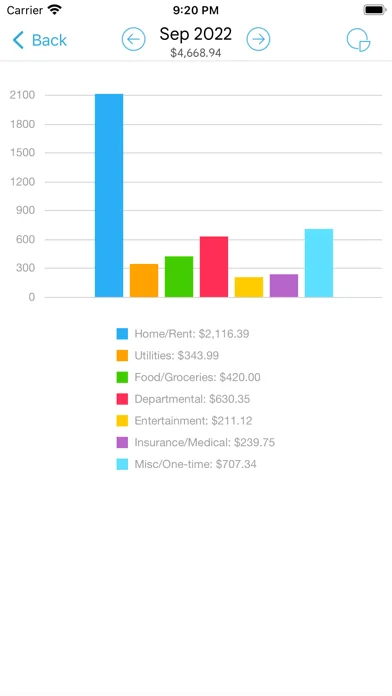
Reports - Trend chart for Expense, Budget and Income for the last 6 months - Pie/Bar charts for expense break-down (Available in the Expenses screen). - Export data/reports by email or via WiFi
Family Sync - Automatically sync multiple devices (iPhone, iPad, iTouch) in the household and see the same numbers on all devices over 3G and WiFi - Work within the same budget with other members of the household
Other - Backup/Restore complete application data, including all receipts - Ability to upload your own list of category icons - Large numeric keypad for expense/income amount entry - HomeBudget follows the locale/region setting on your device and shows date and currency symbols appropriate for your region
Visit http://www.anishu.com to see more screenshots, and to download the user guide (PDF, 42 pages).
Comparable iOS apps
The five apps in Finance with the closest revenue to HomeBudget with Sync. Click any to see its detail page.
Each forecast combines App Store rating, ratings count, monetisation model, pricing tier, IAP signals and ad-supported flag.
The base estimate is then multiplied by a per-category scaling factor learned from apps with founder-verified MRR.
Every number on this page comes from public APIs and bumetric's own snapshot history.
Full methodology covers input variables, accuracy bands per category and how we treat apps without comparable anchors.
See also the live data on HomeBudget with Sync's tracker page for current rating, reviews and snapshot timeline.
Building something similar? Get a free AI audit with $-revenue forecasts for every recommendation.


 GEICO Mobile - Car Insurance
 Robinhood Trading & Investing
 Tonkeeper — TON Wallet
 Expenses OK - expenses tracker
 Zoya: Halal Investing App