What HWMonitor PRO actually does (from store listing)
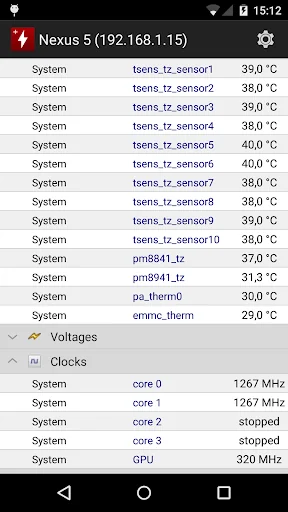
HWMonitor PRO is a health monitoring program dedicated to Android devices. It shows in real time a various set of temperatures (depending on device), battery information (voltage, temperature and charge level), and CPU utilization.
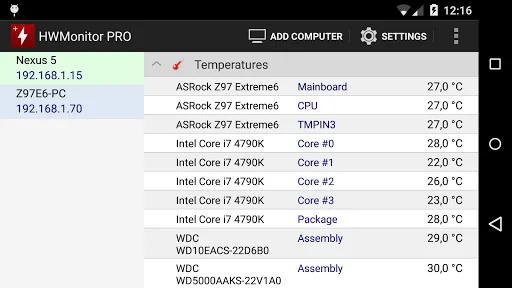
The monitoring data can be sent over a local network in order to be displayed on a PC running HWMonitor PRO for Windows, or on another Android device.
In addition, HWMonitor PRO allows to monitor up to 10 systems (Windows PC or Android device) from your Android …
HWMonitor PRO is a health monitoring program dedicated to Android devices. It shows in real time a various set of temperatures (depending on device), battery information (voltage, temperature and charge level), and CPU utilization.
The monitoring data can be sent over a local network in order to be displayed on a PC running HWMonitor PRO for Windows, or on another Android device.
In addition, HWMonitor PRO allows to monitor up to 10 systems (Windows PC or Android device) from your Android device. Steps are as following :
1- Setup the monitored system for a remote connection :
- PC windows : install HWMonitor PRO for Windows (http://www.cpuid.com/softwares/hwmonitor-pro.html) on the PC that you want to follow up, then switch to listening mode. Note the machine name and IP.
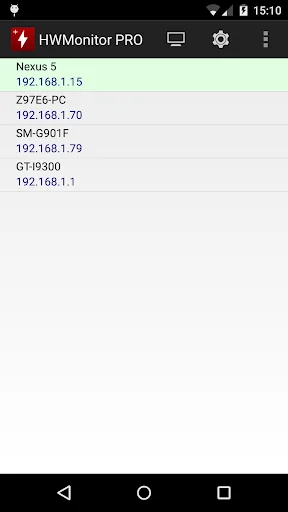
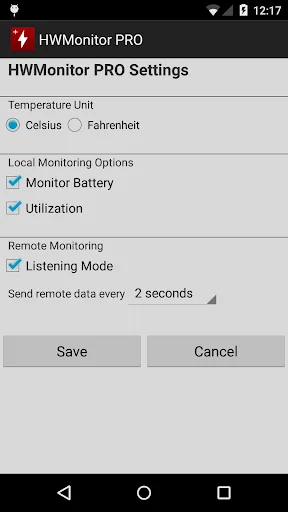
- Android : install HWMonitor PRO for Android on the device that you want to follow up, then click on the local monitor (1st entry) to start monitoring. Make sure that listening mode is checked in the settings page. Note the machine name and IP.
2- Connect from your Android device :
Run HWMonitor PRO on your Android mobile device, then choose Add Device from the application menu or click on the computer icon in the action bar. Then enter the name or the IP address of the machine, and choose OK. Select the machine in the list in order to start the connection.
3- Remove a monitor :
Do a long click on a monitor item (at least 3 seconds) in order to remove it from the list.
Comparable Android apps
The five apps in Tools with the closest revenue to HWMonitor PRO. Click any to see its detail page.
Each forecast combines App Store rating, ratings count, monetisation model, pricing tier, IAP signals and ad-supported flag.
The base estimate is then multiplied by a per-category scaling factor learned from apps with founder-verified MRR.
Every number on this page comes from public APIs and bumetric's own snapshot history.
Full methodology covers input variables, accuracy bands per category and how we treat apps without comparable anchors.
See also the live data on HWMonitor PRO's tracker page for current rating, reviews and snapshot timeline.
Building something similar? Get a free AI audit with $-revenue forecasts for every recommendation.


 APK Installer
 Face Screen Lock Prank
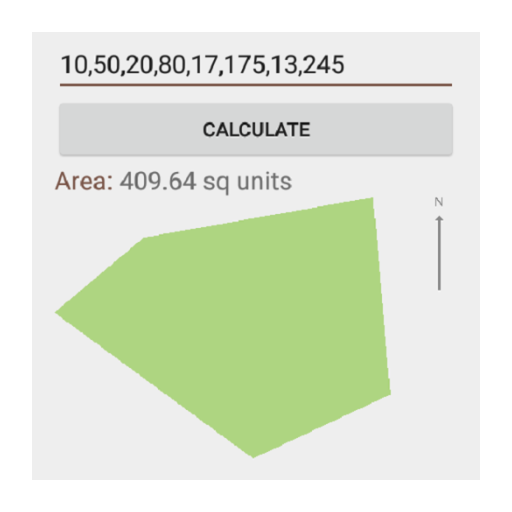 Land Area Calculator Converter
 RemoDB SQL Client MySQL, MsSQL
 Voice Text - Text Voice PDF