What Image Size - Photo Resizer actually does (from store listing)
This app allows you to resize an image to whatever size you like (with limitation), quickly and easily. It is a really resizer app.
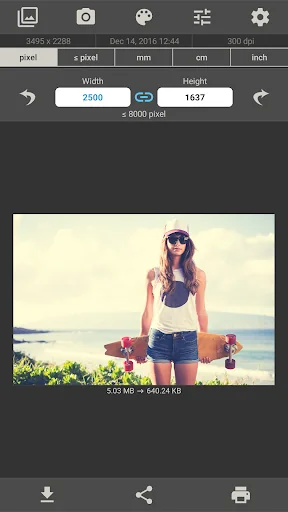
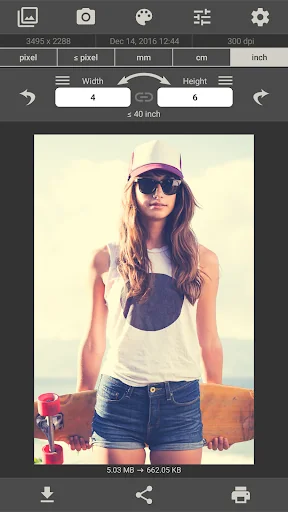
You can specify the output format using one of the following four units of measurement: pixels, millimeters, centimeters, inches
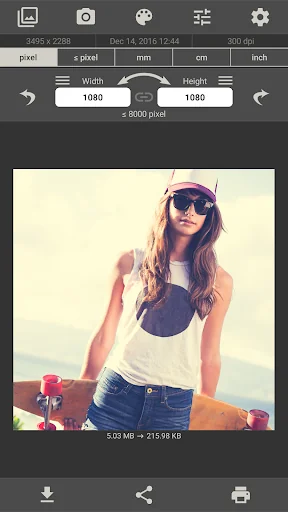
To preserve aspect ratio just tap on the chain icon between width and height input fields.
Image Size gives you the option of saving, emailing, printing or sharing the final image.
Resize your image in just four easy steps:
…
This app allows you to resize an image to whatever size you like (with limitation), quickly and easily. It is a really resizer app.
You can specify the output format using one of the following four units of measurement: pixels, millimeters, centimeters, inches
To preserve aspect ratio just tap on the chain icon between width and height input fields.
Image Size gives you the option of saving, emailing, printing or sharing the final image.
Resize your image in just four easy steps:
1. Open an image or take a photo
2. Enter your desired output size
3. Crop the image with your fingers using multitouch gestures
4. Save / print / send / share image
Resize a photo or image with this app in seconds.
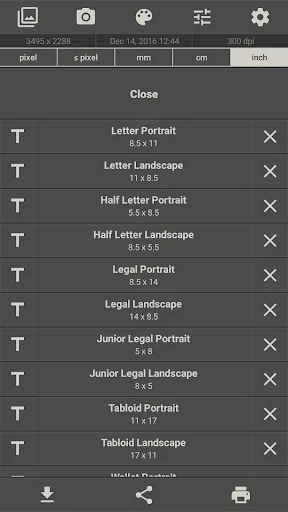
The image sizes used are saved and can be quickly selected from a list.
The image can be rotated 90 ° right and left.
A photo editor has been added. (Filters, text, sticker, etc.)
The JPG quality can be adjusted in the settings.
The storage path for the output images can be changed in the settings.
The Exif data is copied from the original image. (This function can be deactivated in the settings)
Comparable Android apps
The five apps in Photography with the closest revenue to Image Size - Photo Resizer. Click any to see its detail page.
Each forecast combines App Store rating, ratings count, monetisation model, pricing tier, IAP signals and ad-supported flag.
The base estimate is then multiplied by a per-category scaling factor learned from apps with founder-verified MRR.
Every number on this page comes from public APIs and bumetric's own snapshot history.
Full methodology covers input variables, accuracy bands per category and how we treat apps without comparable anchors.
See also the live data on Image Size - Photo Resizer's tracker page for current rating, reviews and snapshot timeline.
Building something similar? Get a free AI audit with $-revenue forecasts for every recommendation.


 Collage Maker
 CHEERZ- Photo Printing
 Glitch Photo Editor & Glitch V
 XEFX-3D Camera &Photo Animator
 DeepArtEffects AI Photo Editor