ML revenue forecast.
Calibrated against 77129 apps in this category.
Confidence band
±15%
High — many comparable apps with verified data
At a glance
Earns 2.81× more than the category median (189/mo).
Ranks #10,692 of 77,129 in Tools (top 13.9% by revenue).
Launched Mar 19, 2017 · last updated Jul 03, 2024.
What the app looks like
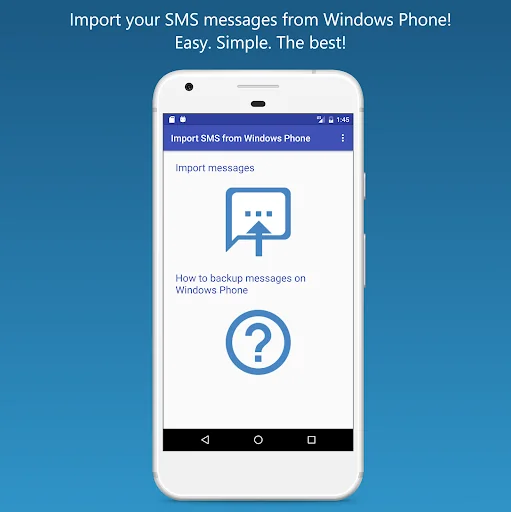
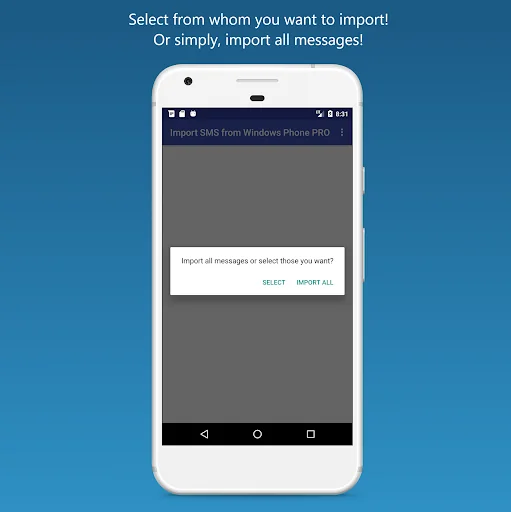
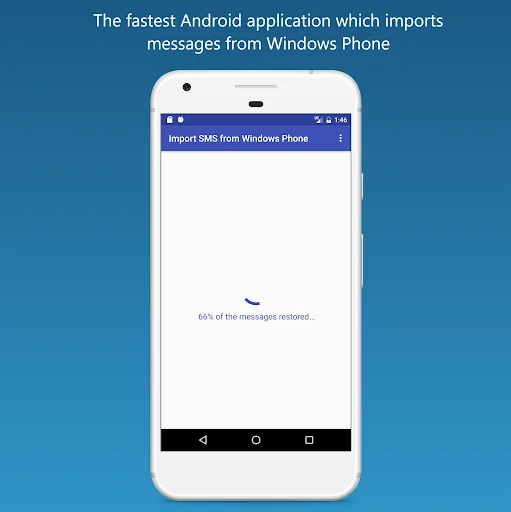
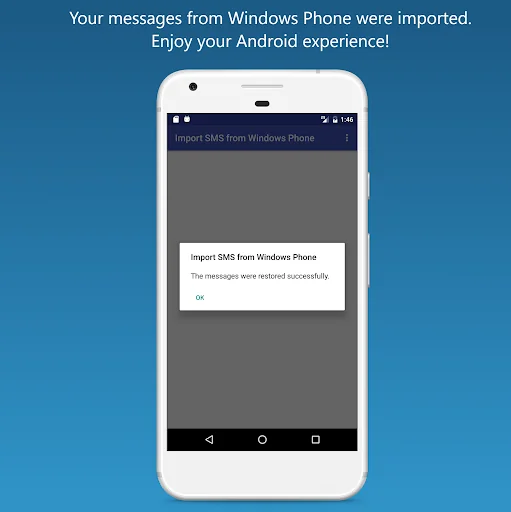
Live screenshots from the Play Store, captured by our snapshot worker. Tap any image to enlarge.
Import SMS from Windows Phone's revenue trajectory
Forecast revenue from snapshot history. Last 1 months.
Where Import SMS from Windows Phone sits in Tools
Revenue distribution of 77129 comparable apps. Import SMS from Windows Phone highlighted.
Import SMS from Windows Phone vs comparable apps
Revenue trajectory side-by-side. Bold = Import SMS from Windows Phone, ghosted = peers.
App spec
Version
1.6
Last update
Jul 03, 2024
Launched
Mar 19, 2017
Price
Free
Monetization
Free
What Import SMS from Windows Phone actually does (from store listing)
Import SMS from Windows Phone: import your SMS messages from Windows Phone to your Android phone. The SMS backup from Windows Phone is transferred into your Android messaging storage very easily!
You can transfer MMS messages and group messages with the PRO version of this app, called Import SMS from Windows Phone PRO. You can find it also on Google Play Store: https://goo.gl/3A9GPe
This application is FREE and there is NO LIMIT set for the SMS messages that can be imported.
Transfer y…
Import SMS from Windows Phone: import your SMS messages from Windows Phone to your Android phone. The SMS backup from Windows Phone is transferred into your Android messaging storage very easily!
You can transfer MMS messages and group messages with the PRO version of this app, called Import SMS from Windows Phone PRO. You can find it also on Google Play Store: https://goo.gl/3A9GPe
This application is FREE and there is NO LIMIT set for the SMS messages that can be imported.
Transfer your exported file from Windows Phone to your Android phone and the application will import your SMS from Windows Phone for you.
Import SMS from Windows Phone app will search through the entire internal memory and on SD Card (if exists) for the backup file(s) from Windows Phone.
You can select from which number(s) to import the SMS messages or you can import them all at once.
IMPORTANT
Due to Google's new restrictions on SMS permissions, the import may not work on Xiaomi, Oppo, Vivo. Other phones are not affected.
HOW TO USE:
1. Export SMS messages from Windows Phone with:
contacts+message backup app for devices WITHOUT an SD Card
contacts+message or Transfer my Data app for devices WITH an SD Card
2. Copy the exported files (VMSG or MSG) to your Android phone via USB, Bluetooth, etc.
3. Start Import SMS from Windows Phone.
4. Allow the permisions in order for the application to work.
5. Tap Import messages; the app will search the files for you.
6.
6.1 If there are more than 1 file, a list with all of them will appear.
Choose one of them by tapping on it and the file will be read
6.2 The only file found will be read.
7. You can choose to select from which numbers to import or to import all.
8. For Android 4.4+, approve the change for Import SMS from Windows Phone to become Default SMS App.
9. Wait until the restoration is complete. Change back the Default SMS app to what it was before restoration.
10. Go to your Android message box and you'll find your messages from Windows Phone.
For more informations, watch the video above description and check 'How to backup messages on Windows Phone' section inside the app.
FEATURES:
Imports both MSG and VMSG file formats
Reads all diacritics and emojis from VMSG file 1*
Display the messages real date from MSG file
Handle incoming SMS messages while importing 2*
NOTES:
1* MSG files are 'already handled by Microsoft app'; Import SMS from Windows Phone just displays them.
2* You are notified when an SMS is received and you will find it on Android message box.
OTHER NOTES:
MMS messages and group messages are supported on the PRO version of this app, called Import SMS from Windows Phone PRO.
Group messages will be imported as individual messages with this version; They are imported properly with the PRO version.
If you are having any issues, contact me via 'Report a problem' menu section, inside the app or via email. I respond very quickly and I will fix your problems right away!
Comparable Android apps
The five apps in Tools with the closest revenue to Import SMS from Windows Phone. Click any to see its detail page.
Each forecast combines App Store rating, ratings count, monetisation model, pricing tier, IAP signals and ad-supported flag.
The base estimate is then multiplied by a per-category scaling factor learned from apps with founder-verified MRR.
Every number on this page comes from public APIs and bumetric's own snapshot history.
Full methodology covers input variables, accuracy bands per category and how we treat apps without comparable anchors.
See also the live data on Import SMS from Windows Phone's tracker page for current rating, reviews and snapshot timeline.
Building something similar? Get a free AI audit with $-revenue forecasts for every recommendation.


 G-sensor Logger
 TV Remote-TV assistant
 Ping
Ping
 AppLock Theme MagicForest
 Piping Engineering