What Install the MobileData button actually does (from store listing)
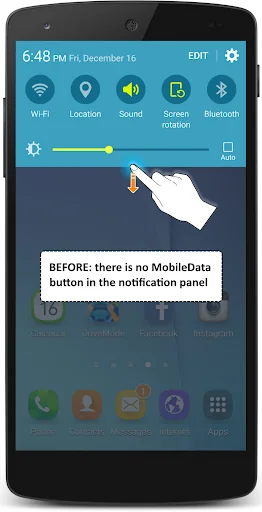
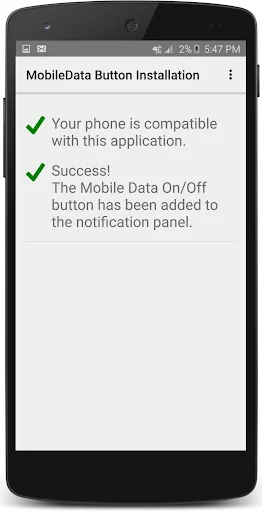
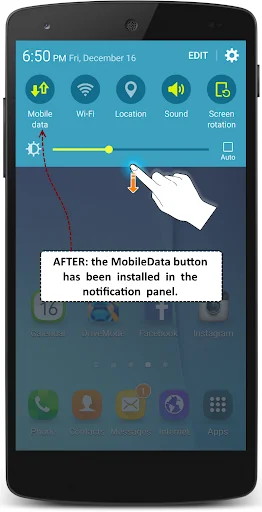
This app installs the Mobile Data button in the notification panel so that you can easily turn on/off your mobile data network (3G, 4G, LTE, etc) with only one click.
It is important to be able to switch off the mobile data:
* it is very convenient if you want to limit your mobile data traffic and thus save on your phone bills
* if offers you a better privacy: with just one click you can enable the mobile data on your phone when you need it and then disable it when you don't need it anymore…
This app installs the Mobile Data button in the notification panel so that you can easily turn on/off your mobile data network (3G, 4G, LTE, etc) with only one click.
It is important to be able to switch off the mobile data:
* it is very convenient if you want to limit your mobile data traffic and thus save on your phone bills
* if offers you a better privacy: with just one click you can enable the mobile data on your phone when you need it and then disable it when you don't need it anymore. Doing that, you ensure better confidentiality, stopping your phone from sending data in the air anytime and when you don't want to. Do not let the NSA spy on you!
* turning off the mobile data network will save your battery lifetime.
With this app (QuickPanel Restore) the MobileData icon will be added to the notification panel, making it very easy for you to disable/re-enable your mobile data connection (3G, 4G, ...) every time you want.
This application is:
- totally free
- without any ad
- thoroughly tested, optimized and secure.
Comparable Android apps
The five apps in Tools with the closest revenue to Install the MobileData button. Click any to see its detail page.
Each forecast combines App Store rating, ratings count, monetisation model, pricing tier, IAP signals and ad-supported flag.
The base estimate is then multiplied by a per-category scaling factor learned from apps with founder-verified MRR.
Every number on this page comes from public APIs and Bumetric's own snapshot history.
Full methodology covers input variables, accuracy bands per category and how we treat apps without comparable anchors.
See also the live data on Install the MobileData button's tracker page for current rating, reviews and snapshot timeline.
Building something similar? Get a free AI audit with $-revenue forecasts for every recommendation.


 Bluetooth settings shortcut
 Fake GPS Location Professional
 MyHRMS
 G-MScreen
 King Calculator