What InternetGuard No Root Firewall actually does (from store listing)
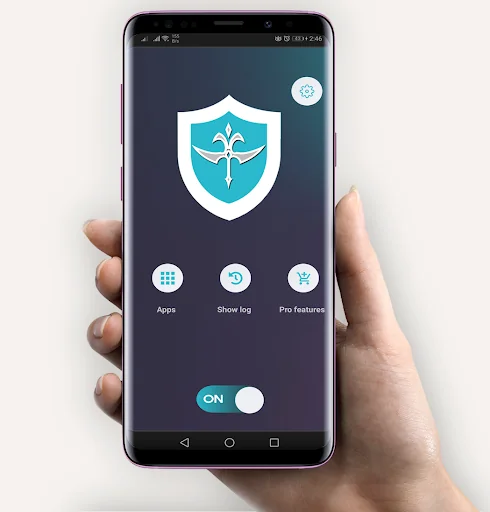
Apps and domains can individually be allowed or denied access to your Wi-Fi and/or mobile data.
Blocking access to the internet can help:
* Reduce your data usage
* Save your battery
* Increase your privacy
* Take Control of Your Mobile Apps
* Easily Allow/Block App Connectivity
* Block background app activity
* Be Alerted When New Apps Access the Internet
* Block Adult Websites
Features:
• Simple to use
• Android firewall protection with **NO** ROOT REQUIRED!!
• No call…
Apps and domains can individually be allowed or denied access to your Wi-Fi and/or mobile data.
Blocking access to the internet can help:
* Reduce your data usage
* Save your battery
* Increase your privacy
* Take Control of Your Mobile Apps
* Easily Allow/Block App Connectivity
* Block background app activity
* Be Alerted When New Apps Access the Internet
* Block Adult Websites
Features:
• Simple to use
• Android firewall protection with **NO** ROOT REQUIRED!!
• No calling home
• No tracking or analytics
• Actively developed and supported
• Android 5.1 and later supported
• IPv4/IPv6 TCP/UDP supported
• Tethering supported
• Multiple device users supported
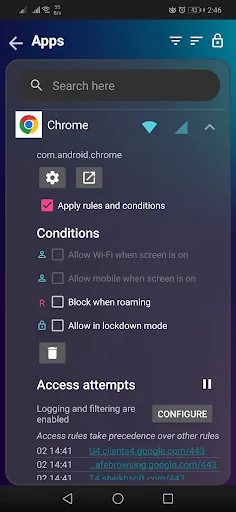
• Optionally allow when screen on
• Optionally block when roaming
• Optionally block system applications
* Automatic launch of device startup
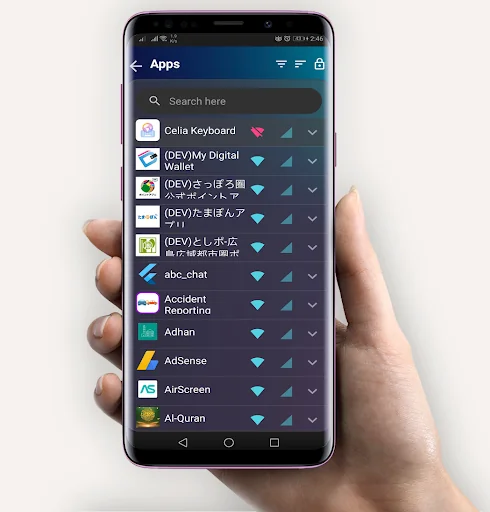
* Automatically identifies applications currently installed on your mobile device
* Identifies and notifies when newly installed apps access the Web
* Set Allow/Block, on a per-application basis
* Disable background activity for selected apps
*Get full data usage visibility
• Material design theme with light and dark theme
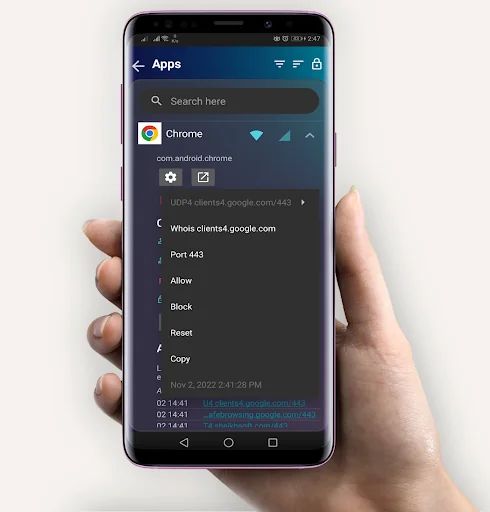
• Log all outgoing traffic; search and filter access attempts; export PCAP files to analyze traffic
• Allow/block individual addresses per application
• New application notifications; configure InternetGuard directly from the notification
• Display network speed graph in a status bar notification
• Select from five additional themes in both light and dark version
There is no other no-root firewall offering all these features.
Why does InternetGuard top the data usage chart?
It’s an illusion. InternetGuard uses your device’s VPN package to create a firewall. As every data packet sent or received by your apps passes through the VPN, all the incoming and outgoing data traffic gets attributed to InternetGuard.
The good part, however, is that InternetGuard now comes with its own Data Usage feature which allows you to check data usage for each app. To view the usage, choose Data Usage from the home screen.
ATTENTIONS:
1. This app is based on VPN interface, which is the only way to implement the firewall on no-root devices. It works as the proxy between the common apps and the servers. The app doesn't steal your data or send even one bit of its own.
Source code: https://github.com/Sheikhsoft/InternetGuard
Comparable Android apps
The five apps in Tools with the closest revenue to InternetGuard No Root Firewall. Click any to see its detail page.
Each forecast combines App Store rating, ratings count, monetisation model, pricing tier, IAP signals and ad-supported flag.
The base estimate is then multiplied by a per-category scaling factor learned from apps with founder-verified MRR.
Every number on this page comes from public APIs and Bumetric's own snapshot history.
Full methodology covers input variables, accuracy bands per category and how we treat apps without comparable anchors.
See also the live data on InternetGuard No Root Firewall's tracker page for current rating, reviews and snapshot timeline.
Building something similar? Get a free AI audit with $-revenue forecasts for every recommendation.


 Network Signal Info
 Flash Alerts LED - Call, SMS
 Sophos Intercept X for Mobile
 Miracast - Wifi Display
 Ruler App: Measure centimeters