What Intervalometer for TimeLapse actually does (from store listing)
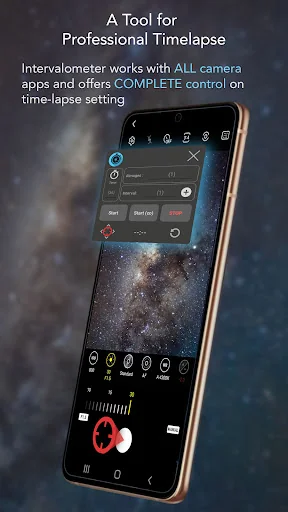
Intervalometer is an automation app for time-lapse to trigger camera shutter in any camera apps with a user-configured time interval.
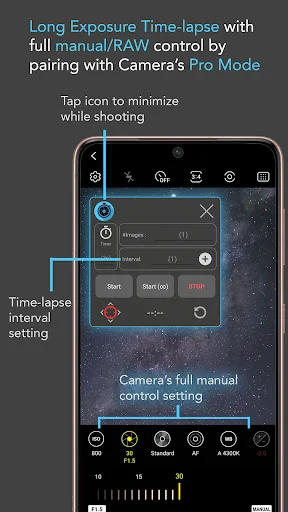
Normal time-lapse mode in most smartphones only allows auto exposure without additional controls on exposure settings and RAW format.
Intervalometer works with any camera modes in any camera apps including light-painting mode, HDR, night mode, manual mode, telephoto or ultra-wide angle mode to capture a series of time-lapse image frames.
This app works like …
Intervalometer is an automation app for time-lapse to trigger camera shutter in any camera apps with a user-configured time interval.
Normal time-lapse mode in most smartphones only allows auto exposure without additional controls on exposure settings and RAW format.
Intervalometer works with any camera modes in any camera apps including light-painting mode, HDR, night mode, manual mode, telephoto or ultra-wide angle mode to capture a series of time-lapse image frames.
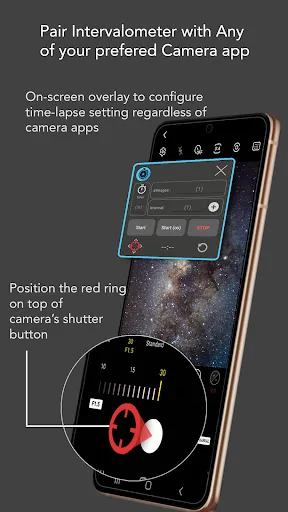
This app works like an actual intervalometer for smartphones, it automates camera shutter triggering using AccessibilityService API and it works on any camera app for Android 7 and above.
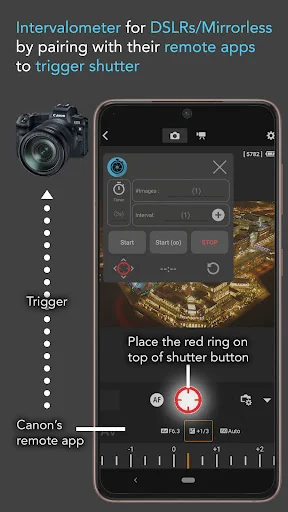
It can also be used with dedicated camera's remote apps from Canon, Sony, Nikon and etc to trigger the shutter button in the camera's remote app, this acts as an actual intervalometer for dedicated cameras too.
With intervalometer and its flexibility to control time-lapse configurations, the following types of time-lapse are possible.
1. Low light time-lapse
2. Long exposure time-lapse
3. HDR time-lapse
4. Milky Way time-lapse / Star Trails time-lapse
5. Holy Grail of time-lapse (Day to night time-lapse)
6. Ultra wide angle time-lapse
7. Light painting time-lapse
Other than time-lapse, it can also be used to capture frames for image stacking in post-process (on other apps) to achieve higher quality images and etc.
1. Image stacking
2. Star trails
3. Lightning stacking
Features
- Full control on time-lapse configuration (delay timer, interval time, number of shots)
- Infinite mode
- Bulb mode
- Works with Any camera app (shutter button position can be reconfigured)
Note: For Huawei and Xiaomi devices, please try to restart your device if it doesn't work or touch input can't be triggered.
Disclaimer: Intervalometer only automates photo taking process, it is neither a camera app nor image processing app.
Comparable Android apps
The five apps in Photography with the closest revenue to Intervalometer for TimeLapse. Click any to see its detail page.
Each forecast combines App Store rating, ratings count, monetisation model, pricing tier, IAP signals and ad-supported flag.
The base estimate is then multiplied by a per-category scaling factor learned from apps with founder-verified MRR.
Every number on this page comes from public APIs and Bumetric's own snapshot history.
Full methodology covers input variables, accuracy bands per category and how we treat apps without comparable anchors.
See also the live data on Intervalometer for TimeLapse's tracker page for current rating, reviews and snapshot timeline.
Building something similar? Get a free AI audit with $-revenue forecasts for every recommendation.

 PhotoDirector: AI Photo Editor
 Sun Seeker: Sunlight Tracker
 PicsApp Photo Editor & Collage
 Background Eraser Photo Editor
 LightMeter