What Jetpack for WordPress actually does (from App Store listing)
Jetpack for WordPress
Put the power of web publishing in your pocket. Jetpack is a website creator and so much more!
CREATE
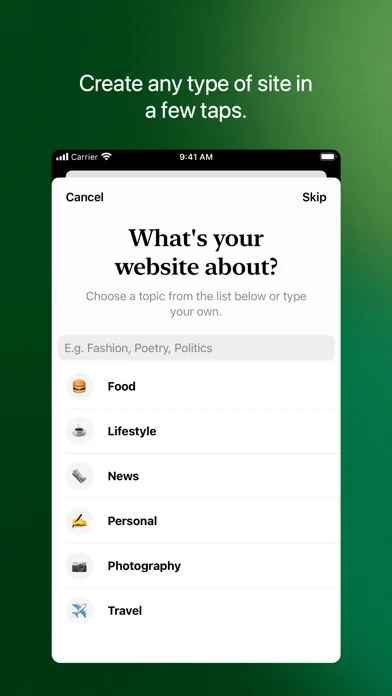
Give your big ideas a home on the web. Jetpack for iOS is a website builder and a blog maker powered by WordPress. Use it to create your website.
Pick the right look and feel from a wide selection of WordPress themes, then customize with photos, colors, and fonts so it’s uniquely you.
Built-in Quick Start tips guide you through the setup basics to set your new website up…
Put the power of web publishing in your pocket. Jetpack is a website creator and so much more!
CREATE
Give your big ideas a home on the web. Jetpack for iOS is a website builder and a blog maker powered by WordPress. Use it to create your website. Pick the right look and feel from a wide selection of WordPress themes, then customize with photos, colors, and fonts so it’s uniquely you. Built-in Quick Start tips guide you through the setup basics to set your new website up for success. (We’re not just a website creator — we’re your partner and cheering squad!)
ANALYTICS & INSIGHTS
Check your website’s stats in real time to keep track of the activity on your site. Track which posts and pages get the most traffic over time by exploring daily, weekly, monthly, and yearly insights. Use the traffic map to see which countries your visitors come from.
NOTIFICATIONS
Get notifications about comments, likes, and new followers so you can see people reacting to your website as it happens. Reply to new comments as they show up to keep the conversation flowing and acknowledge your readers.
PUBLISH
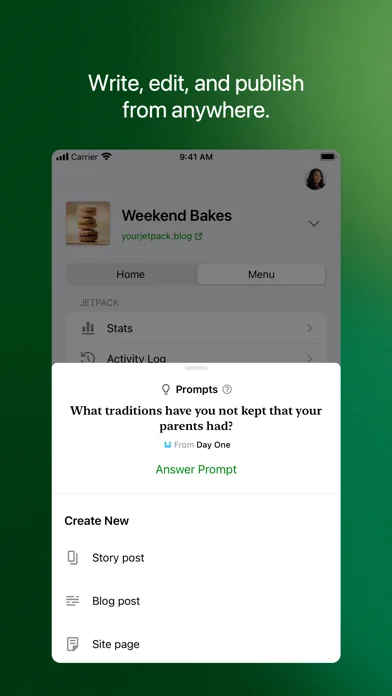
Create updates, stories, photo essays announcements — anything! — with the editor. Bring your posts and pages to life with photos and video from your camera and albums, or find the perfect image with the in-app collection of free-to-use pro photography. Save ideas as drafts and come back to them when your muse returns, or schedule new posts for the future so your site is always fresh and engaging. Add tags and categories to help new readers discover your posts, and watch your audience grow.
SECURITY & PERFORMANCE TOOLS
Restore your site from anywhere if something goes wrong. Scan for threats and resolve them with a tap. Keep tabs on site activity to see who changed what and when.
READER
Jetpack is more than a blog maker — use it to connect with a community of writers in the WordPress.com Reader. Explore thousands of topics by tag, discover new authors and organizations, and follow the ones who pique your interest. Hang on to the posts that fascinate you with the Save for later feature.
SHARE
Set up automated sharing to tell your followers on social media when you publish a new post. Automatically cross-post to Facebook, Twitter, and more. Add social sharing buttons to your posts so your visitors can share them with their network, and let your fans become your ambassadors.
Learn more at https://jetpack.com/mobile
California users privacy notice: https://automattic.com/privacy/#california-consumer-privacy-act-ccpa
🆕 What's new · v27.2
Some custom post types are now available. You can manage them under My Site if your site is built with WP.com, or on the home screen if your site is self-hosted. We know, we’re amazing. (But very humble about it.)
While we were making your day better, we also squashed several bugs and made some small, yet ever-so-important fixes.
- Canceling the media picker in the experimental block editor will no longer remove images from galleries. Phew.
- We fixed the forever-loading indicator on the Stats screen for self-hosted sites that aren’t connected to Jetpack.
- Subscriber email stats are now sorted by post date so your most recent posts will appear at the top of the list.
- Backup logs will stay in their lane and won’t show up in Personal plan sites by mistake.
Comparable iOS apps
The five apps in Productivity with the closest revenue to Jetpack for WordPress. Click any to see its detail page.
Each forecast combines App Store rating, ratings count, monetisation model, pricing tier, IAP signals and ad-supported flag.
The base estimate is then multiplied by a per-category scaling factor learned from apps with founder-verified MRR.
Every number on this page comes from public APIs and Bumetric's own snapshot history.
Full methodology covers input variables, accuracy bands per category and how we treat apps without comparable anchors.
See also the live data on Jetpack for WordPress's tracker page for current rating, reviews and snapshot timeline.
Building something similar? Get a free AI audit with $-revenue forecasts for every recommendation.




 Habit Rabbit: Habit Tracker
 That Girl: Routine Planner
 BypassGPT - AI Detector Check
 VPN Wave + AdBlock Safari
 WeNeed. Die Einkaufsliste