What Kawartha Mobile Banking actually does (from store listing)
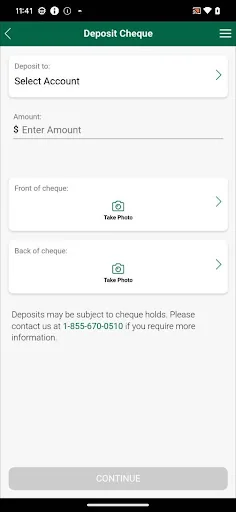
•Deposit your Canadian dollar cheques by taking a picture of both sides of your endorsed cheque, entering the dollar amount, selecting the account you would like to make your deposit to, and submitting it.
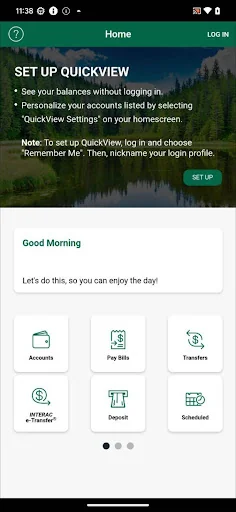
•Check balances on all of your eligible Kawartha products.
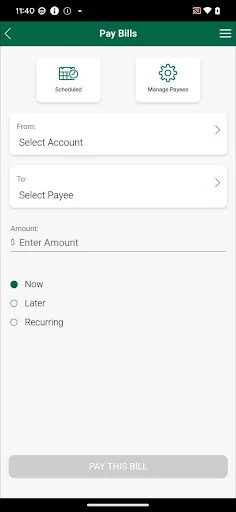
•Pay your bills, schedule a post-dated payment on your registered bills and set up new payees.
•Transfer funds between your eligible Kawartha accounts
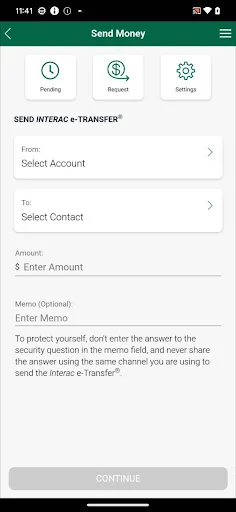
•Send an INTERAC e-Transfer® to anyone on your existing recipient list or create…
•Deposit your Canadian dollar cheques by taking a picture of both sides of your endorsed cheque, entering the dollar amount, selecting the account you would like to make your deposit to, and submitting it.
•Check balances on all of your eligible Kawartha products.
•Pay your bills, schedule a post-dated payment on your registered bills and set up new payees.
•Transfer funds between your eligible Kawartha accounts
•Send an INTERAC e-Transfer® to anyone on your existing recipient list or create new recipients.
•Review upcoming transactions, including bill payments and transfers using the easy-to-read calendar to review and/or cancel.
•Register for Kawartha Mobile Banking right from the app. You can also edit your contact information and change your password.
•Search to find nearby branches, ATMs and Kawartha wealth and mortgage advisors.
PERMISSIONS:
Your privacy and security is protected with the Kawartha Online Security Guarantee. We assure you that your information is only used to make your Kawartha Mobile Banking experience an even better one. Learn more about the app permissions at https://www.kawarthacu.com/security/secure-your-devices
CONSENT:
By downloading the Kawartha Mobile Banking App, you consent to the installation of this App and to any future updates or upgrades which may be automatically installed depending on your device or operating system’s default settings or the settings you have selected. You can withdraw your consent at any time by uninstalling this App.
Accessing this App may result in additional service fees charged by your service provider. Check with your service provider or hardware provider if you have questions about your specific device.
This App is made available by Kawartha Financial Services, 14 Hunter Street East, P.O. Box 116, Peterborough, Ontario K9J 6Y5. To learn more, contact us at this mailing address or visit https://www.kawarthacu.com/contact-us
*When adding e-Transfer® recipients, the app can access information from your contact list to fill in the required recipient information. At no time is that contact list data transmitted or shared with Kawartha Financial Services.
Please note: the Android Application is only tested on devices that use Android 13 software and above.
INTERAC e-Transfer® is a registered trademark of INTERAC Inc
Comparable Android apps
The five apps in Finance with the closest revenue to Kawartha Mobile Banking. Click any to see its detail page.
Each forecast combines App Store rating, ratings count, monetisation model, pricing tier, IAP signals and ad-supported flag.
The base estimate is then multiplied by a per-category scaling factor learned from apps with founder-verified MRR.
Every number on this page comes from public APIs and bumetric's own snapshot history.
Full methodology covers input variables, accuracy bands per category and how we treat apps without comparable anchors.
See also the live data on Kawartha Mobile Banking's tracker page for current rating, reviews and snapshot timeline.
Building something similar? Get a free AI audit with $-revenue forecasts for every recommendation.


 하나원큐 기업 - 하나은행 기업스마트폰뱅킹
 Fibonacci Calculator
 e-Previdência Informativo
 Gjensidige
 Ocean State Credit Union Mobi