What Keyboard Browser actually does (from store listing)
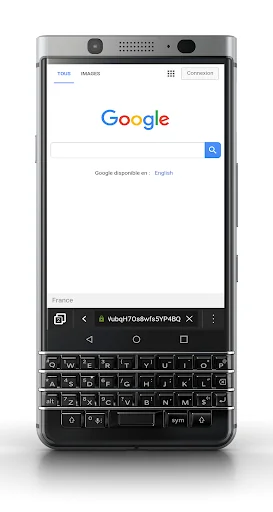
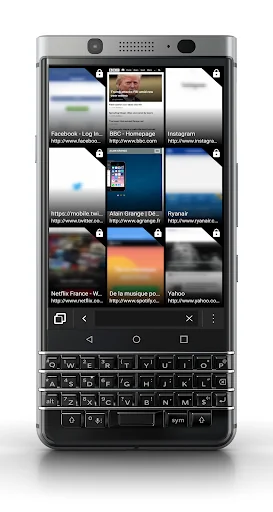
Keyboard Browser for Android allows you to enjoy the benefits of a physical keyboard for your internet browsing.
Improve your productivity with devices like BlackBerry PRIV or KEYone.
List of shortcuts:
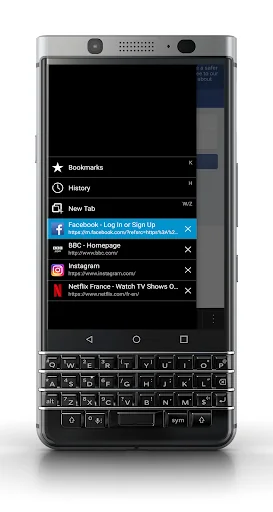
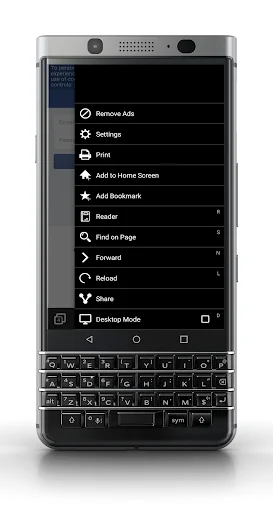
- A/Q: Display menu
- W/Z: New tab
- P: Previous
- N: Next
- L: Reload
- D: Desktop mode
- I: Zoom in
- O: Zoom out
- R: Reader mode
- S: Find on Page
- T: Go to top
- B: Go to bottom
- Space: Scroll down
- Shift+Space: Scroll up
- K: Bookmarks
- H: History
- U: Select URL
…
Keyboard Browser for Android allows you to enjoy the benefits of a physical keyboard for your internet browsing.
Improve your productivity with devices like BlackBerry PRIV or KEYone.
List of shortcuts:
- A/Q: Display menu
- W/Z: New tab
- P: Previous
- N: Next
- L: Reload
- D: Desktop mode
- I: Zoom in
- O: Zoom out
- R: Reader mode
- S: Find on Page
- T: Go to top
- B: Go to bottom
- Space: Scroll down
- Shift+Space: Scroll up
- K: Bookmarks
- H: History
- U: Select URL
- Del.: Delete Tab (menu open)
- Pinch In/Out: Zoom In/Out
- Swipe Up/Down: Previous/Next tab (menu open)
Any ideas or suggestions?
contact@agrange.fr
Follow me on Twitter
@alaingrange
Comparable Android apps
The five apps in Communication with the closest revenue to Keyboard Browser. Click any to see its detail page.
Each forecast combines App Store rating, ratings count, monetisation model, pricing tier, IAP signals and ad-supported flag.
The base estimate is then multiplied by a per-category scaling factor learned from apps with founder-verified MRR.
Every number on this page comes from public APIs and bumetric's own snapshot history.
Full methodology covers input variables, accuracy bands per category and how we treat apps without comparable anchors.
See also the live data on Keyboard Browser's tracker page for current rating, reviews and snapshot timeline.
Building something similar? Get a free AI audit with $-revenue forecasts for every recommendation.


 Yıldız Kurumsal
 GoTo
GoTo
 WhatStickers.in | Custom Perso
 Internet Browser
 Registrasi Kartu Prabayar