What KeyEvent Display actually does (from store listing)
Once, I was playing with a number of Chinese tablets and trying different ROMs on them as they are technically the same hardware (HSG X5A variants).
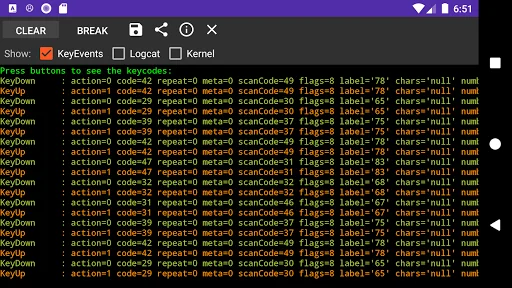
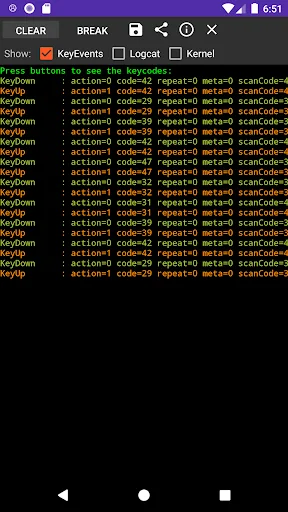
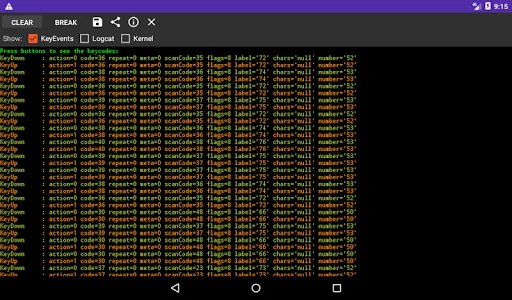
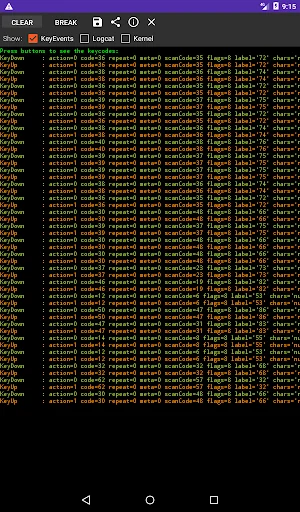
I've had some problems getting the hard buttons to work though, so I wrote this application to detect key events and print them out. It will print out the following:
KeyEvents: The KeyEvents as Android understands them (KeyUp, KeyDown, KeyLongPress, KeyMultiple)
LogCat: Any relevant messages in logcat. Its filtered based on keywords declare…
Once, I was playing with a number of Chinese tablets and trying different ROMs on them as they are technically the same hardware (HSG X5A variants).
I've had some problems getting the hard buttons to work though, so I wrote this application to detect key events and print them out. It will print out the following:
KeyEvents: The KeyEvents as Android understands them (KeyUp, KeyDown, KeyLongPress, KeyMultiple)
LogCat: Any relevant messages in logcat. Its filtered based on keywords declared in arrays.xml
Kernel: Any relevant messages in the kernel log. Its filtered based on keywords declared in arrays.xml. Kernel log parsing needs root.
The three checkboxes at the top control what information will be displayed.
This is a personal debug tool, but I hope it will be of some use to someone else.
No Ads.
Notes
--------------
While the application is running, the only "hard" keys which should work is "Home" and power. All others will produce their keycodes.
The SU request is to read the kernel log, so I can check if any keyevents are thrown by the kernel.
The location of keylayout files in Android is /system/usr/keylayout.
Kernel log parsing needs root
Both logcat and kernel log monitoring will only display lines containing words from two arrays in arrays.xml (i.e. you need to recompile the app to change them at the moment)
Currently the filters are:
Logcat:
|-HwGPIOE->GPDA
|-keycode
|-keycharacter
Kernel:
|-HwGPIOE->GPDA
|-keycode
|-keycharacter
Permissions
--------------
READ_LOGS: Used to access the Logcat log.
WRITE_EXTERNAL_STORAGE: Used to write the exported data to the SD card.
This application is open source. The code can be found here: https://github.com/alt236/KeyEvent-Display---Android
Comparable Android apps
The five apps in Tools with the closest revenue to KeyEvent Display. Click any to see its detail page.
Each forecast combines App Store rating, ratings count, monetisation model, pricing tier, IAP signals and ad-supported flag.
The base estimate is then multiplied by a per-category scaling factor learned from apps with founder-verified MRR.
Every number on this page comes from public APIs and bumetric's own snapshot history.
Full methodology covers input variables, accuracy bands per category and how we treat apps without comparable anchors.
See also the live data on KeyEvent Display's tracker page for current rating, reviews and snapshot timeline.
Building something similar? Get a free AI audit with $-revenue forecasts for every recommendation.


 Lefty: Wear OS on right wrist
 Diameter Calculator
 SHARE to PRINT.Intent
 Cupon Escaner
 Signal Monitor