What Kiosk Browser Lockdown actually does (from store listing)
Please note Chromebooks are not supported, do not install on Chromebooks.
Designed for use on any Android device and is great for creating public kiosks, interactive digital signage etc.... Lock down the user interface so that the end-user can only access your defined webpage(s) and can't adjust Android system settings or gain access to other applications.
This app uses the Device Administrator permission. You can disable this permissions via Android Settings > Security > Device Admins (be…
Please note Chromebooks are not supported, do not install on Chromebooks.
Designed for use on any Android device and is great for creating public kiosks, interactive digital signage etc.... Lock down the user interface so that the end-user can only access your defined webpage(s) and can't adjust Android system settings or gain access to other applications.
This app uses the Device Administrator permission. You can disable this permissions via Android Settings > Security > Device Admins (before uninstalling).
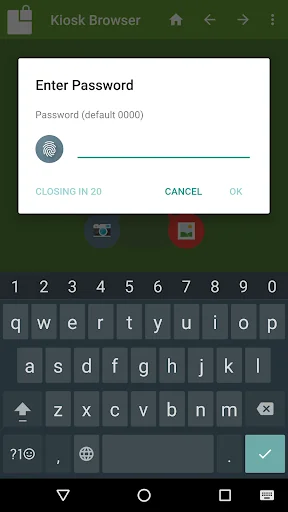
[How to exit] Either press the hardware menu button or menu button in the top right hand corner of the screen, enter settings and then tap "Exit to Launcher" or tap anywhere within the webpage 4 times in quick succession to open the password dialog. The default settings password is 0000.
[Key features] - Password protected settings
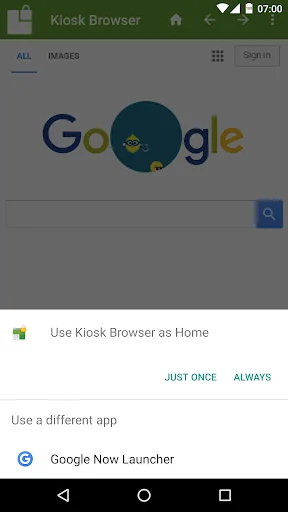
- Set as default launcher (prevents app exit)
- Idle page reload
- Hardware control (orientation, screen etc...)
- Cache, cookie & history control
- Disables access to notifications, recent apps, Google Now
- Hides system dialogs
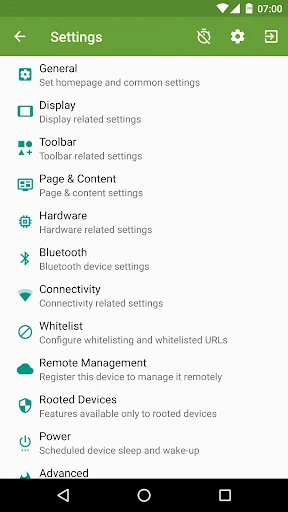
- 70+ configuration options
[More Features] - Bookmarks Bar
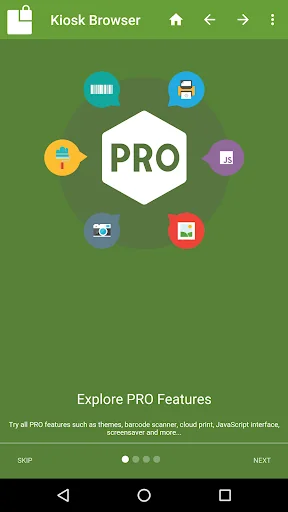
- Barcode Scanner
- NFC Reader
- Fullscreen mode / Hidden Toolbar
- Scheduled Sleep and Wake
- JavaScript Interface
- Google Cloud Print & ESC/POS bluetooth printing
- Screensaver (image(s)/video/website(s))
- Colour themes
- Camera Uploads
- Custom Error/Deny Pages
- Url Whitelist & Blacklist
- WiFi Settings Access
- XML Import/Export
[Xiaomi/Huawei/Acer Devices] You must set the default launcher manually on these devices before Kiosk Browser will start. Normally within Android Settings > Home.
[Remote Management] Available on a subscription basis, more information can be found on our website.
[Licence] All features are available to test for free, a licence is required for personal or commercial use.
Our licence agreement can be found here: https://www.android-kiosk.com/eula/
Comparable Android apps
The five apps in Business with the closest revenue to Kiosk Browser Lockdown. Click any to see its detail page.
Each forecast combines App Store rating, ratings count, monetisation model, pricing tier, IAP signals and ad-supported flag.
The base estimate is then multiplied by a per-category scaling factor learned from apps with founder-verified MRR.
Every number on this page comes from public APIs and bumetric's own snapshot history.
Full methodology covers input variables, accuracy bands per category and how we treat apps without comparable anchors.
See also the live data on Kiosk Browser Lockdown's tracker page for current rating, reviews and snapshot timeline.
Building something similar? Get a free AI audit with $-revenue forecasts for every recommendation.

 Brand24 - Internet Monitoring
 SeNaSa
 Yahoo! JAPAN ショートカット
 Balady+بلدي
 BombBomb