What KODAK Photo Printer actually does (from App Store listing)
Thank you for using KODAK photo printer.
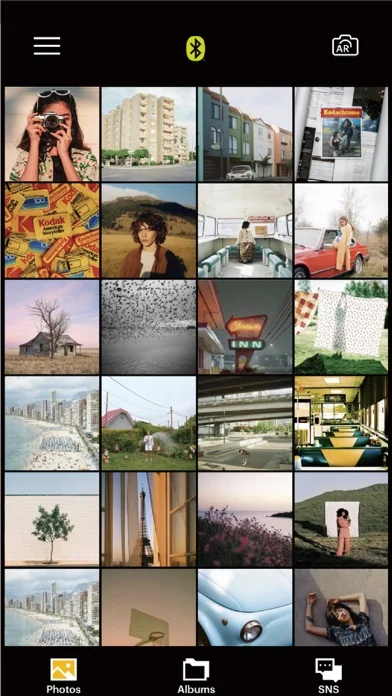
The previous KODAK Instant Printer app will be replaced with the new KODAK Photo Printer app. The new features including the AR and beauty functions will blow you away!
Supported Models :
Kodak 2 inch Printer (P210, M200)
Kodak 2 in 1, 2 inch Camera (C210, MS200)
Kodak 3 inch Square Printer (P300, M300)
Kodak 3 inch Square 2 in 1 Camera (C300, MS300)
Kodak 4inch Square Camera (MS400)
Kodak 6 inch Dock Printer (PD460, D600)
Easily print amazing photos …
Thank you for using KODAK photo printer. The previous KODAK Instant Printer app will be replaced with the new KODAK Photo Printer app. The new features including the AR and beauty functions will blow you away!
Supported Models : Kodak 2 inch Printer (P210, M200) Kodak 2 in 1, 2 inch Camera (C210, MS200) Kodak 3 inch Square Printer (P300, M300) Kodak 3 inch Square 2 in 1 Camera (C300, MS300) Kodak 4inch Square Camera (MS400) Kodak 6 inch Dock Printer (PD460, D600)
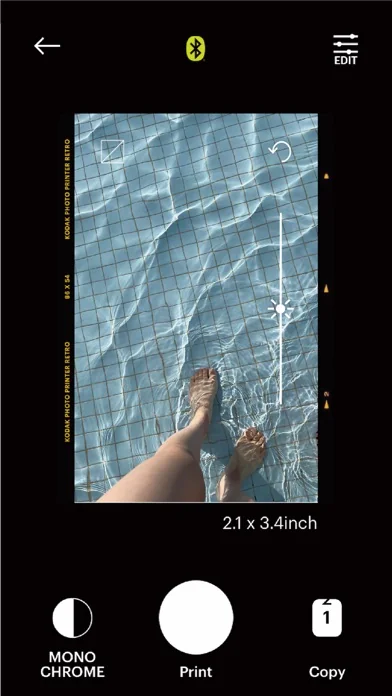
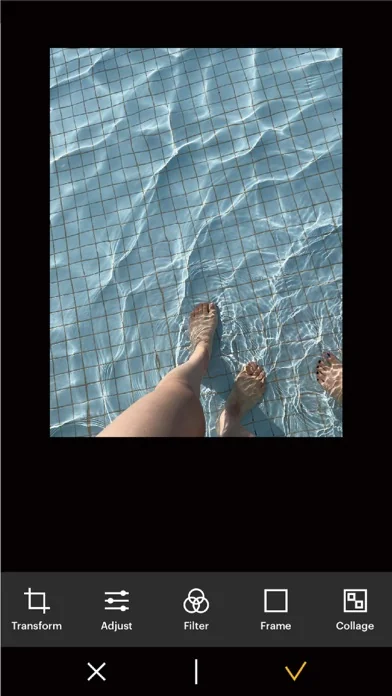
Easily print amazing photos with KODAK Instant Camera and Printer. The "KODAK" Instant photo printer and camera can be used to print images from smartphones by connecting Bluetooth to the device. You can take and edit pictures on smartphones or tablets. It will instantly print your precious moments! [How to Use] 1. Make sure you recharge the printer before you use it. 2. Make sure the Adapter is connected properly. 3. Turn on the printer 4. Go to Bluetooth setting and find the printer’s MAC address. The MAC address is placed inside the printer’s door If you purchased Dock Printer, dock your smartphone at the pin on top the of the printer or find the MAC address on the downside of the printer to connect the device to the Bluetooth. 5. Select an image from the Gallery or take a photo with your smartphone. 6. Once image has been selected, edit the image with your personal preference. 7. Now press print button located on top of the printer when editing is completed. 8. When you print for the first time, it may need to update the firmware. Please follow the instruction shown on the screen of your smartphone. 9. It will take about a minute to fully print. Please do not pull the photo until it is completely printed.
Comparable iOS apps
The five apps in Photo & Video with the closest revenue to KODAK Photo Printer. Click any to see its detail page.
Each forecast combines App Store rating, ratings count, monetisation model, pricing tier, IAP signals and ad-supported flag.
The base estimate is then multiplied by a per-category scaling factor learned from apps with founder-verified MRR.
Every number on this page comes from public APIs and Bumetric's own snapshot history.
Full methodology covers input variables, accuracy bands per category and how we treat apps without comparable anchors.
See also the live data on KODAK Photo Printer's tracker page for current rating, reviews and snapshot timeline.
Building something similar? Get a free AI audit with $-revenue forecasts for every recommendation.


 RAW Cam: Open Gate DNG Video
 Analog Tokyo
 Pic Stitch
 Pop Art Collage - Warhol Fx
 Video Armor Body Camera for Police, Security, and Law Enforcement