What LocalPrint actually does (from store listing)
LocalPrint allows you to print from your Android device without using any kind of cloud service! All data stays within your local network all the time.
For technical reasons, this app can't work on all printers (see below). If your printer is not supported, a bad review doesn't make much sense.
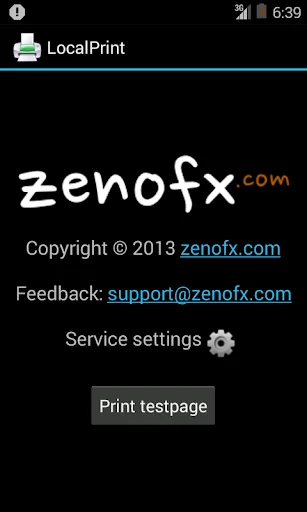
On Android versions > 4.4 (Kitkat), you have to start the print service manually after installing. Just start the app, tap on the "Service settings" icon, and set "zenofx.com LocalPrint" to "On".
…
LocalPrint allows you to print from your Android device without using any kind of cloud service! All data stays within your local network all the time.
For technical reasons, this app can't work on all printers (see below). If your printer is not supported, a bad review doesn't make much sense.
On Android versions > 4.4 (Kitkat), you have to start the print service manually after installing. Just start the app, tap on the "Service settings" icon, and set "zenofx.com LocalPrint" to "On".
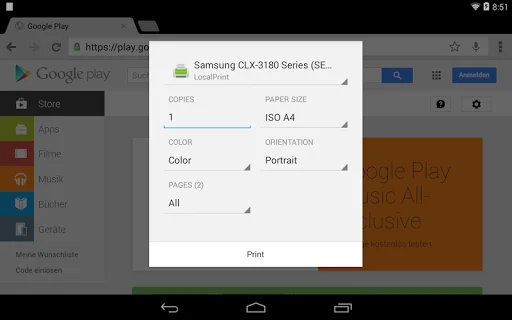
On Android versions > 4.4 (Kitkat), LocalPrint integrates smoothly into the print menu. On older versions of Android, please use the "Share" feature offered by many apps and choose "LocalPrint". LocalPrint also brings its own file browser.
• Which printers are supported?
Most modern printers with one of the following characteristics are supported:
• Printers capable of PDF printing. This applies to most office printers (e.g. by HP) and most AirPrint laser printers.
• Printers capable of JPEG or PNG printing. This applies to most home laser printers (e.g. the Samsung CLX series) and more expensive InkJet printers (e.g. by Epson or Canon).
• Printers shared by a Mac
Currently most cheap InkJet printers are not supported, because they use a proprietary, undocumented print format. These printers are greyed out in the printer menu. If you need to use one of these printers, we recommend our cloud printing solution. Please search for "PrintBot" on Google Play.
• After installing the app, it does not appear in the Kitkat print menu (e.g. of the browser)?
On Android 4.4 (Kitkat), you have to start the print service manually after installing. Just start the app, use "Service settings" in the menu, and set "zenofx.com LocalPrint" to "On".
• The app finds my printer, but it is greyed out?
This means your printer is not supported. Your printer does not print one of the formats supported by LocalPrint.
• How can I remove the watermark from the printed page?
Just start the LocalPrint app and chose "Remove watermark" in the menu. Once you've bought "LocalPrint Pro", the watermark is gone. This is a one time payment, no monthly fee or the like.
• Why does the app need the permission for connecting to the internet?
Unfortunately, Android does not distinct between LAN and internet connections. So we need this permission to connect to your printer on your network. LocalPrint never calls any server on the internet.
• Why does Android warn about the documents passing "one or more servers"?
Android doesn't know how LocalPrint works.
Comparable Android apps
The five apps in Productivity with the closest revenue to LocalPrint. Click any to see its detail page.
Each forecast combines App Store rating, ratings count, monetisation model, pricing tier, IAP signals and ad-supported flag.
The base estimate is then multiplied by a per-category scaling factor learned from apps with founder-verified MRR.
Every number on this page comes from public APIs and bumetric's own snapshot history.
Full methodology covers input variables, accuracy bands per category and how we treat apps without comparable anchors.
See also the live data on LocalPrint's tracker page for current rating, reviews and snapshot timeline.
Building something similar? Get a free AI audit with $-revenue forecasts for every recommendation.

 Extra Large Keyboard
 TMetric
 Referee Pro REF!
 Syndoc Pro Cloud File Manager
 Ashok Leyland e-Diagnostics