What Lua Player: Float Video, Audio actually does (from store listing)
Experience the most powerful multitasking media player!
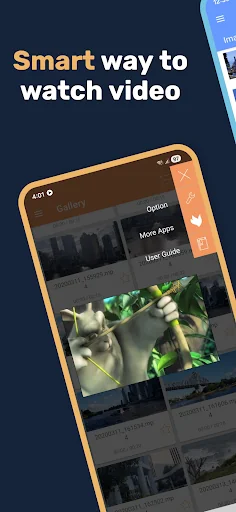
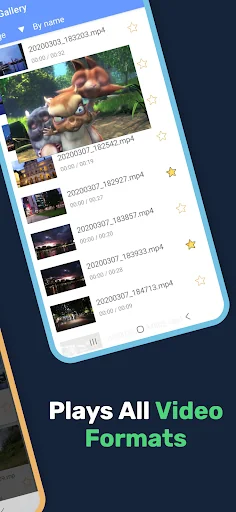
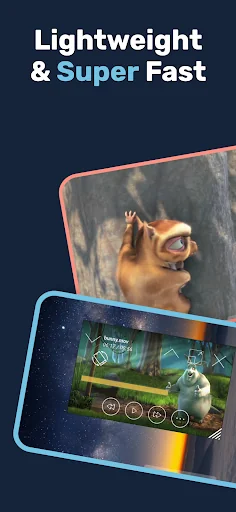
Lua Player is a top-tier media player that supports all formats, high-resolution videos, and subtitles—all within a fully customizable floating window (Picture-in-Picture). Enjoy your favorite content while gaming, chatting, or browsing.
■ Smart Floating Window & Playback Controls
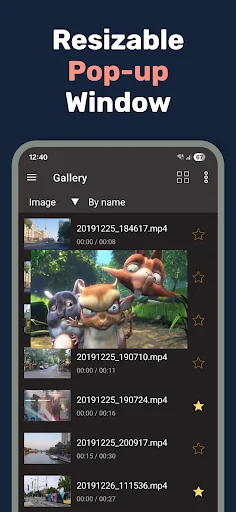
• Ultimate Multitasking: Resize and move the pop-up player anywhere on your screen. Watch videos without interrupting your work.
• Background Playback: Keep…
Experience the most powerful multitasking media player!
Lua Player is a top-tier media player that supports all formats, high-resolution videos, and subtitles—all within a fully customizable floating window (Picture-in-Picture). Enjoy your favorite content while gaming, chatting, or browsing.
■ Smart Floating Window & Playback Controls
• Ultimate Multitasking: Resize and move the pop-up player anywhere on your screen. Watch videos without interrupting your work.
• Background Playback: Keep the audio or video running even when the app is minimized.
• A-B Repeat: Easily loop specific sections (Point A to Point B) for learning or fun.
• Playback Speed: Adjust speed from 0.3x up to 2.0x to suit your pace.
• Intuitive Gestures: Swipe to control brightness, volume, and video seeking instantly.
• Extra Tools: Supports screen capture, screen rotation, and continuous play for an uninterrupted experience.
■ Universal Support for All Formats & Codecs
• Ultra HD Quality: Seamlessly plays HD, Full HD, and 4K Ultra HD (4k player) videos.
• Video Codecs: H.264, H.265 (HEVC), MPEG4, XVID, VP8, VP9, and more.
• Audio Codecs: AAC, AC3, Vorbis, MP3, FLAC, WMA, etc.
• Network Streaming: Supports RTSP, RTMP, HLS (m3u8), and MMS for live content.
• Multi-Audio: Easily toggle between multiple audio tracks.
■ Advanced Subtitle Management
• Formats: SAMI(.smi), .ssa/.ass, Subrip(.srt), MicroDVD(.sub), and more.
• Total Control: Sync subtitles, replace tracks, and support for both internal/external subtitles.
• Customization: Personalize your viewing with adjustable subtitle color, size, and position.
■ Flexible Display & Theme Settings
• Aspect Ratios: Supports 16:9, 4:3, 21:9, 1:1, and other custom ratios.
• Mirror Mode: Flip video horizontally for dance practice or mirrored viewing.
• Dynamic UI: Change theme colors to match your style.
■ Smart Additional Features
• Network Play (SMB/NAS): Stream media directly from Windows shares or NAS via SMB/CIFS.
• URL Player: Paste any web URL to stream videos directly in the app.
• Easy Management: Search, add, or delete media files and favorites with ease.
■ Permissions Guide
• Read Phone Status: Pauses playback during incoming calls.
• Storage Access: Manages media files and thumbnails.
• Network Access: Enables online streaming.
• Draw Over Other Apps: Essential for the floating window (PIP) functionality.
■
Some of the screens are from the Big Buck Bunny licensed under the Creative Commons Attribution 3.0.
(c) copyright 2008, Blender Foundation / www.bigbuckbunny.org
Some of the screens are from the Sintel licensed under the Creative Commons Attribution 3.0.
(c) copyright Blender Foundation | www.sintel.org
Comparable Android apps
The five apps in Video Players & Editors with the closest revenue to Lua Player: Float Video, Audio. Click any to see its detail page.
Each forecast combines App Store rating, ratings count, monetisation model, pricing tier, IAP signals and ad-supported flag.
The base estimate is then multiplied by a per-category scaling factor learned from apps with founder-verified MRR.
Every number on this page comes from public APIs and Bumetric's own snapshot history.
Full methodology covers input variables, accuracy bands per category and how we treat apps without comparable anchors.
See also the live data on Lua Player: Float Video, Audio's tracker page for current rating, reviews and snapshot timeline.
Building something similar? Get a free AI audit with $-revenue forecasts for every recommendation.


 DRTV
DRTV
 Video Downloader Social Media
 Slow Motion Fast Motion Video
 Cast Video/Picture/Music to TV
 Anniversary Video Maker