What Lutron RadioRA 2 + HWQS App actually does (from store listing)
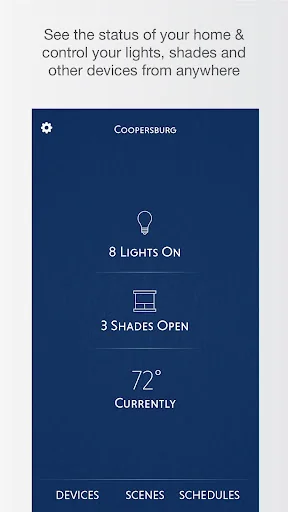
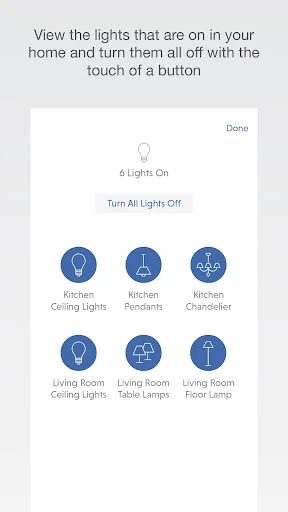
Control your home's lights, shades, temperature, keypads, and more with your Android handset and tablet.
This app requires a Lutron total home control system (RadioRA® 2 or HomeWorks® QS) programmed using the appropriate version of design and programming software along with the Lutron Connect Bridge.*
Features:
Control from anywhere
Control lights, shades, temperature, keypads, and more in the comfort of your home or from anywhere in the world – the office, the airport, the beach – se…
Control your home's lights, shades, temperature, keypads, and more with your Android handset and tablet.
This app requires a Lutron total home control system (RadioRA® 2 or HomeWorks® QS) programmed using the appropriate version of design and programming software along with the Lutron Connect Bridge.*
Features:
Control from anywhere
Control lights, shades, temperature, keypads, and more in the comfort of your home or from anywhere in the world – the office, the airport, the beach – set your home to a comfortable temperature when returning from a trip, ensure lights aren't left on and shades aren't left open while you're away.
Personalize your keypad buttons
Add, edit, and remove button settings on your own. Make temporary adjustments for special occasions, or permanent changes to match your preferences.
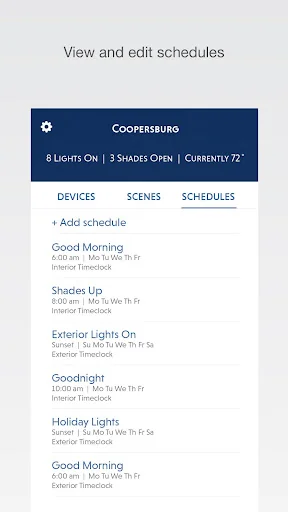
Right on schedule
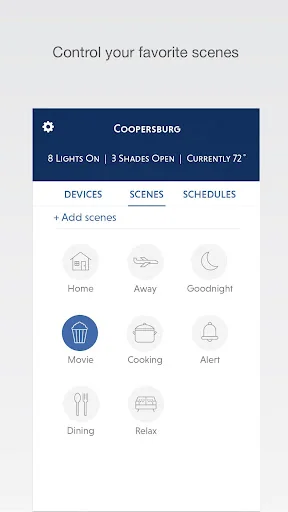
Schedule scenes to happen automatically at set times of day, or based on sunrise and sunset. Turn on your porch light at dusk, turn it off at dawn, or open your shades in the morning to wake up with the sun.
Geofencing
Receive a notification if you’ve left the lights on after leaving home, then turn them off right from your Widget (Phone only).
Low Battery
Receive low battery indications for battery-powered shades, Pico wireless controls, and Radio Powr Savr sensors to know when it's time to replace the batteries.
Widget
Set your favorite scenes from your home screen using a Widget. No need to launch the app (Phone only).
World Class Support
Lutron remains committed to providing you with world class quality and service.
Contact us at our 24/7 hotline (800.523.9466).
* Design and programming software is available only to qualified installers and is required for initial setup of this application. This application is only compatible with RadioRA 2 (10.0+) and HomeWorks QS (10.0+) and requires the Lutron Connect Bridge. Contact your Lutron dealer for more information.
When using Arriving/Leaving options (geofencing), your device's battery optimization settings may prevent the app from connecting to your system when the screen is off. The app will help you resolve this automatically, or you can go to Android Settings > Battery > Battery optimization, then under "All apps" set Lutron to "Don't optimize".
Comparable Android apps
The five apps in Lifestyle with the closest revenue to Lutron RadioRA 2 + HWQS App. Click any to see its detail page.
Each forecast combines App Store rating, ratings count, monetisation model, pricing tier, IAP signals and ad-supported flag.
The base estimate is then multiplied by a per-category scaling factor learned from apps with founder-verified MRR.
Every number on this page comes from public APIs and bumetric's own snapshot history.
Full methodology covers input variables, accuracy bands per category and how we treat apps without comparable anchors.
See also the live data on Lutron RadioRA 2 + HWQS App's tracker page for current rating, reviews and snapshot timeline.
Building something similar? Get a free AI audit with $-revenue forecasts for every recommendation.

 Spirit Animal Power
 Kixx 마일리지
 Talk To Spirits
 姓名判断★決定版
 Auratar - Aura Colors Quiz