What Lyrics Editor: Make Lyrics actually does (from store listing)
Synced Lyrics Editor is the best <b>Synced lyrics maker</b>. Free & Full feature no need to pay any buck to edit your lyrics.
Search and download your favorite lyrics with just a click. Save your lyrics to file or embed lyrics to your audio file (support various format see below).
You can create <b> synced lyrics</b> with just some clicks. Very simple steps and easy to use.
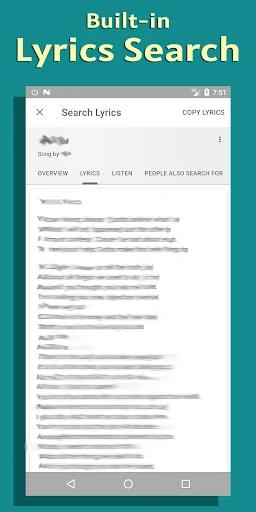
Support built-in <b>Search Lyrics</b> tab. Embed lyrics to audio file and play it back offline.
Browse and edit lyr…
Synced Lyrics Editor is the best Synced lyrics maker. Free & Full feature no need to pay any buck to edit your lyrics.
Search and download your favorite lyrics with just a click. Save your lyrics to file or embed lyrics to your audio file (support various format see below).
You can create synced lyrics with just some clicks. Very simple steps and easy to use.
Support built-in Search Lyrics tab. Embed lyrics to audio file and play it back offline.
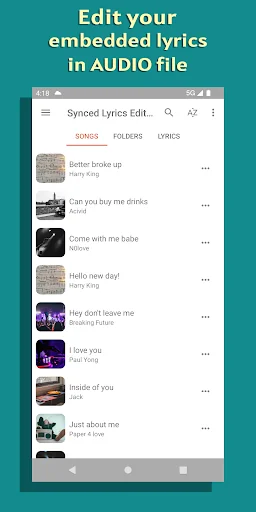
Browse and edit lyrics file and embed to your music on SDCard.
HOW TO USE Option 1 - Make unsynced lyrics synced:
- Click and open audio from our app. Lyrics Editor will appear.
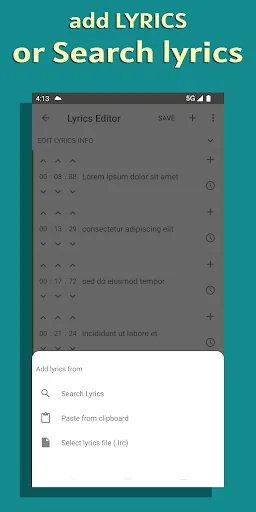
- If the audio has embedded lyrics, just start play with it. If not, click the "+" (Add) button to add lyrics from file or paste from clipboard or You can search lyrics with the built-in search function.
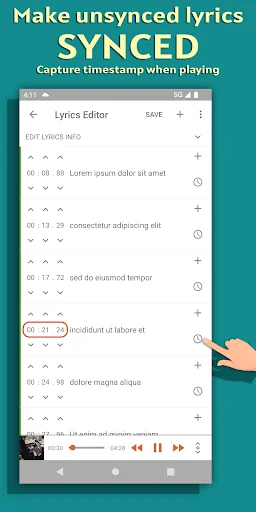
- With unsynced lyrics, start play the audio. When it is playing, click the Time icon on each row to capture timestamp for that row from the current progress.
- Well done. You have your synced karaoke lyrics.
Option 2 - Edit already synced lyrics - With synced lyrics, the editor provides you many great functions. Click open the audio file.
- On each row, you can adjust each timestamp by click on the timestamp adjusting arrows.
- Long press on a row to start batch adjusting.
- Well done.
Features: - Search lyrics
- Download lyrics and edit
- Create synced lyrics with ease
- Embed lyrics to audio file
- Copy lyrics to clipboard to share
- Save lyrics to external file
- Share lyrics
- Built-in Lyrics player play synced lyrics like karaoke style.
Support audio formats:
⭐ Mp3
⭐ M4a
⭐ Ogg
⭐ Flac
⭐ Wma
⭐ Wav
Design:
- Material design
- Clean and minimalist interface
- Easy to use
- Night mode. Dark Theme
Enjoy making synced lyrics! Rate us 5 stars if the app is helpful for you! ❤️
Privacy Policy: https://angolix.com/privacy.html
Terms of Use: https://angolix.com/terms.html
Comparable Android apps
The five apps in Music & Audio with the closest revenue to Lyrics Editor: Make Lyrics. Click any to see its detail page.
Each forecast combines App Store rating, ratings count, monetisation model, pricing tier, IAP signals and ad-supported flag.
The base estimate is then multiplied by a per-category scaling factor learned from apps with founder-verified MRR.
Every number on this page comes from public APIs and bumetric's own snapshot history.
Full methodology covers input variables, accuracy bands per category and how we treat apps without comparable anchors.
See also the live data on Lyrics Editor: Make Lyrics's tracker page for current rating, reviews and snapshot timeline.
Building something similar? Get a free AI audit with $-revenue forecasts for every recommendation.


 الفرقان
 Konya fm
 GALAXIE Radio BELGIUM
 Rádio Vanguarda Educativa FM
 Prvi Radio