What Map & Draw: Draw on Map actually does (from store listing)
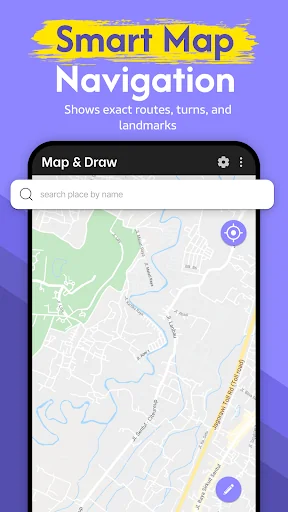
Draw on maps, plan routes, mark boundaries, and create your own custom maps — all in one easy-to-use app. Map & Draw turns your device into a powerful map sketching tool for school, travel, real estate, and more.
Whether you're a parent helping your child understand geography, a teacher designing creative lessons, or a professional planning site layouts or field routes, Map & Draw offers intuitive tools for any level of user.
✏️ <b>Draw, Sketch & Customize Maps Easily</b>
Use freehand dra…
Draw on maps, plan routes, mark boundaries, and create your own custom maps — all in one easy-to-use app. Map & Draw turns your device into a powerful map sketching tool for school, travel, real estate, and more.
Whether you're a parent helping your child understand geography, a teacher designing creative lessons, or a professional planning site layouts or field routes, Map & Draw offers intuitive tools for any level of user.
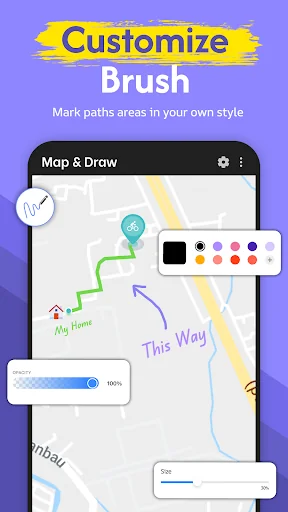
✏️ Draw, Sketch & Customize Maps Easily Use freehand drawing tools to draw on Google Maps, highlight areas, scribble notes, and mark important locations. Choose from different pen colors and thicknesses to create maps that are informative and unique.
• Draw routes on map and plan your trips visually
• Customize maps with drawing tools
• Sketch borders, regions, or property lines
• Doodle on maps for fun or planning
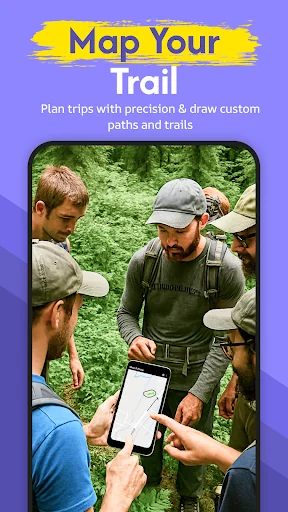
📍 Real-Time GPS Integration Watch your location update live on the map as you draw. GPS-based route drawing is perfect for hikers, bikers, and surveyors. Track your movement and create custom trails on the go.
• Live GPS map drawing
• Plan and track outdoor routes
• Map hiking or cycling trails
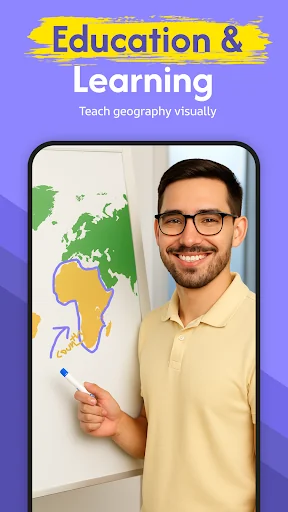
🎓 Educational Tool for Students & Teachers Perfect for classrooms! Teachers can use the app to demonstrate regions, paths, and key locations. Students can engage with maps by drawing country borders, mapping journeys, or solving assignments visually.
• Students drawing on maps for school
• Teachers create interactive geography lessons
• Use doodle maps for learning
🏘️ Ideal for Real Estate, Surveying & Urban Planning Professionals can mark plots, draw property lines, and label custom zones with ease. Great for field teams, real estate agents, or urban planners.
• Real estate boundary drawing tool
• App to draw survey plots on map
• Create tactical maps for planning
🌍 Custom Maps for Everyone Whether you're a DIY mapper, traveler, outdoor enthusiast, or educator, Map & Draw is your companion for creating clear, useful, and beautiful maps.
• Make your own maps
• Draw routes on map
• Map maker with freehand drawing tools
• Visual map route planner
• Customize Google Maps with drawings
• Use maps offline (with saved screenshots or shared maps)
💡 Why Map & Draw? • Easy map drawing for all ages
• Designed for students, teachers, travelers & professionals
• Intuitive tools with powerful customization
• Creative freedom and practical value in one app
🚀 Download Map & Draw Now Start creating, planning, and teaching with custom maps today!
Highlight what matters. Customize your world. Make your own maps.
Comparable Android apps
The five apps in Tools with the closest revenue to Map & Draw: Draw on Map. Click any to see its detail page.
Each forecast combines App Store rating, ratings count, monetisation model, pricing tier, IAP signals and ad-supported flag.
The base estimate is then multiplied by a per-category scaling factor learned from apps with founder-verified MRR.
Every number on this page comes from public APIs and Bumetric's own snapshot history.
Full methodology covers input variables, accuracy bands per category and how we treat apps without comparable anchors.
See also the live data on Map & Draw: Draw on Map's tracker page for current rating, reviews and snapshot timeline.
Building something similar? Get a free AI audit with $-revenue forecasts for every recommendation.


 Smart View for Smart TV
 Keep Screen
 ScanMe - QR Code Scanner
 Beagle 2.0 Bluetooth Tracker
 Flashlight - LED Torch