What MATLAB Mobile actually does (from store listing)
Connect to MATLAB® from your Android smartphone or tablet.
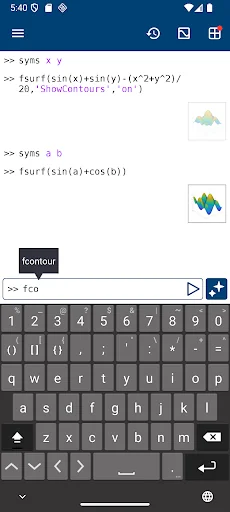
Evaluate MATLAB commands, create and edit files, view results, acquire data from sensors, and visualize data – from the convenience of your mobile device.
CONNECT TO THE CLOUD
Use your MathWorks Account to connect to MathWorks Cloud from MATLAB Mobile™. Linking a license that is current on MathWorks Software Maintenance Service to your MathWorks Account increases your storage quota and unlocks access to other add-on products on th…
Connect to MATLAB® from your Android smartphone or tablet.
Evaluate MATLAB commands, create and edit files, view results, acquire data from sensors, and visualize data – from the convenience of your mobile device.
CONNECT TO THE CLOUD
Use your MathWorks Account to connect to MathWorks Cloud from MATLAB Mobile™. Linking a license that is current on MathWorks Software Maintenance Service to your MathWorks Account increases your storage quota and unlocks access to other add-on products on the license.
With your MathWorks Account, you can:
• Access MATLAB from the command line
• View, run, edit and create files from the Editor
• Acquire data from device sensors
• Store your files and data on MATLAB Drive (you receive 5 GB of cloud storage)
Link a license that is current on MathWorks Software Maintenance Service to your MathWorks Account to unlock the following features:
• Access to other add-on products on your license
• 20 GB of cloud storage on MATLAB Drive
FEATURES
• Command-line access to MATLAB and add-on products
• MATLAB Copilot for AI-assisted coding with a valid license
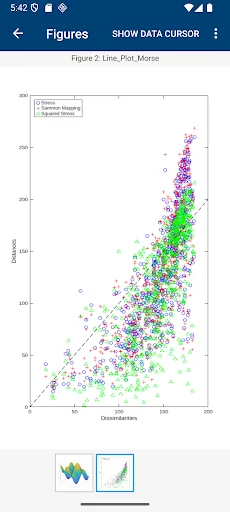
• 2D and 3D plots to visualize data
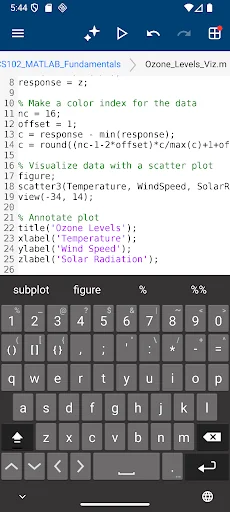
• Editor to view, run, edit and create MATLAB files
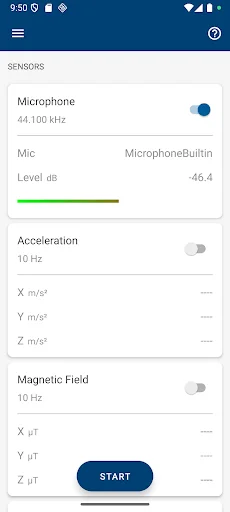
• Data acquisition from device sensors
• Image and video acquisition from the camera
• Cloud storage and synchronization with MATLAB Drive
• Custom keyboard to enter typical MATLAB syntax
LIMITATIONS
The following features are not supported:
• Using MATLAB Apps, such as Curve Fitting
• Creating apps with App Designer
• Interacting with 3D figures
• Opening or creating models using the Simulink graphical environment
ABOUT MATLAB
MATLAB is the leading technical computing software for algorithm development, data visualization, data analysis, and numeric computation. MATLAB is used in a wide range of applications, including signal and image processing, communications, control design, test and measurement, financial modeling and analysis, and computational biology.
Comparable Android apps
The five apps in Tools with the closest revenue to MATLAB Mobile. Click any to see its detail page.
Each forecast combines App Store rating, ratings count, monetisation model, pricing tier, IAP signals and ad-supported flag.
The base estimate is then multiplied by a per-category scaling factor learned from apps with founder-verified MRR.
Every number on this page comes from public APIs and bumetric's own snapshot history.
Full methodology covers input variables, accuracy bands per category and how we treat apps without comparable anchors.
See also the live data on MATLAB Mobile's tracker page for current rating, reviews and snapshot timeline.
Building something similar? Get a free AI audit with $-revenue forecasts for every recommendation.


 Notepad for Android
 Compass Maps
 Morse Code
 Mute.
Mute.
 Translate AI - Camera & Voice