What Media Vault - Hide Photos actually does (from store listing)
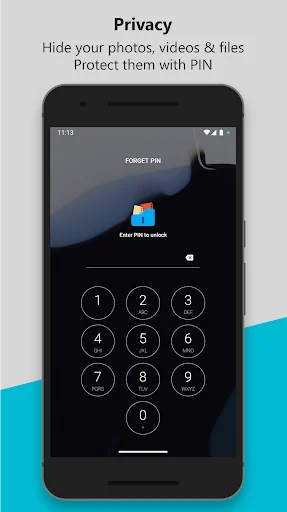
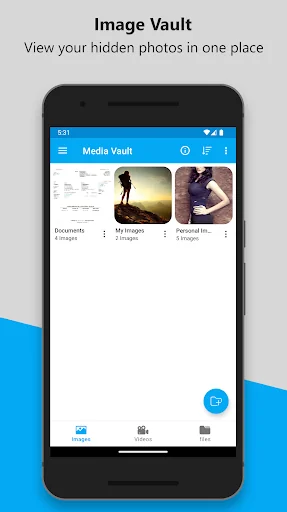
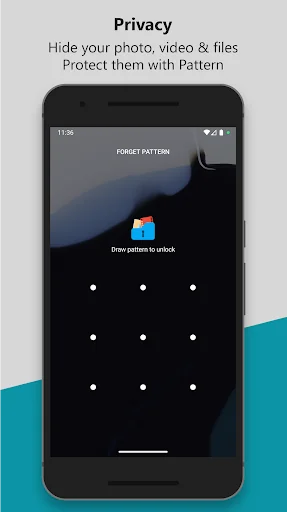
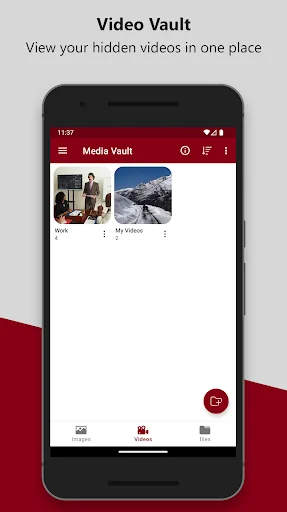
<b>Media Vault is a secure private vault to hide photos, videos, and files and protect them with PIN, Pattern, or Fingerprint lock.</b>
Keep your personal media safe from prying eyes with advanced security features, a refreshed modern UI, and a powerful built-in image viewer and video player.
<b>ADVANCED SECURITY FEATURES</b>
★ Lock Media Vault using PIN, Pattern, or Fingerprint.
★ Random Keyboard for PIN entry to prevent spying.
★ Invisible Pattern Lock for enhanced privacy.
★ Replace…
Media Vault is a secure private vault to hide photos, videos, and files and protect them with PIN, Pattern, or Fingerprint lock.
Keep your personal media safe from prying eyes with advanced security features, a refreshed modern UI, and a powerful built-in image viewer and video player.
ADVANCED SECURITY FEATURES ★ Lock Media Vault using PIN, Pattern, or Fingerprint.
★ Random Keyboard for PIN entry to prevent spying.
★ Invisible Pattern Lock for enhanced privacy.
★ Replace the app icon with fake icons such as Calculator, Alarm Clock, Weather, Calendar, Notepad, Browser, or Radio to confuse intruders.
BREAK-IN ALERTS ★ Automatically captures a photo when an incorrect PIN or pattern is entered.
★ View intruder photos inside the app.
★ Know who tried to access your private files.
IMPROVED MEDIA EXPERIENCE ★ Built-in high-quality Image Viewer.
★ Powerful Video Player with smooth playback.
★ Search media easily inside the vault.
★ Sort files by name, date, or size.
★ Fast and smooth performance with refreshed UI.
FILE HIDING ★ Hide photos, videos, and files from internal storage or SD card.
★ Supports SD card to help save internal storage space.
★ No limits on the number of files you can hide.
★ Keep your private media hidden and protected.
MAIN FEATURES ★ Securely hide photos, videos, and files.
★ Unlock using PIN, Pattern, or Fingerprint.
★ Fake app icon support.
★ Intruder selfie alerts.
★ Advanced search and sorting options.
★ Improved video player & image viewer.
★ SD card support.
★ No storage limit.
FAQ 1. How do I set a PIN for the first time? Open Media Vault → Enter PIN → Confirm PIN
2. How do I change my PIN? Open Media Vault → Settings → Change PIN → Confirm old PIN → Set new PIN
3. Forgot your PIN? On the Login Screen → Tap "FORGOT PIN" → Answer your security question → Set a new PIN
Permissions Media Vault requires the following permissions:
★ Manage external storage- to hide and manage your private images, videos, and files.
★ Camera- to capture intruder photos.
Device Administrator Permission Media Vault uses Device Administrator permission to prevent unauthorized uninstall attempts.
Once enabled, the app cannot be uninstalled without entering the correct PIN.
To uninstall Media Vault, disable "Uninstall Prevention" from app settings first.
For any questions or help using Media Vault, email us at devlaniinfotech@gmail.com.
Comparable Android apps
The five apps in Tools with the closest revenue to Media Vault - Hide Photos. Click any to see its detail page.
Each forecast combines App Store rating, ratings count, monetisation model, pricing tier, IAP signals and ad-supported flag.
The base estimate is then multiplied by a per-category scaling factor learned from apps with founder-verified MRR.
Every number on this page comes from public APIs and bumetric's own snapshot history.
Full methodology covers input variables, accuracy bands per category and how we treat apps without comparable anchors.
See also the live data on Media Vault - Hide Photos's tracker page for current rating, reviews and snapshot timeline.
Building something similar? Get a free AI audit with $-revenue forecasts for every recommendation.


 GPS Speedometer Lite HUD Digi
 2020Wallet – Password Manager
 Aim Helper :Custom Aim for FPS
 常時安全セキュリティ24
 Guard Patrol System