What Melon UI Icon Pack actually does (from store listing)
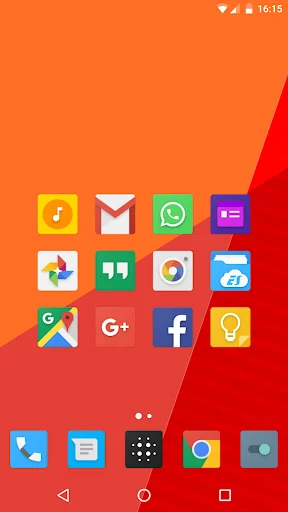
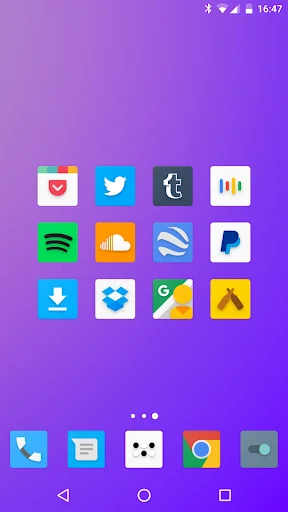
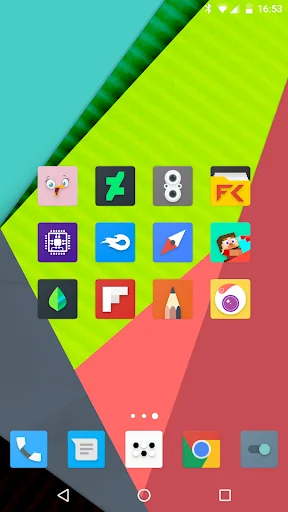
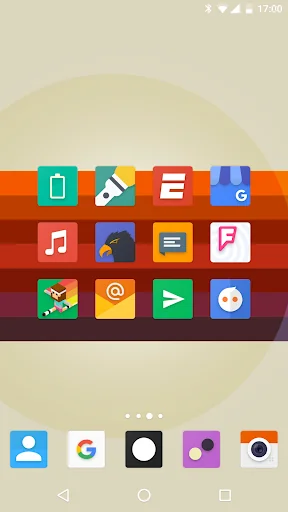
<b>Melon UI</b> the theme inspired by the new Google operating system, Lollipop 5.0.
Designed on the guidelines of Android, Melon UI using the colors palette of Lollipop and the new Material design for seamless integration with your new OS.
A great icon pack that will complete the integration of your new Material device !
<b>FEATURES</b>
・ 5300+ icons in full HD
・ Stock System icons for the most important producers like Samsung, HTC, LineageOS, Asus, Huawei, Leeco, LG, Meizu, Motorola, O…
Melon UI the theme inspired by the new Google operating system, Lollipop 5.0.
Designed on the guidelines of Android, Melon UI using the colors palette of Lollipop and the new Material design for seamless integration with your new OS.
A great icon pack that will complete the integration of your new Material device !
FEATURES ・ 5300+ icons in full HD
・ Stock System icons for the most important producers like Samsung, HTC, LineageOS, Asus, Huawei, Leeco, LG, Meizu, Motorola, Oneplus, Sony, Xiaomi and many others
・ Alternative Colorful icons
・ Cloud wallpapers (with Muzei support) ・ Dynamic calendar support
・ Search icons tool
・ Icons request tool
・ Weekly update
INFO This is not a standard application. In order to function you need a Custom Launcher If your launcher isn't in the list inside the app you can apply it manually.
Go in the launcher settings then apply the pack!
WARNING Pixel launcher does NOT support icon pack. You need to install a modded version Google Now Launcher does NOT support icon packs MIUI Launcher does NOT support icon packs For Go Launcher Users: Currently Go Launcher does not support icon masking, so go to:
Preferences > Icons > show icon base (disable it)
MISSING ICONS You are getting lost icons? Send me a request by the tool inside the app and change the email object in "Activity Request". I will fix it!
Each forecast combines App Store rating, ratings count, monetisation model, pricing tier, IAP signals and ad-supported flag.
The base estimate is then multiplied by a per-category scaling factor learned from apps with founder-verified MRR.
Every number on this page comes from public APIs and bumetric's own snapshot history.
Full methodology covers input variables, accuracy bands per category and how we treat apps without comparable anchors.
See also the live data on Melon UI Icon Pack's tracker page for current rating, reviews and snapshot timeline.
Building something similar? Get a free AI audit with $-revenue forecasts for every recommendation.

 Star Launcher Prime
 Pixelation - Dark Icon Pack
 Shortcuts widget - Apps Folder
 Wallpaper 4K HD – Wallcraft
 Photo Lock App - Hide Pictures