What Metronome Beats Pro actually does (from store listing)
The same great metronome as Metronome Beats but with additional features and no adverts! In addition to a comprehensive metronome and speed trainer, Metronome Beats Pro also has a “Live Mode’ feature which allows you to create setlists of songs and play through these one by one – useful for solo and group practice as well as playing live on stage. You can also create songs with varying tempos, set beat and bar counters, and select from a range of different sound types.
Designed with ease of …
The same great metronome as Metronome Beats but with additional features and no adverts! In addition to a comprehensive metronome and speed trainer, Metronome Beats Pro also has a “Live Mode’ feature which allows you to create setlists of songs and play through these one by one – useful for solo and group practice as well as playing live on stage. You can also create songs with varying tempos, set beat and bar counters, and select from a range of different sound types.
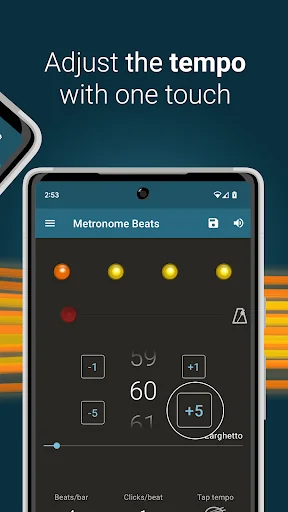
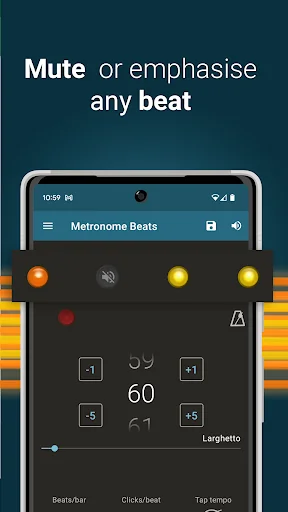
Designed with ease of use in mind, Metronome Beats has controls for easily increasing and decreasing the tempo in small increments by one touch of the screen. The visual beat indicators help you to keep track of where you are in the bar and enable you to mute the metronome whilst still monitoring the tempo visually. You can also create your own custom sound settings or simply change the pitch to make Metronome Beats easier to hear over your instrument.
Only need a few bars lead in? Use the timer function to stop Metronome Beats when you want. You can also use Metronome Beats at the same time as other apps, allowing you to read sheet music off your Tablet whilst playing the metronome to check your tempo.
On larger devices the Tablet specific layout gives you access to all of the Metronome Beats features on one handy screen.
Exclusive to Pro version:
- no adverts
- beat and bar counters
- save your settings as presets
- create songs with varying tempos
- organise your favourite songs in to setlists and play through these in “Live” mode
- randomised bar and beat muting
Features also include:
- Separate layout for larger devices
- Speed Trainer
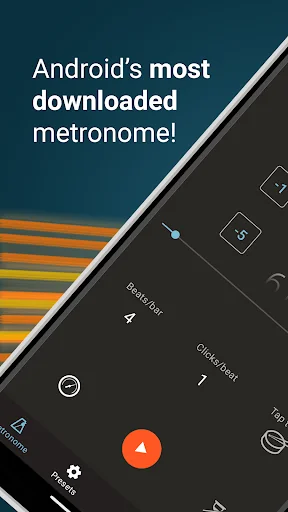
- Select any tempo from 1 to 900 beats per minute.
- Don’t know how many beats per minute you need? Then use the tap tempo button to select a tempo.
- Option to keep the metronome playing when you exit allowing you to use it with other apps
- Set a timer to stop the metronome after a certain number of bars
- Displays Italian tempo markings – handy if you’re not sure how fast Vivace should be.
- Subdivide the beat with up to 16 clicks per beat – so you can practice the timing of your triplets.
- Choose whether to accent the first beat of the bar.
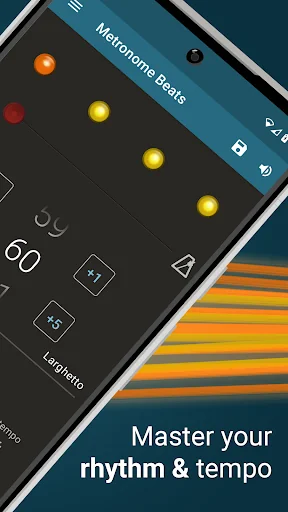
- Visual beat indication - mute the sound and use the visualisations to follow the beat.
- Your settings are saved automatically on exit – so you can carry on where you left off next time you play.
- Change the pitch of the sound to make the metronome easier to hear over your instrument.
For more help with using Metronome Beats, see our blog posts:
http://stonekick.com/blog/metronome-beats-different-time-signaturebeat-combinations/
http://stonekick.com/blog/using-a-metronome-to-improve-your-golf/
Comparable Android apps
The five apps in Music & Audio with the closest revenue to Metronome Beats Pro. Click any to see its detail page.
Each forecast combines App Store rating, ratings count, monetisation model, pricing tier, IAP signals and ad-supported flag.
The base estimate is then multiplied by a per-category scaling factor learned from apps with founder-verified MRR.
Every number on this page comes from public APIs and Bumetric's own snapshot history.
Full methodology covers input variables, accuracy bands per category and how we treat apps without comparable anchors.
See also the live data on Metronome Beats Pro's tracker page for current rating, reviews and snapshot timeline.
Building something similar? Get a free AI audit with $-revenue forecasts for every recommendation.


 Listen Audiobook Player
 Audials Play Pro Radio+Podcast
 Spotify: Music and Podcasts
 Music Folder Player Full
 Podkicker - Podcast App Player