What MIU 11 - icon pack actually does (from store listing)
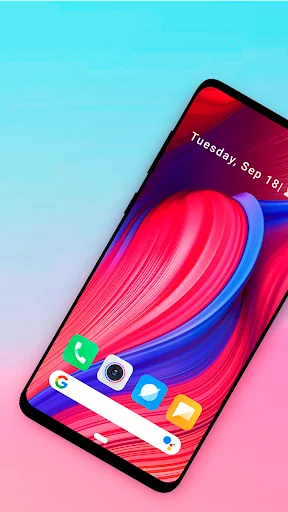
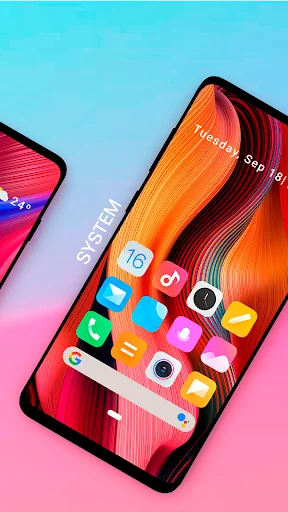
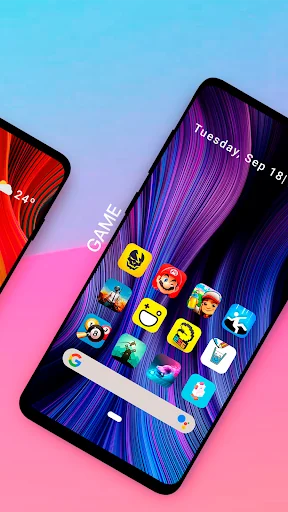
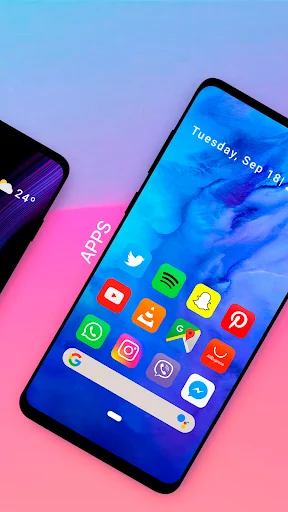
MIU 11 Icon pack contains more than 10000+ handmade icons , ready to be used with the most famous launchers to customize your home screen by adding a colorful, dynamic and homogeneous touch to your app icons.
The design of the icons is inspired by the minimal style of MIUI icons.
There are lots of alternative icons you can apply to create your personalized home screen!
If you like my icon pack, please leave a review - this will help me grow and maintain the project.
DISCLAIMER
You may…
MIU 11 Icon pack contains more than 10000+ handmade icons , ready to be used with the most famous launchers to customize your home screen by adding a colorful, dynamic and homogeneous touch to your app icons.
The design of the icons is inspired by the minimal style of MIUI icons.
There are lots of alternative icons you can apply to create your personalized home screen!
If you like my icon pack, please leave a review - this will help me grow and maintain the project.
DISCLAIMER
You may need a 3rd party launcher to apply the icon pack.
** INSTRUCTIONS **
If you are using a supported launcher, you can apply the icon pack using 2 methods: directly from the app (only for some launchers) or from the Launcher settings directly.
Launcher supported (can be applied directly from the icon pack):
- Nova Launcher
- Evie Launcher
- Action Launcher
- ADW Launcher
- Apex Launcher
- Atom Launcher
- Aviate Launcher
- CM Theme Engine
- GO Launcher
- Holo Launcher
- Holo Launcher HD
- LG Home
- Lucid Launcher
- M Launcher
- Mini Launcher
- Next Launcher
- Nougat Launcher
- Smart Launcher
- Solo Launcher
- V Launcher
- ZenUI Launcher
- Zero Launcher
- ABC Launcher
Launcher supported (can be applied from the Launcher settings):
- POCO Launcher
- OnePlus Launcher
- Hyperion Launcher
- Microsoft Launcher
- Arrow Launcher
- Little Launcher
- ASAP Launcher
- Cobo Launcher
- Line Launcher
- Mesh Launcher
- Peek Launcher
- Z Launcher
- Launch by Quixey Launcher
- iTop Launcher
- KK Launcher
- MN Launcher
- New Launcher
- S Launcher
- Open Launcher
- Flick Launcher
HOW TO APPLY ICON PACK VIA LAUNCHER
1. Open Launcher settings by tapping + holding on an empty area of home screen
2. Select launcher display/personalization options
3. Select icon pack
Comparable Android apps
The five apps in Personalization with the closest revenue to MIU 11 - icon pack. Click any to see its detail page.
Each forecast combines App Store rating, ratings count, monetisation model, pricing tier, IAP signals and ad-supported flag.
The base estimate is then multiplied by a per-category scaling factor learned from apps with founder-verified MRR.
Every number on this page comes from public APIs and bumetric's own snapshot history.
Full methodology covers input variables, accuracy bands per category and how we treat apps without comparable anchors.
See also the live data on MIU 11 - icon pack's tracker page for current rating, reviews and snapshot timeline.
Building something similar? Get a free AI audit with $-revenue forecasts for every recommendation.


 Kawaii Keyboard Theme
 Storm live wallpaper
 Wolf Wallpapers 4K
 3D Icon Launcher Theme
 Real Ocean Live Wallpaper