What MOBILE-ALERTS actually does (from store listing)
The plus in safety
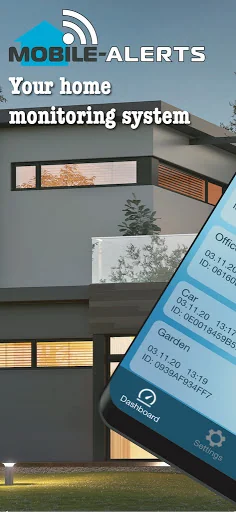
You want to know what your flat or house is doing right now - with the MOBILE ALERTS home monitoring system you can easily find out about its condition:
- Are all windows and doors closed?
- Is the freezer cold enough?
- Can I leave the washing machine running unattended?
- Has the power failed?
All these questions will be answered in the future by the MOBILE ALERTS home monitoring system in this practical app in combination with various wireless sensors for your h…
You want to know what your flat or house is doing right now - with the MOBILE ALERTS home monitoring system you can easily find out about its condition:
- Are all windows and doors closed?
- Is the freezer cold enough?
- Can I leave the washing machine running unattended?
- Has the power failed?
All these questions will be answered in the future by the MOBILE ALERTS home monitoring system in this practical app in combination with various wireless sensors for your home. All you need to operate this app is the necessary hardware, consisting of the gateway and at least one sensor of your choice (e.g. MOBILE ALERTS Starterkit MA 10001 Set) and an internet connection.
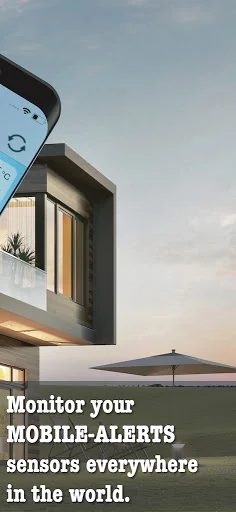
Via the Internet connection and the gateway, the MOBILE ALERTS app enables you to call up all the information from your home on your smartphone anywhere in the world. The sensors permanently monitor the current data and report malfunctions automatically and immediately via push notification to your smartphone, whereby greater damage can be avoided by targeted action.
The simple installation enables every user to monitor the house at any time in just 5 steps:
Once you have downloaded the permanently free MOBILE ALERTS app from the Appstore, it is immediately ready for use after installation thanks to Plug&Play.
A personal registration is not necessary.
Now connect the gateway to the power supply unit and your router.
Then insert batteries in the selected wireless sensors.
Open the app, scan in the codes of the wireless sensors and you can access all the recorded data with your smartphone and check the current status of your home - anytime, anywhere.
The whole process is completed within 2 minutes at the latest.
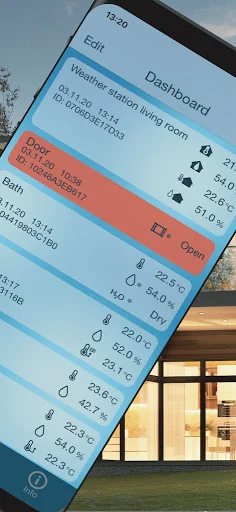
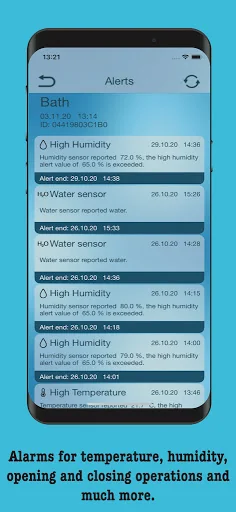
The app's self-explanatory, graphical user interface is intuitive to use and can be individually adapted to your needs. Define an individual name for each wireless sensor and set up specific alarm limits yourself. If these alarm limits are exceeded, the wireless sensors immediately report the fault to your smartphone and thus offer you the PLUS in security.
The MOBILE ALERTS system can be expanded with many other wireless sensors as required. In addition to temperature monitoring, these provide additional data on air humidity, water temperature, leaking water, information on open and closed windows or doors and much more.
The MOBILE ALERTS system can be used with many other IoT systems via the Conrad Connect IoT platform. In addition, there is support for the common language assistants.
We are continuously working on the range of our sensors. Further information, an overview of all available sensors and an additional video for installation can be found in your app under INFO or at www.mobile-alerts.eu.
Comparable Android apps
The five apps in Weather with the closest revenue to MOBILE-ALERTS. Click any to see its detail page.
Each forecast combines App Store rating, ratings count, monetisation model, pricing tier, IAP signals and ad-supported flag.
The base estimate is then multiplied by a per-category scaling factor learned from apps with founder-verified MRR.
Every number on this page comes from public APIs and bumetric's own snapshot history.
Full methodology covers input variables, accuracy bands per category and how we treat apps without comparable anchors.
See also the live data on MOBILE-ALERTS's tracker page for current rating, reviews and snapshot timeline.
Building something similar? Get a free AI audit with $-revenue forecasts for every recommendation.

 周辺便利天気 -気象庁天気予報ブラウザアプリ&雨雲雷レーダー
 台南水情即時通
 WANE WX
 WSYR Storm Team App
 Vrijeme na radaru