What 네이버 메모 – Naver Memo actually does (from store listing)
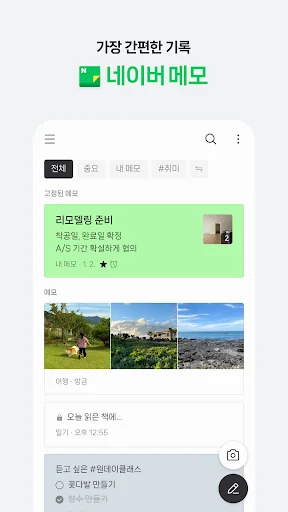
1. Record on Naver Memo anytime, anywhere.
Whether on mobile or PC, write notes before you forget and retrieve them when needed.
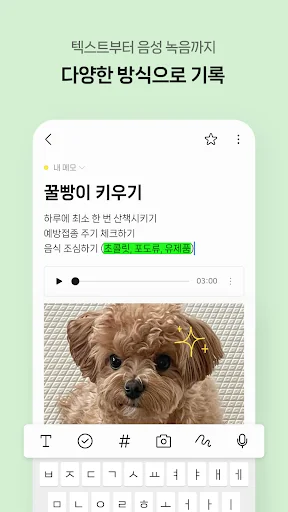
2. Record in various ways.
Try creating notes using various formats, such as highlighters and checklists.
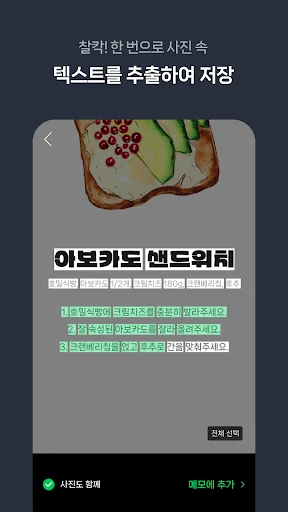
Click! You can extract text from photos in a single click or convert voice to text for more convenient recording.
3. Easily organize your notes.
Use folders and tags to easily classify and quickly retrieve your notes.
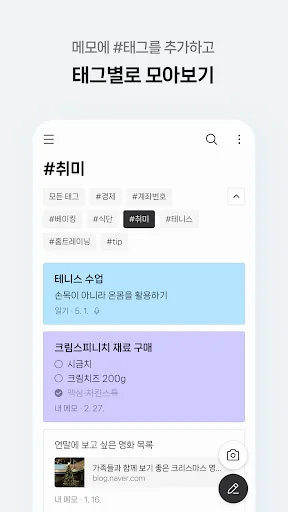
Add #tags to your notes an…
Whether on mobile or PC, write notes before you forget and retrieve them when needed.
2. Record in various ways.
Try creating notes using various formats, such as highlighters and checklists.
Click! You can extract text from photos in a single click or convert voice to text for more convenient recording.
3. Easily organize your notes.
Use folders and tags to easily classify and quickly retrieve your notes.
Add #tags to your notes and group notes containing those tags.
4. Use Dark Mode for a comfortable, glare-free experience.
You can follow your device settings or fix the mode to your preference between Light Mode and Dark Mode.
※ Details on Required Access Permissions
- Notifications: You can receive notifications for notes with alarms set. (Available only on devices running OS version 13.0 or higher)
- Photos and Videos (Files and Media): Allows you to download photo files to your device or attach them to notes. - Camera: You can attach photos taken to your memo or use the text extraction feature.
- Microphone: You can create memos by recording audio.
※ The new Naver Memo app (v4.0) is available for Android 9.0 and above.
[Note]
If you have any questions or encounter any issues while using the app, please visit the Naver Memo Customer Center (https://help.naver.com/alias/memo/memo_new1.naver) to resolve your inquiries.
Each forecast combines App Store rating, ratings count, monetisation model, pricing tier, IAP signals and ad-supported flag.
The base estimate is then multiplied by a per-category scaling factor learned from apps with founder-verified MRR.
Every number on this page comes from public APIs and bumetric's own snapshot history.
Full methodology covers input variables, accuracy bands per category and how we treat apps without comparable anchors.
See also the live data on 네이버 메모 – Naver Memo's tracker page for current rating, reviews and snapshot timeline.
Building something similar? Get a free AI audit with $-revenue forecasts for every recommendation.


 Task Manager (Task Killer)
 Spanish for ai.type Keyboard
 Document Reader: PDF, DOC, PPT
 1C Big Keyboard
 My Work Time App