NETWORK STORAGE DEVICES:
Monitoring and firmware management of NETGEAR ReadyNAS 420, 520, 620, 3000, 4000 and 5000 series
Here is the full list of devices Insight manages by model [https://www.netgear.com/insight/devices.aspx]. Make sure your device is on this list to ensure your device will be manageable by Insight. After download,
create your Insight account and let Insight help you add your Insight managed devices and create and configure your network.
Insight Advantages:
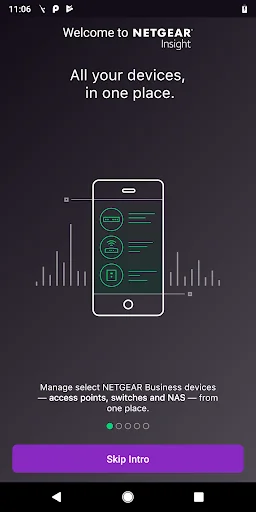
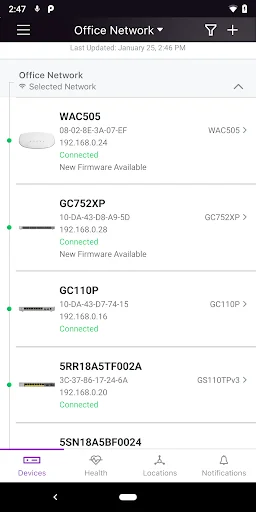
Use Insight to discover, register, install and configure your Insight managed devices - switches, wireless access points and router gateways, and storage devices, as well as to setup your wired and wireless networks.
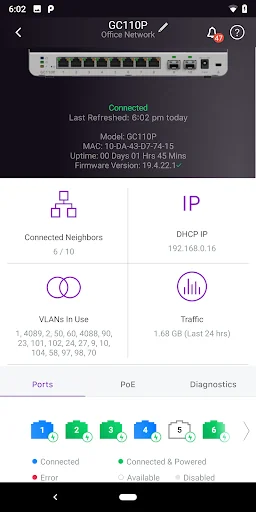
Additionally, with the Insight app you can check the status of your network, re-configure and fine-tune settings and troubleshoot. You also can receive alerts and notifications on critical and important events related
to your devices and networks. Most of the features available on the Insight Cloud Portal are available on the mobile app, making the NETGEAR Insight app an excellent tool to help stay on top of all your Insight-devices
based networks. Additionally, with the Insight app, you have direct access to NETGEAR Help and Support. You truly have full visibility and control of all your networks in the palm of your hand – anytime, anywhere.
Unlike most network management solutions, NETGEAR Insight is a complete unified network management solution built specifically for the SMB market. With the easy, user friendly networking experience, NETGEAR Insight app enables
multi-device configuration, network management, monitoring, and service deployment of select NETGEAR wireless, switching, routing and storage devices.
Feature Highlights:
* Remote access into your networks and devices from anywhere right through your phone
* Unified and simplified multi-device configuration from your phone
* Unified cloud management of both wired and wireless networks
* Manage multiple network locations from one screen
* Troubleshoot issues and get NETGEAR Support right from your Insight app
* Intuitive mobile user experience
* No additional need for cloud controller, appliance, network manager, or PC/server
NETGEAR Insight Managed Devices -- check for list of devices managed by Insight [https://www.netgear.com/insight/devices.aspx]:
* Insight Managed Wireless Access Points – Meeting the need for higher bandwidth, multi-user support
* Insight Managed Switches — Networking made simple
* ReadyNAS Storage — Powerful, scalable
Now NETGEAR Insight supports landscape mode for tablets. Additionally, the NETGEAR Insight Cloud Portal is also available at https://insight.netgear.com.
Comparable Android apps
The five apps in Business with the closest revenue to NETGEAR Insight. Click any to see its detail page.
Each forecast combines App Store rating, ratings count, monetisation model, pricing tier, IAP signals and ad-supported flag.
The base estimate is then multiplied by a per-category scaling factor learned from apps with founder-verified MRR.
Every number on this page comes from public APIs and bumetric's own snapshot history.
Full methodology covers input variables, accuracy bands per category and how we treat apps without comparable anchors.
See also the live data on NETGEAR Insight's tracker page for current rating, reviews and snapshot timeline.
Building something similar? Get a free AI audit with $-revenue forecasts for every recommendation.


 Canada Jobs
 Paparazzi Accessories
 Sejasa: Service AC, Jasa Rumah
 DigiCard-Business Card Scanner
 iPay Sri Lanka